EasyManua.ls Logo

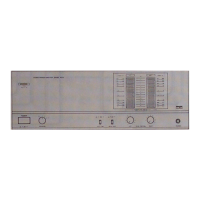
Kenwood Basic M1D - Controls and Indicators; Power Switch and Indicator; Speaker Selection Switch; Meter Range Adjustment

Kenwood Basic M1D
8 pages
Print Icon
To Next Page IconTo Next Page
To Previous Page IconTo Previous Page
Loading...
Controls
and
indicators
~KENWOOD
stereo
power
AMPLIFIER
BASIC
M1D
@
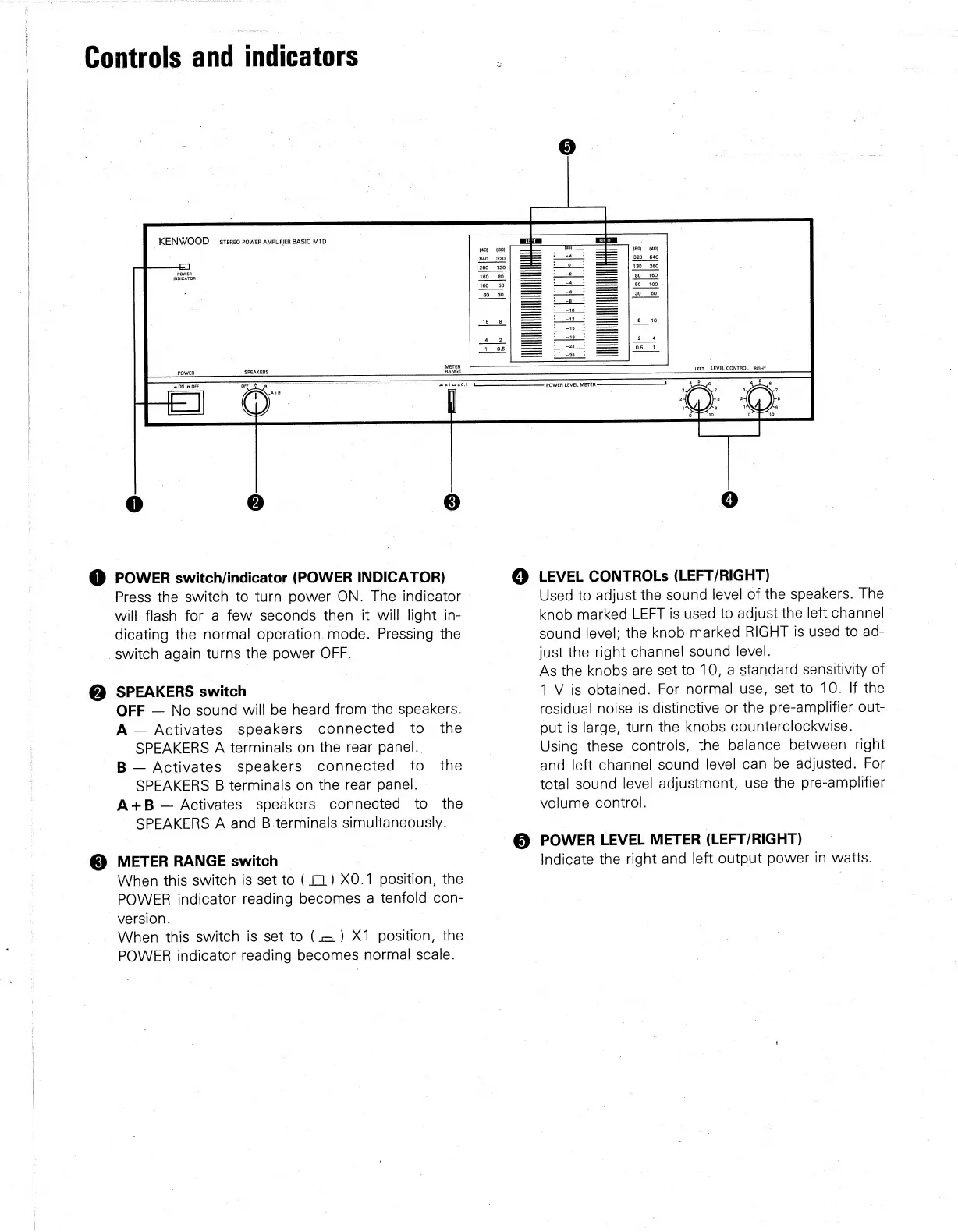
POWER
switch/indicator
(POWER
INDICATOR)
Press
the
switch
to
turn
power
ON.
The
indicator
will
flash
for
a
few
seconds
then
it
will
light
in-
dicating
the
normal
operation
mode.
Pressing
the
switch
again
turns
the
power
OFF.
@
SPEAKERS
switch
OFF
No
sound
will
be
heard
from
the
speakers.
A
Activates
speakers
connected
to
_
the
SPEAKERS
A
terminals
on
the
rear
panel.
B—
Activates
speakers
connected
to
the
SPEAKERS
B
terminals
on
the
rear
panel.
©
A+B
Activates
speakers
connected
to
the
SPEAKERS
A
and
B
terminals
simultaneously.
@
METER
RANGE
switch
©
|
When
this
switch
is
set
to
(1)
XO.1
position,
the
POWER
indicator
reading
becomes
a
tenfold
con-
version.
|
When
this
switch
is
set
to
(1)
X1
position,
the
POWER
indicator
reading
becomes
normal
scale.
(4a)
(8M)
Lert
LEVEL
CONTROL.
RIGHT
@
LEVEL
CONTROLs
(LEFT/RIGHT)
Used
to
adjust
the
sound
level
of
the
speakers.
The
knob
marked
LEFT
is
used
to
adjust
the
left
channel
|
sound
level;
the
knob
marked
RIGHT
is
used
to
ad-
just
the
right
channel
sound
level.
As
the
knobs
are
set
to
10,
a
standard
sensitivity
of
1V
is
obtained.
For
normal
use,
set
to
10.
If
the
residual
noise
is
distinctive
or
the
pre-amplifier
out-
out
is
large,
turn
the
knobs
counterclockwise.
Using
these
controls,
the
balance
between
right
and
left
channel
sound
level
can
be
adjusted.
For
total
sound
level
adjustment,
use
the
pre-amplifier
volume
control.
POWER
LEVEL
METER
(LEFT/RIGHT)
Indicate
the
right
and
left
output
power
in
watts.

Related product manuals