EasyManua.ls Logo

Kenwood eXcelon KDC-X993 - User Manual

Kenwood eXcelon KDC-X993
60 pages
Print Icon
To Next Page IconTo Next Page
Loading...
US Residence Only
Register Online
Register your Kenwood product at www.Kenwoodusa.com
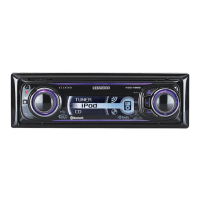
CD-RECEIVER
KDC-X993
KDC-HD942U
KDC-X693
KDC-MP642U
INSTRUCTION MANUAL
© B64-4416-00/00 (KW)
Take the time to read through this instruction manual.
Familiarity with installation and operation procedures will help you obtain the best
performance from your new CD-receiver.
For your records
Record the serial number, found on the back of the unit, in the spaces designated on the
warranty card, and in the space provided below. Refer to the model and serial numbers
whenever you call upon your Kenwood dealer for information or service on the product.
Model KDC-X993/ KDC-HD942U/ KDC-X693/ KDC-MP642U Serial number
B64-4416-000009FLIPKen.indd1B64-4416-000009FLIPKen.indd1 09.1.73:53:56PM09.1.73:53:56PM

Table of Contents

Question and Answer IconNeed help?

Do you have a question about the Kenwood eXcelon KDC-X993 and is the answer not in the manual?

Kenwood eXcelon KDC-X993 Specifications

General IconGeneral
TypeCD Receiver
Subwoofer Preamp OutputYes
Display TypeLCD
CD Signal-to-Noise105 dB
CEA-2006 CompliantYes
MP3 PlaybackYes
WMA PlaybackYes
AAC PlaybackYes
Memory Card SlotNo
iPod CompatibilityYes
Steering Wheel Control CompatibleYes
Built-in CrossoverYes
Time AlignmentYes
Remote ControlYes
Faceplate SecurityRemovable
RMS Power Output22W x 4
Display ColorVariable
Bluetooth CompatibilityYes
USB InputYes
AUX InputYes
Equalizer13-band
Peak Power Output50 Watts x 4 Channels

Summary

Before Use: Unit Setup and Care

How to Reset the Unit

Procedure for resetting the unit to factory settings.

Basic Operation

Function Control Overview

Introduction to accessing various unit functions via the Control knob.

Favorite Control

Disc and Audio File Playback

Operations for inserting, ejecting, playing, and searching discs and audio files.

Hands-Free Phoning

Introduction to the hands-free phone system and microphone.

Function Control

Entering Function Control Mode

How to access the Function Control menu.

Making Settings

Adjusting values or turning functions ON/OFF.

Display Settings

Music and Audio File Operation

Tuner Operation

PTY (Program Type) Search

HD Radio Tuner Control

HD Radio Tagging (iTunes Tagging)

Hands-Free Phoning Operation

Receiving Phone Calls

How to answer or reject an incoming phone call.

Call Waiting

Handling a second incoming call while already on a call.

Making a Phone Call

Dialing a Phone Number

Entering a phone number directly for calling.

Speed Dialing (Preset Dial)

Recalling and making calls using pre-registered speed dial numbers.

Calling from Phone Book

Calling from Call Log

Voice Dialing

Registering Preset Dial Numbers

Bluetooth Audio Operation

Bluetooth Audio Basic Operation

Selecting the Bluetooth audio source, pausing, playing, and searching music.

Other Functions

Activating Security Code

Setting a 4-digit security code for the unit.

Demonstration Mode Setting

Theft Deterrent Faceplate

Audio Adjustments

Audio Control

Adjusting rear volume, subwoofer level, balance, and fader.

Audio Setup

Configuring volume offset and Dual Zone System settings.

Sound Setup

Cabin Selection

Compensating sound delay based on car type for optimal audio.

Speaker Settings

Configuring speaker size, location, and type for sound adjustment.

Sound Setup (DTA & XOver)

DTA (Digital Time Alignment) Setting

Adjusting speaker position compensation for optimal sound staging.

XOver Setting

Fine-tuning crossover frequencies for each speaker.

Preset Equalizer Curve Selection

Manual Equalizer Control

Audio Preset Memory

Audio Preset Recall

Favorite Preset Memory

Favorite Preset Recall

Bluetooth Setup

Registering Bluetooth Device

Pairing your Bluetooth-enabled phone or audio player with the unit.

Registering PIN Code

Specifying the PIN code for Bluetooth device registration.

Downloading Phone Book

Selecting Bluetooth Device to Connect

Bluetooth Setup (Device Management)

Deleting Registered Bluetooth Device

Removing a paired Bluetooth device from the unit.

Adding Voice Dialing Commands

Creating voice tags for phone book entries for voice dialing.

Setting Voice Commands for Categories

Bluetooth Setup (SMS & Downloading)

SMS (Short Message Service)

Receiving and displaying SMS messages from a connected cell phone.

Satellite Radio Tuner Control

Satellite Radio Basic Operation

Selecting the source, switching seek modes, and selecting channels.

Satellite Radio Tuner Control (Advanced)

Remote Control Basic Operations

Remote Control: Hands-Free Phoning

Remote Control: Making a Call

Initiating calls using the remote's dialing and selection buttons.

Remote Control: Receiving a Call

Answering or switching talk modes using the remote.

Remote Control: Call Waiting

Handling incoming calls and switching between calls via remote.

Appendix: Menu Glossary and DTA

DTA (Digital Time Alignment) Details

Detailed explanation of adjusting speaker delay times for optimal sound.

Accessories and Installation Procedure

Installation Procedure

Step-by-step guide for installing the unit in a vehicle.

Connecting Wires to Terminals

Installation and Removal of the Unit

Removing the Unit

Step-by-step guide to safely remove the unit from its mounting.

KDC-X993 Microphone Unit Installation

Troubleshooting Guide

Troubleshooting: General Issues

Solutions for issues related to touch sensor tone and preout jack.

Troubleshooting: Hands-Free Phone

Hands-Free Call Issues

Troubleshooting low volume, no rear sound, no beep, and voice recognition problems.

Bluetooth Audio Issues

Solutions for Bluetooth pairing failures and discontinuous audio playback.

Troubleshooting Guide (Continued)

Specifications: FM and Digital FM Tuner

Specifications: USB Interface and Audio

Related product manuals