Controls
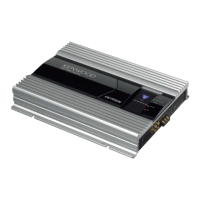
KAC-X6211
;J=;;=L-....J.KAC_PS621
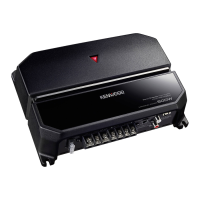
KAC-X521/
KAC-PS521
r-~-~mn
!
~
©\ID
!
• FlJS£(:lOoo\:><?I:
'-----IE:::
CD
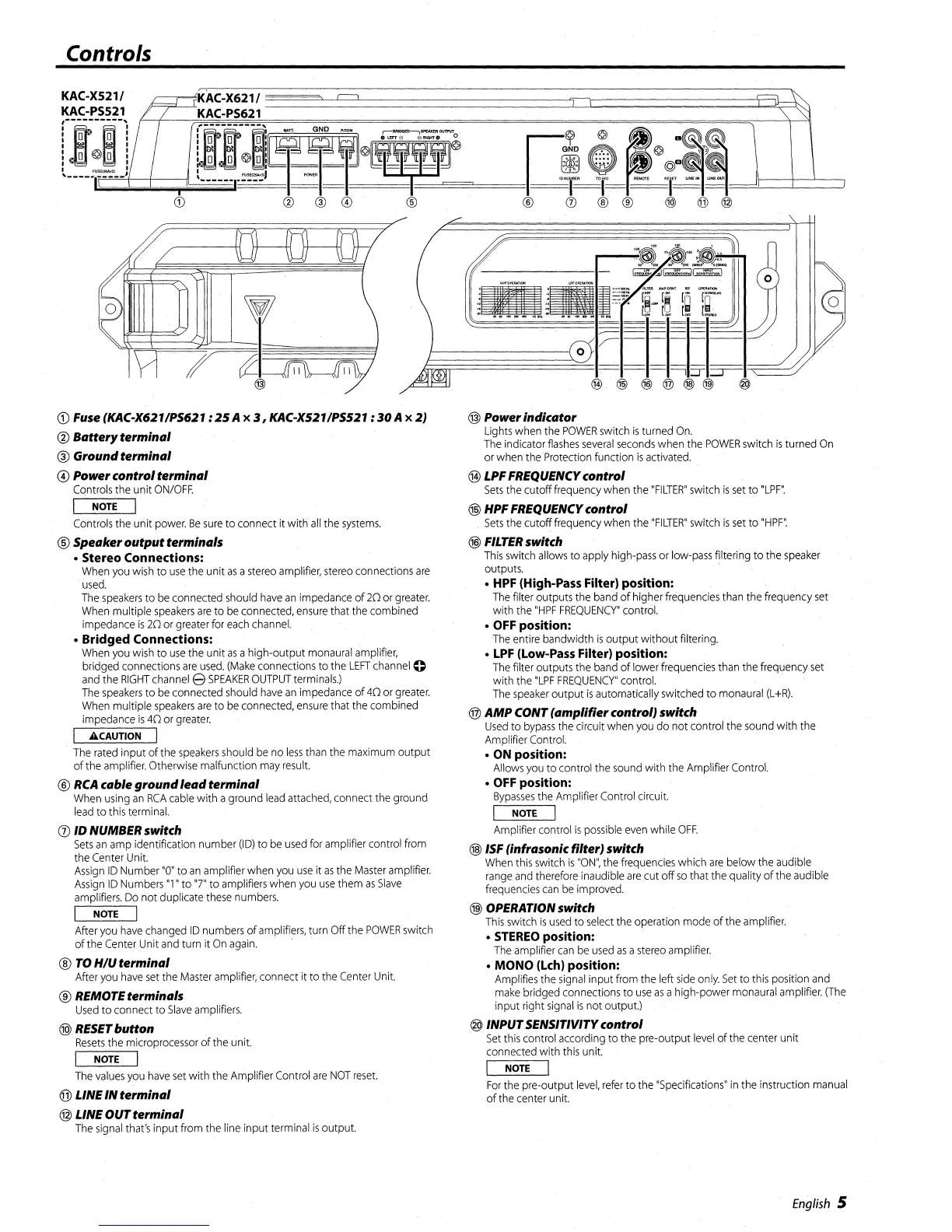
Fuse (KAC-X621/P5621 :
25
A x
3,
KAC-X5211P5521 :
30
A x 2)
@
Battery
terminal
@ Ground
terminal
@ Powercontrol
terminal
Controls
the
unit
ON/OFF.
NOTE
Controls
the unit
power.
Be
sure
to connect it with
all
the
systems.
®
Speaker
output
terminals
• Stereo Connections:
When
you
wish
to
use
the unit
as
a
stereo
amplifier,
stereo
connections
are
used.
The
speakers
to
be
connected
should
have
an
impedance
of
20
or
greater.
When
multiple
speakers
are
to
be
connected,
ensure
that
the
combined
impedance
is
20
or
greater
for
each
channel.
• Bridged Connections:
When
you
wish
to
use
the unit
as
ahigh-output
monaural
amplifier,
bridged connections
are
used.
(Make
connections
to
the
LEFT
channel
0
and
the
RIGHT
channel
e
SPEAKER
OUTPUT
terminals.)
The
speakers
to
be
connected
should
have
an
impedance
of
40
or
greater.
When
multiple
speakers
are
to
be
connected,
ensure
that
the
combined
impedance
is
40
or
greater.
"CAUTION
I
The
rated
input of
the
speakers
should
be
no
less
than
the
maximum
output
ofthe
amplifier.
Otherwise malfunction
may
result.
®
RCA
cable
ground
lead
terminal
When
using
an
RCA
cable
with a ground
lead
attached,
connect
the
ground
lead
to
this
terminal.
(2)
10 NUMBER switch
Sets
an
amp
identification number
(ID)
to
be
used
for
amplifier control
from
the
Center
Unit.
Assign
ID
Number
"0"
to
an
amplifier
when
you
use
it
as
the
Master
amplifier.
Assign
ID
Numbers
"1"
to
"7"
to
amplifiers
when
you
use
them
as
Slave
amplifiers.
Do
not duplicate
these
numbers.
I
NOTE
I
After
you
have
changed
ID
numbers
of
amplifiers,
turn Offthe
POWER
switch
of the
Center
Unit
and
turn it
On
again.
®
TO
H/U
terminal
After
you
have
set
the
Master
amplifier,
connect it
to
the
Center
Unit.
® REMOTEterminals
Used
to
connect
to
Slave
amplifiers.
@
RESET
button
Resets
the
microprocessor
of the unit.
I
NOTE
I
The
values
you
have
set
with the Amplifier
Control
are
NOT
reset.
®LINE
IN
termintll
@ LINE
OUT
terminal
The
signal
that's
input
from
the line input
terminal
is
output.
@ Powerindicator
lights
when
the
POWER
switch
is
turned
On.
The
indicator
flashes
several
seconds
when
the
POWER
switch
is
turned
On
or
when
the
Protection
function
is
activated.
@ LPFFREQUENCYcontrol
Sets
the cutoff
frequency
when
the
"FILTER"
switch
is
set
to
"LPF".
@ HPF FREQUENCYcontrol
Sets
the
cutoff
frequency
when
the
"FILTER"
switch
is
set
to
"HPF".
®
FILTER
switch
This
switch
allows
to
apply
high-pass
or
low-pass
filtering to the
speaker
outputs.
• HPF (High-Pass Filter) position:
The
filter outputs
the
band
ofhigher
frequencies
than
the frequency
set
with
the
"HPF
FREQUENCY"
control.
• OFF position:
The
entire bandwidth
is
output without filtering.
•
LPF
(Low-Pass Filter) position:
The
filter outputs the
band
of
lower
frequencies
than
the frequency
set
with the
"LPF
FREQUENCY"
control.
The
speaker
output
is
automatically switched to
monaural
(L
+R).
@
AMP
CONT
(amplifier
control) switch
Used
to
bypass
the circuit
when
you
do not control the
sound
with the
Amplifier
Control.
• ON position:
Allows
you
to
control
the
sound
with the Amplifier
Control.
• OFF position:
Bypasses
the Amplifier Control circuit.
I
NOTE
I
Amplifier control
is
possible
even
while
OFF.
® ISF (infrasonic filter) switch
When
this
switch
is
"ON",
the
frequencies
which
are
below the audible
range
and
therefore
inaudible
are
cut off
so
that
the
quality ofthe audible
frequencies
can
be
improved.
@ OPERATION switch
This
switch
is
used
to
select
the operation
mode
of
the
amplifier.
•
STEREO
position:
The
amplifier
can
be
used
as
a
stereo
amplifier.
•
MONO
(Lch) position:
Amplifies
the
signal
input from the left
side
only.
Set
to
this
position
and
make
bridged connections to
use
as
a high-power
monaural
amplifier.
(The
input right
signal
is
not output.)
@ INPUTSENSITIVITYcontrol
Set
this
control
according
to
the
pre-output
level
ofthe center unit
connected with
this
unit.
NOTE
For
the
pre-output
level,
refer
to the
"Specifications"
in
the instruction
manual
ofthe center unit.
English
5




 To Next Page