Entering the frequency and tuning.
1 Select the band
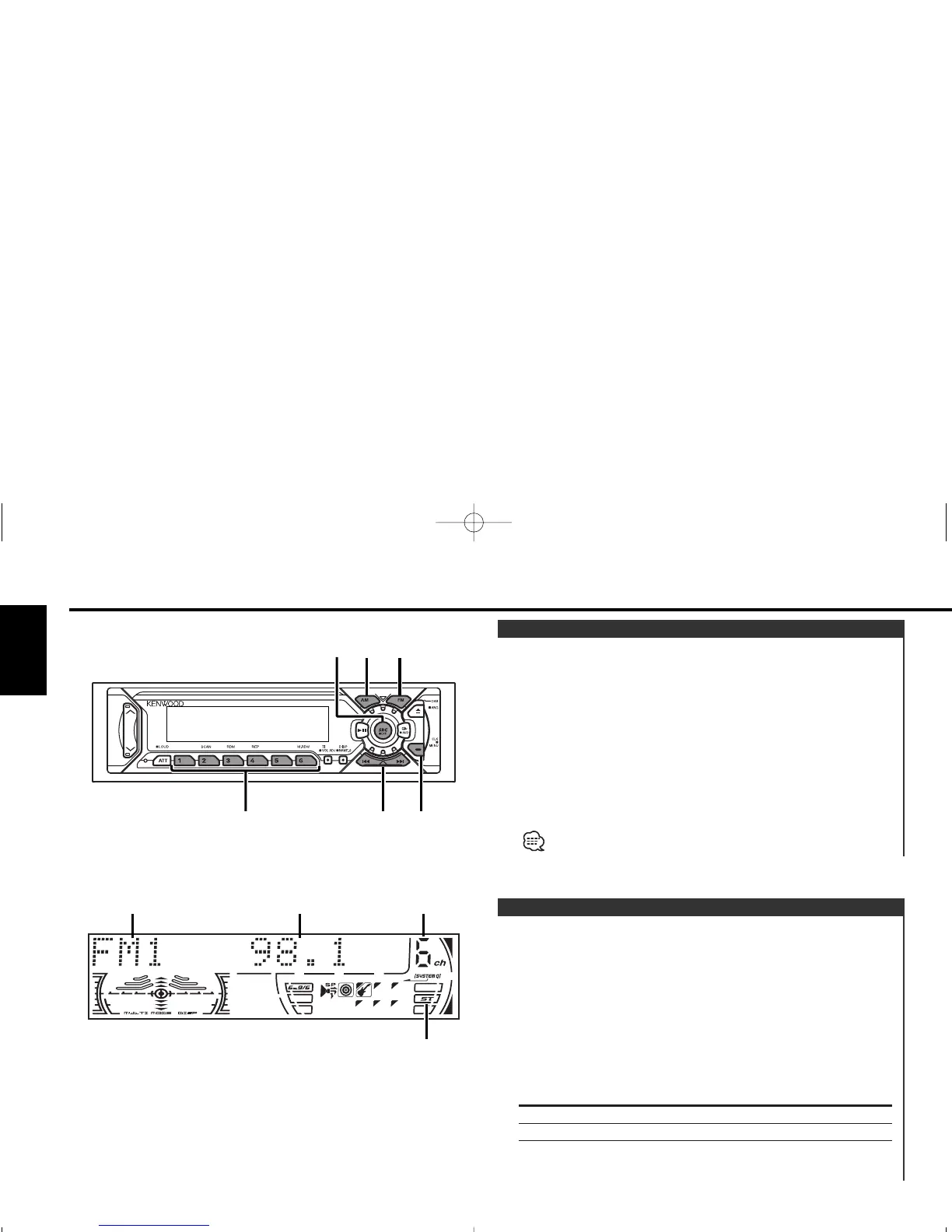
Press the [FM] or [AM] button.
2 Enter Direct Access Tuning mode
Press the [DIRECT] button on the remote.
The "– – – –" display.
3 Enter the frequency
Press the number buttons on the remote.
Example:
Desired frequency Press button
92.1 MHz (FM) [#0], [#9], [#2], [#1]
810 kHz (AM) [#0], [#8], [#1], [#0]
Canceling Direct Access Tuning
Press the [DIRECT] button on the remote.
Direct Access Tuning (Function of remote)
Selecting the station.
1 Select tuner source
Press the [SRC] button.
Select the "TUNER" display.
2 Select the band
Press the [FM] or [AM] button.
Each time the [FM] button is pressed it switches between the
FM1, FM2, and FM3 bands.
3 Tune up or down band
Press the [4] or [¢] button.
During reception of stereo stations the "ST" indicator is ON.
Tuning
Tuner features
— 12 —
English



 To Next Page