ENGLISH
13
Data Size: B6L (182 mm x 128 mm)
Book Size: B6L (182 mm x 128 mm)
SiriusXM® Radio
(for / )
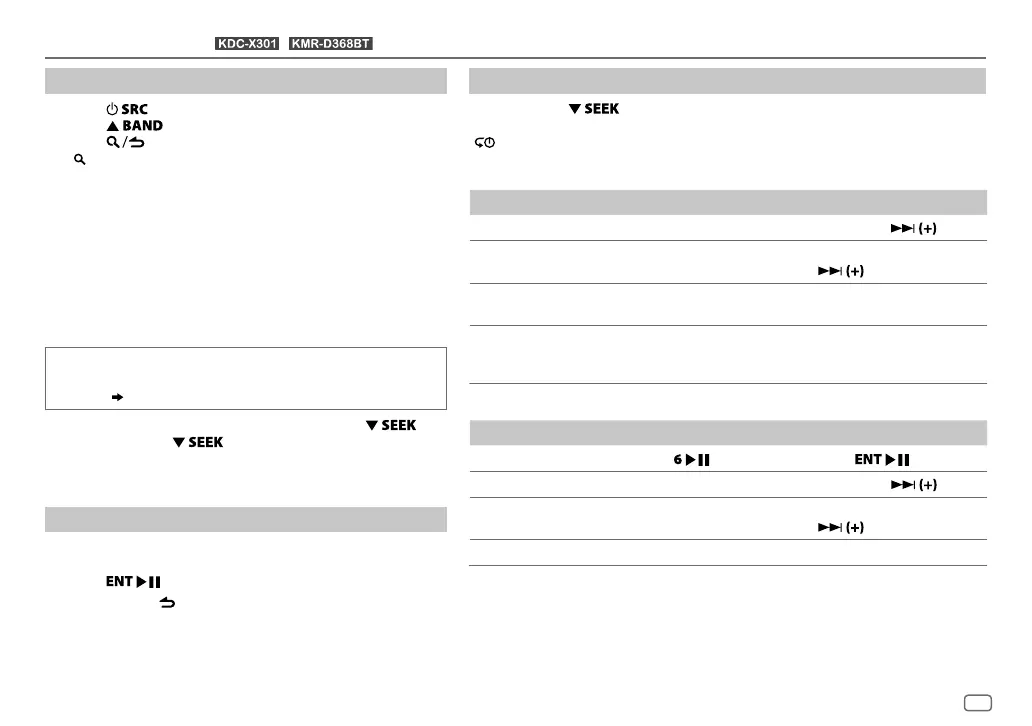
Start listening
1
Press repeatedly to select SIRIUSXM.
2 Press repeatedly to select a band.
3 Press .
“
” lights up.
4 Turn the volume knob to select a category, then press the
knob.
If “ALL CHANNELS” is selected, all the available channels will
be shown.
5 Turn the volume knob to select a channel, then press the
knob.
(or)
Press S / T to search for a channel manually.
• Pressing and holding S / T changes the channel
rapidly.
If a locked channel or a mature channel is selected, a pass
code input screen appears. Enter the pass code to receive the
channel.
( 14)
To change the tuning method for S/T: Press .
Each time you press
, the tuning method switches
between “CHANNEL” (manually search for a channel) and
“PRESET” (searches for a preset channel of the selected band).
Direct Access Tuning
(using the remote control)
1 Press DIRECT to enter Direct Access Tuning.
2 Press the number buttons to enter a channel number.
3 Press to start searching.
• To cancel, press or DIRECT.
• If no operation is done for 10seconds after step
2, Direct
Access Tuning is automatically canceled.
SiriusXM Keymode
Press and hold to change the keymode (channel or replay).
(Default: Channel keymode)
“
” lights up when replay keymode is selected.
When channel keymode is selected...
To On the faceplate On the remote control
Select a channel
Press S/T. Press S / .
Change a channel
rapidly
Press and hold S/T. Press and hold S /
.
Store a channel of the
current band
Press and hold one of the
number buttons (1to6).
(Not available)
Select a stored
channel of the current
band
Press one of the number buttons (1to6).
When replay keymode is selected...
To On the faceplate On the remote control
Playback/pause
Press
. Press
.
Select a track
Press S/T. Press S/
.
Rewind/Fast-forward
Press and hold S/T. Press and hold S/
.
Go to Live Press 1.
JS_KWD_KDC_X301_KN_EN_4.indd 13JS_KWD_KDC_X301_KN_EN_4.indd 13 21/7/2016 11:40:41 AM21/7/2016 11:40:41 AM






 To Next Page