12
Data Size: B6L (182 mm x 128 mm)
Book Size: B6L (182 mm x 128 mm)
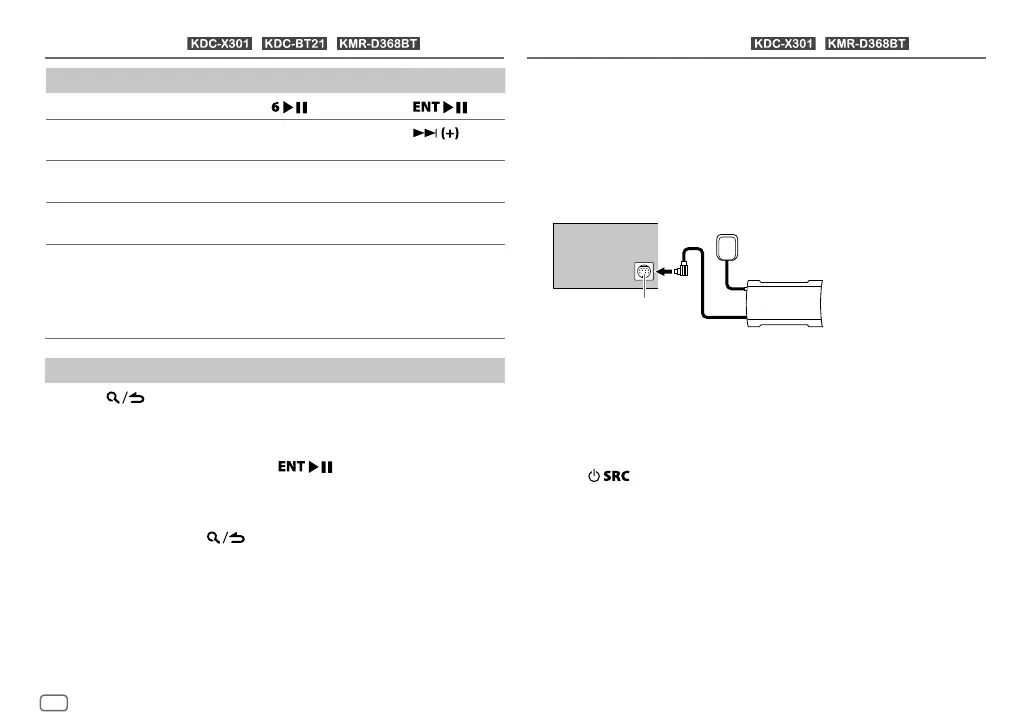
To On the faceplate On the remote control
Playback/pause
Press
. Press
.
Skip a track for custom
station
Press T.
Press
.
Thumbs up or thumbs
down
Press J/K.
( Not available )
Create a new/custom
station
Press 1.
( Not available )
Scan for live station
1
Press 2 to start
scanning.
2
Press 2 again
to listen to the
station.
( Not available )
Search and store a station
1
Press .
2 Turn the volume knob to select a category, then press the knob.
3 Turn the volume knob (or press J / K on the remote control) to
select the desired station.
4 Press the volume knob (or press on the remote control) to
confirm.
When a city list appears, you can search cities in alphabetical order by
turning the volume knob quickly.
To cancel, press and hold
.
To store a station: Press and hold one of the number buttons (3, 4or5).
To select a stored station: Press one of the number buttons (3, 4or5).
iHeartRadio®
(for / / )
Only SiriusXM® brings you more of what you love to listen to, all in one
place. Get over 140 channels, including commercial-free music plus the
best sports, news, talk, comedy and entertainment. Welcome to the world
of satellite radio. A SiriusXM Vehicle Tuner and Subscription are required.
Preparation:
1 Connect the optional SiriusXM Vehicle Tuner (commercially
available).
2 Check your Radio ID for activation.
The SiriusXM Radio ID is required for activation and can be found by
tuning to Channel 0 as well as on the label found on the SiriusXM
Connect tuner and its packaging.
The Radio ID does not include the letters I, O, S or F.
3 Activate the subscription.
4 Press repeatedly to select SIRIUSXM to start updating.
ENGLISH
SiriusXM® Radio
(for / )
Expansion port on
the rear panel
SiriusXM Vehicle Tuner
Antenna
JS_KWD_KDC_X301_KN_EN_4.indd 12JS_KWD_KDC_X301_KN_EN_4.indd 12 21/7/2016 11:40:40 AM21/7/2016 11:40:40 AM






 To Next Page