EasyManua.ls Logo

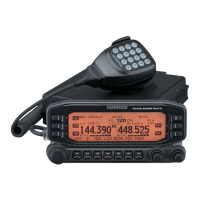
Kenwood TM-D710A - User Manual

Kenwood TM-D710A
65 pages
Print Icon
To Next Page IconTo Next Page
Loading...
CONTENTS
Operation File name
OPERATING THROUGH REPEATERS
RepeateR access ...........................................................................................1
tRansmitting a 1750 Hz tone ......................................................................
2
ReVeRse FUnction ..........................................................................................
3
aUtomatic simplex cHeckeR (asc) ...........................................................
3
tone FReqUency iD ........................................................................................
3
01-REPEATER-E.pdf
MEMORY CHANNELS
simplex & RepeateR oR oDD-split memoRy cHannel? .......................1
stoRing simplex anD stanDaRD RepeateR FReqUencies .................
1
stoRing oDD-split RepeateR FReqUencies ..........................................
2
Recalling a memoRy cHannel ...................................................................
2
cleaRing a memoRy cHannel .....................................................................
2
naming a memoRy cHannel .........................................................................
3
memoRy-to-VFo tRansFeR ...........................................................................
3
cHannel Display FUnction .........................................................................
3
02-MEMORY CHANNEL-E.pdf
PROGRAMMABLE MEMORY (PM)
application examples ..................................................................................1
stoRing Data in pm cHannels ....................................................................
2
Recalling pm cHannels ...............................................................................
2
aUto pm cHannel stoRe ..............................................................................
2
pm cHannel Reset ..........................................................................................
2
03-PM CHANNEL-E.pdf
SCAN
selecting a scan ResUme metHoD ...........................................................1
VFo scan ............................................................................................................
1
memoRy scan ...................................................................................................
2
gRoUp scan ......................................................................................................
2
pRogRam scan .................................................................................................
3
mHz scan ............................................................................................................
3
call scan ..........................................................................................................
3
VisUal scan .......................................................................................................
4
04-SCAN-E.pdf
CONTINUOUS TONE CODED SQUELCH SYSTEM (CTCSS)
Using ctcss ......................................................................................................1
ctcss FReqUency iD ......................................................................................
2
05-CTCSS-E.pdf
DIGITAL CODED SQUELCH (DCS)
Using Dcs ..........................................................................................................1
Dcs coDe iD .......................................................................................................
1
06-DCS-E.pdf
DUAL TONE MULTI-FREQUENCY (DTMF)
manUal Dialing ................................................................................................1
aUtomatic DialeR ...........................................................................................
1
DtmF key lock .................................................................................................
2
07-DTMF-E.pdf
EchoLink
®
WHat is ecHolink? ..........................................................................................1
setting Up ecHolink sysop moDe ............................................................
1
stoRing ecHolink memoRy .........................................................................
2
08-EchoLink-E.pdf

Table of Contents

Other manuals for Kenwood TM-D710A

Questions and Answers

  • W
    weaverrichardAug 17, 2025
    What to do if “MCP ERR” appears on Kenwood Two-Way Radio display?
    • J
      Jill JacksonAug 17, 2025
      If “MCP ERR” appears on the display of your Kenwood Two-Way Radio (indicating an MCP-2A communications error), consider the following: 1. Ensure that the connection between the TM-D710 and the PC is correct. 2. Shut down other software that you may be running. 3. Turn EchoLink mode OFF. 4. Turn the TM-D710 power source OFF and ON, one time.
  • S
    Summer HernandezAug 20, 2025
    Why most keys and the tuning control on my Kenwood Two-Way Radio don't function?
    • R
      Ryan FosterAug 20, 2025
      If most keys and the Tuning control on your Kenwood Two-Way Radio do not function, it could be because: 1. One of the Lock functions is ON. Unlock all of the Lock functions. 2. The transceiver is in Channel Display mode. With the transceiver power OFF, press [LOW] + Power ON to exit Channel Display mode.
  • D
    Dr. Jennifer CannonAug 23, 2025
    How to fix Kenwood Transceiver when packet operation results in no connects with other stations?
    • P
      parkerannetteAug 23, 2025
      If packet operation results in no connects with other stations, it could be due to: 1. The squelch is open. Select the correct squelch level so that the squelch is opened only when signals are present. 2. Incorrect data length and parity bit settings. Use HBAUD command to select the appropriate transfer rate.
  • W
    William BergerAug 26, 2025
    Why Kenwood Two-Way Radio won't power up?
    • T
      Tyler BellAug 26, 2025
      If your Kenwood Two-Way Radio doesn't power up after connecting a 13.8 V DC power supply, and nothing appears on the display, it could be due to: 1. The power cable being connected backwards. Ensure the red cable is connected to the + terminal and the black cable to the – terminal. 2. One or more of the power cable fuses being open. Look for the cause of the blown fuse(s). After inspecting and correcting any problems, install a new fuse(s) with the same ratings.
  • C
    Connie HarrisAug 28, 2025
    Why can't I transmit on my Kenwood Two-Way Radio even when pressing PTT?
    • L
      Lisa JacksonAug 28, 2025
      If you cannot transmit using your Kenwood Two-Way Radio, even when pressing [PTT], it might be due to the following reasons: 1. The microphone plug may not be fully inserted. Switch the power OFF, then insert the microphone plug until the locking tab clicks in place. 2. You may have selected a transmit offset that places the transmit frequency outside the allowable range. Turn the offset shift function OFF. 3. The external TNC might be transmitting. Press [PTT] after the TNC has finished transmitting.
  • R
    robin18Aug 31, 2025
    What to do if memory channels cannot be selected on Kenwood Two-Way Radio?
    • E
      edawsonAug 31, 2025
      If memory channels cannot be selected on your Kenwood Two-Way Radio by turning the Tuning control or by pressing microphone [UP]/[DWN], it is because no data has been stored in any Memory channel. Store data in some Memory channels.
  • S
    seansmithSep 3, 2025
    Why can't I transmit any APRS data on my Kenwood TM-D710A Transceiver?
    • C
      Cindy LaraSep 3, 2025
      There are several reasons why you might not be able to transmit APRS data. It could be because: * Beacon is OFF. To switch it ON, press [KEY], [BCON]. * The squelch is open. Adjust the squelch level so that it only opens when signals are present. * The data band is inactive. If you have blanked the data band, press the appropriate [BAND SEL] (1 s) to activate it. * You have not selected APRS mode. Press [TNC] to enter APRS mode; “APRS” should appear. * You selected Packet mode. Press [TNC], then [TNC] again; “APRS” should appear. * You have not correctly programmed your call sign. Use Menu 600 (BASIC SETTING – CALLSIGN) to correctly program your call sign.
  • T
    teresa26Sep 5, 2025
    What to do if I did not receive any APRS packet on my Kenwood TM-D710A Transceiver?
    • J
      Jodi BartlettSep 5, 2025
      If you are not receiving any APRS packets, it could be due to: 1. Incorrect data length and parity bit settings. To fix this, select Packet mode, send the following commands to the TNC, then select APRS mode: AW 8 [ENTER], PAR 0 [ENTER], then RESTART [ENTER]. 2. Incorrect packet transfer rate. Use Menu 601(INTERNAL TNC – DATA SPEED) to select the appropriate packet transfer rate (generally 1200 bps).
  • C
    Christopher SnyderSep 8, 2025
    Why I cannot activate Visual Scan, Remote Control (K type), nor Repeater (K type) on my Kenwood TM-D710A?
    • J
      James RichmondSep 8, 2025
      If you cannot activate Visual Scan, Remote Control (K type), nor Repeater (K type), it is likely because you have selected APRS or Packet mode. To resolve this, press [TNC] repeatedly until neither “APRS” nor “PACKET” is visible.
  • M
    matthewsgregorySep 12, 2025
    What to do if I did not receive any DX cluster data on my Kenwood TM-D710A?
    • P
      Pedro VargasSep 12, 2025
      If you are not receiving any DX cluster data, ensure that you have selected the APRS mode. Press [TNC] to enter APRS mode; “APRS” should appear.

Summary

OPERATING THROUGH REPEATERS

REPEATER ACCESS

Explains how to access repeaters, including standard/non-standard offsets and tones.

Selecting an Offset Direction

Sets the transmit frequency relative to the receive frequency.

Selecting an Offset Frequency

Specifies the offset value for repeater communication.

Activating the Tone Function

Enables the tone function for repeater access.

MEMORY CHANNELS

SIMPLEX & REPEATER OR ODD-SPLIT MEMORY CHANNEL?

Differentiates between simplex/repeater and odd-split memory channel types.

STORING SIMPLEX AND STANDARD REPEATER FREQUENCIES

Step-by-step guide to store simplex and standard repeater frequencies.

Call Channel Memory (Simplex)

Explains using the Call channel for storing important frequencies.

PROGRAMMABLE MEMORY (PM)

STORING DATA IN PM CHANNELS

Saves transceiver settings into 5 PM channels for quick recall.

RECALLING PM CHANNELS

Retrieves previously saved transceiver configurations from PM channels.

AUTO PM CHANNEL STORE

Automatically overwrites PM channels with current settings.

SCAN

SELECTING A SCAN RESUME METHOD

Configures how scan stops and resumes (Time, Carrier, Seek).

VFO SCAN

Monitors all frequencies in the current band.

MEMORY SCAN

Scans all programmed memory channels.

PROGRAM SCAN

Scans within user-defined frequency ranges stored in memory.

CONTINUOUS TONE CODED SQUELCH SYSTEM (CTCSS)

USING CTCSS

Activates and sets CTCSS tones to hear only specific calls.

CTCSS FREQUENCY ID

Scans and identifies incoming CTCSS tone frequencies.

DIGITAL CODED SQUELCH (DCS)

USING DCS

Activates and sets DCS codes to hear only specific calls.

DCS CODE ID

Scans and identifies incoming DCS codes.

DUAL TONE MULTI-FREQUENCY (DTMF)

MANUAL DIALING

Sends DTMF tones directly using the microphone keypad.

AUTOMATIC DIALER

Stores and recalls DTMF codes using dedicated memory channels.

DTMF Hold

Keeps transceiver in transmit mode while sending DTMF tones.

EchoLink

WHAT IS EchoLink?

Introduces EchoLink technology for internet-based voice communication.

SETTING UP EchoLink Sysop MODE

Configures the transceiver for use as an EchoLink Sysop node.

STORING EchoLink MEMORY

Stores EchoLink related information such as node numbers and names.

OTHER OPERATIONS

POWER ON MESSAGE

Customizes the message displayed when the transceiver is turned on.

DISPLAY ILLUMINATION

Adjusts the brightness level of the display.

KEY LOCK

Locks transceiver keys to prevent accidental changes to settings.

CHANGING THE FREQUENCY STEP SIZE

Adjusts the frequency increment for tuning and frequency entry.

SCAN

VISUAL SCAN

Graphically displays frequency activity near the current frequency.

PACKET OPERATION

PACKET MODE

Introduces the transceiver's built-in TNC and the AX.25 protocol.

DATA BAND

Selects the band for data transmission and reception in APRS mode.

COM PORT SPEED

Sets the communication speed for the transceiver's connection to a computer.

PC Port Speed

Sets the communication speed for the transceiver's PC port.

TNC COMMANDS LIST

APRS

PACKET PATH AND DIGIPEATER

Explains how APRS packets are transferred via digipeaters and packet paths.

CONNECTING WITH A GPS RECEIVER OR WEATHER STATION

Details how to connect external GPS or weather devices to the transceiver.

ADJUSTING THE INTERNAL CLOCK

How to set the transceiver's internal clock, date, and UTC offset.

RECEIVING APRS DATA

How the transceiver displays and stores incoming APRS packets.

ACCESSING RECEIVED APRS DATA

Recalls and displays information of previously received stations.

SORT FUNCTION

Sorts the station list by call sign, date/time, or distance.

FILTER FUNCTION

Filters the station list to display only specific data types.

ENTERING A MESSAGE

Guides on composing and sending messages to other stations.

BASIC SETTING

Configures essential transceiver settings like callsign and beacon type.

SETTING INTERNAL TNC

Configures the built-in Terminal Node Controller settings.

SETTING GPS PORT

Configures the connection settings for an external GPS receiver.

PROGRAMMING POSITION DATA

Programs latitude and longitude data for up to 5 locations.

SETTING BEACON INFORMATION

Configures beacon transmission parameters like speed and altitude.

SETTING PACKET FILTER

Filters received APRS packets based on selected criteria.

PROGRAMMING A PACKET PATH

Sets custom packet paths for data transfer via digipeaters.

WEATHER STATION DATA OUTPUT

Configures transmission of meteorological data via APRS.

SETTING AS A DIGIPEATER

Configures the transceiver to function as a digipeater.

STORING USER PHRASES

Stores common phrases for quick insertion into APRS messages.

STORING AUTO MESSAGE REPLY

Programs automatic reply messages for received communications.

PROGRAMMING A MESSAGE GROUP CODE

Programs group codes for message exchange among specific groups.

SETTING SOUND

Configures beep types for different received packet events.

PACKET MONITOR DISPLAY

DX PACKETCLUSTERS MONITOR

Monitors the latest DX information from PacketCluster networks.

TROUBLESHOOTING

TRANSCEIVER RESET

KEY OPERATION

Resets the transceiver using button combinations and power cycling.

MENU MODE

Resets the transceiver via the menu system for various reset types.

VGS-1 (OPTIONAL) OPERATION

VOICE ANNOUNCEMENTS

Configures voice announcements for mode, frequency, and setting changes.

VOICE RECORDER

Uses VGS channels for recording voice memos and automated responses.

Continuous Recording

Records continuously received signals, retaining the last 30 seconds.

Playback

Plays back recorded voice memos from VGS channels.

CROSS-BAND;LOCKED-BAND OPERATION (K TYPE MODELS ONLY)

REPEATER OPERATION MODE

Sets the repeater operation mode (Cross Band, Locked TX).

REPEATER TX HOLD

Sets the transmit hold function for a short duration after signal drop.

REPEATER ID TX

Enables or disables automatic transmission of the repeater's call sign.

Entering your Repeater ID

Programs the call sign to be transmitted as the repeater ID.

WIRELESS OPERATION (K TYPE MODELS ONLY)

PREPARATION

Steps required to prepare for wireless remote control operation.

CONTROL OPERATION

Explains how DTMF keys control the mobile transceiver remotely.

WEATHER ALERT (K TYPE MODELS ONLY)

WEATHER ALERT ON;OFF

Activates or deactivates the weather alert function.

Weather Channel

Accesses and selects specific weather channels for monitoring.

SKY COMMAND II (K TYPE MODELS ONLY) <RC-D710 + TM-V71>

CONNECTING THE TRANSPORTER WITH THE HF TRANSCEIVER

Details the physical connections required between the Transporter and HF transceiver.

PREPARATION FLOW

A step-by-step guide for the initial setup of Sky Command operation.

PROGRAMMING CALL SIGNS

Programs unique call signs for the Commander and Transporter units.

PROGRAMMING A TONE FREQUENCY

Sets the same tone frequency on both Commander and Transporter for Sky Command.

CONTROL OPERATION

Explains how the Commander's microphone keys control the Transporter and HF transceiver.

Kenwood TM-D710A Specifications

General IconGeneral
BrandKenwood
ModelTM-D710A
CategoryTransceiver
LanguageEnglish

Related product manuals