EasyManua.ls Logo

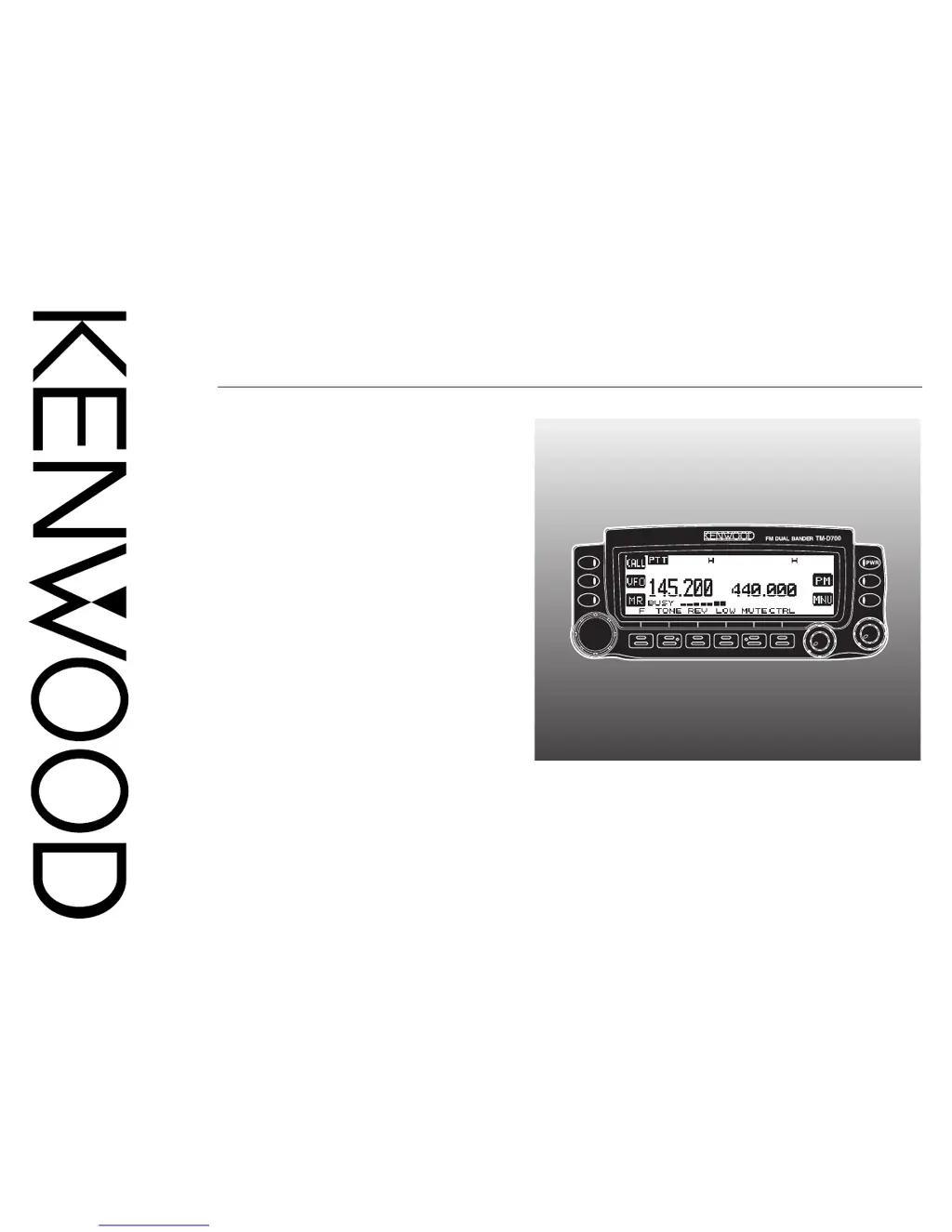
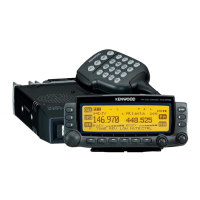
Kenwood TM-D700 E - User Manual

Kenwood TM-D700 E
99 pages
Print Icon
To Next Page IconTo Next Page
Loading...
© B62-1228-20 (K,E,M)
09 08 07 06 05 04 03 02 01
KENWOOD CORPORATION
INSTRUCTION MANUAL
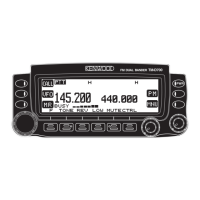
144/440 MHz FM DUAL BANDER
144/430 MHz FM DUAL BANDER
TM-D700A
TM-D700A
144/430 MHz FM DUAL BANDER
TM-D700E

Table of Contents

Questions and Answers

  • S
    Steven CalderonAug 12, 2025
    What to do if my Kenwood Transceiver won't transmit when I press Mic [PTT]?
    • P
      patricianguyenAug 12, 2025
      If your Kenwood Transceiver won't transmit when you press Mic [PTT], check these potential causes: Ensure the microphone plug is fully inserted into the front panel connector until the locking tab clicks. Also, verify that you haven't selected a transmit offset that places the transmit frequency outside the allowable transmit frequency range by pressing [F], [SHIFT] repeatedly so either “+” nor “–” is visible. Lastly, if a built-in or external TNC is transmitting, wait until it finishes before pressing Mic [PTT].
  • R
    rebeccagarciaAug 15, 2025
    How to fix Kenwood Transceiver when Commander fails to display status?
    • G
      Gregory WadeAug 16, 2025
      If the Commander fails to display the status of the HF transceiver, there could be a few reasons. First, ensure you have correctly programmed call signs on both the Commander and Transporter by accessing Menu 4–1 and 4–2. Second, verify that you have selected the correct communication parameters (9600bps and 1 stop bit) on the HF transceiver using the Menu Setup function. Finally, check Menu 1–9–5 (COMPORT) to ensure you've selected “9600bps”.
  • M
    Michelle ShafferAug 20, 2025
    What to do if Kenwood TM-D700 E Transceiver Commander beeps and won't control the HF transceiver?
    • M
      Michael GibsonAug 20, 2025
      If operating the Commander causes it to beep and not control the HF transceiver, it may be due to: excessive distance between the Commander and Transporter, preventing correct data communications. Try operating the Commander within a distance that allows the two transceivers to show a full-scale S-meter reading. Alternatively, bad radio wave conditions might be preventing control commands from being correctly transmitted; press [SYNC] occasionally to read the status of the HF transceiver.
  • U
    ugarciaAug 25, 2025
    Why can't I select the frequency on my Kenwood TM-D700 E Transceiver?
    • G
      Geoffrey CalhounAug 25, 2025
      If you cannot select the frequency on your Kenwood Transceiver by turning the Tuning control or pressing Mic [UP] / [DWN], it might be because Memory Recall was selected. Press [VFO] to exit Memory Recall mode.
  • J
    Jeffrey CoxAug 27, 2025
    Why can't I hear audio from my Kenwood TM-D700 E?
    • S
      Samantha WilliamsAug 28, 2025
      If you cannot hear audio received by the HF transceiver, it may be because you switched ON the CTCSS on the 144 MHz band of the Commander. Press [TONE] to switch OFF the CTCSS.
  • W
    Wayne AlvarezAug 31, 2025
    Why won't my Kenwood TM-D700 E Transceiver power up?
    • L
      ldonaldsonAug 31, 2025
      Your Kenwood Transceiver might not power up due to several reasons. First, ensure the DC power cable is correctly connected. Second, check the power cable fuses and replace any open fuses with new ones of the same rating after identifying and fixing the cause. Finally, verify that the modular uplink cable is correctly connected between the front panel and the main unit.
  • D
    Deanna PowellSep 3, 2025
    What to do if I can't select memory channel on Kenwood TM-D700 E Transceiver?
    • R
      regina35Sep 4, 2025
      If you cannot select a memory channel on your Kenwood Transceiver by turning the Tuning control or by pressing Mic [UP] / [DWN], it is possible that no data has been stored in any memory channel. To resolve this, store data in some memory channels.
  • M
    Mary AdamsSep 7, 2025
    Why I cannot transmit audio from Kenwood HF transceiver?
    • F
      Faith HaleSep 7, 2025
      If you cannot transmit audio from the HF transceiver, it may be because you did not select the same tone frequency on the Commander and Transporter. On both the Commander and Transporter, access Menu 4–3 to select the same tone frequency.

Summary

NOTICES AND PRECAUTIONS

OPERATIONAL SAFETY GUIDELINES

Lists essential safety precautions to prevent fire, injury, and transceiver damage during operation.

CHAPTER 1 PREPARATION

MOBILE INSTALLATION

Guides on installing the front panel and main unit of the transceiver in a vehicle.

DC POWER CABLE CONNECTION

Details connecting the transceiver to power supplies for mobile and fixed use.

ANTENNA CONNECTION

Advice on connecting an efficient, well-tuned antenna for optimal performance.

OPERATING BASICS

POWER AND VOLUME CONTROL

Guides on switching power on/off and adjusting audio levels.

BAND AND FREQUENCY SELECTION

How to select bands and tune frequencies using VFO mode.

TRANSMITTING OPERATIONS

TRANSMITTING BASICS

Steps for initiating transmission and speaking into the microphone.

SELECTING OUTPUT POWER

How to choose transmit power levels (High, Medium, Low) for efficient communication.

MENU SYSTEM OPERATION

MENU ACCESS AND NAVIGATION

Procedure for entering and navigating the transceiver's menu system.

MENU CONFIGURATION OPTIONS

Overview of menu items and their settings, organized by level and category.

REPEATER AND OFFSET FUNCTIONS

OPERATING THROUGH REPEATERS

Explains repeater operation basics and how they extend communication range.

PROGRAMMING REPEATER OFFSET

How to set the transmit frequency offset direction and frequency for repeater access.

TONE FUNCTIONS

How to activate tone, CTCSS, or DCS functions for selective calling.

SPECIAL RECEPTION MODES

REVERSE FUNCTION

Exchanges receive and transmit frequencies to check signal strength from the other station.

AUTOMATIC SIMPLEX CHECK (ASC)

Periodically monitors signals to check for direct contact possibility without a repeater.

CHAPTER 7 MEMORY CHANNELS

MEMORY CHANNEL TYPES

Explains the types of memory channels and what data can be stored in each.

STORING MEMORY CHANNELS

Steps to store simplex or standard repeater frequencies and related data into memory.

MANAGING MEMORY CHANNELS

Procedures for recalling, clearing, and naming memory channels.

CALL CHANNEL MANAGEMENT

RECALLING AND REPROGRAMMING CALL CHANNEL

How to quickly select and change the default frequency and settings of the Call channel.

CHAPTER 8 PROGRAMMABLE MEMORY (PM)

MANAGING PM CHANNELS

Steps for storing, recalling, and resetting PM channels.

CHAPTER 9 SCAN FUNCTIONS

SCAN TYPES OVERVIEW

Overview of available scan types: VFO, Memory, Group, Program, MHz, Call/VFO, Call/Memory.

CTCSS AND DCS FUNCTIONS

DTMF FUNCTIONS AND CONTROLS

WIRELESS REMOTE CONTROL

SKY COMMAND II OPERATION

SYSTEM OVERVIEW AND CONNECTIONS

Allows remote control of HF transceivers using Commander and Transporter units.

REPEATER FUNCTION MODES

MAINTENANCE AND SERVICE

TROUBLESHOOTING GUIDE

Kenwood TM-D700 E Specifications

General IconGeneral
Frequency Range TX144-146 MHz, 430-440 MHz
Output Power VHF50 W
Memory Channels200
Antenna Impedance50 ohms
Supply Voltage13.8 V DC ±15%
APRSYes
Packet Speed1200/9600 bps
Weight1.3 kg
Frequency Range RX118-174 MHz
ModesFM
Current Consumption UHFApprox. 11 A
GPSOptional

Related product manuals