48%
中国移动
1 2 3
4 5 6 0
7 8 9
+
CN3
+
Cn11
_
USB5 V
SIREN
SW
NO
开
关
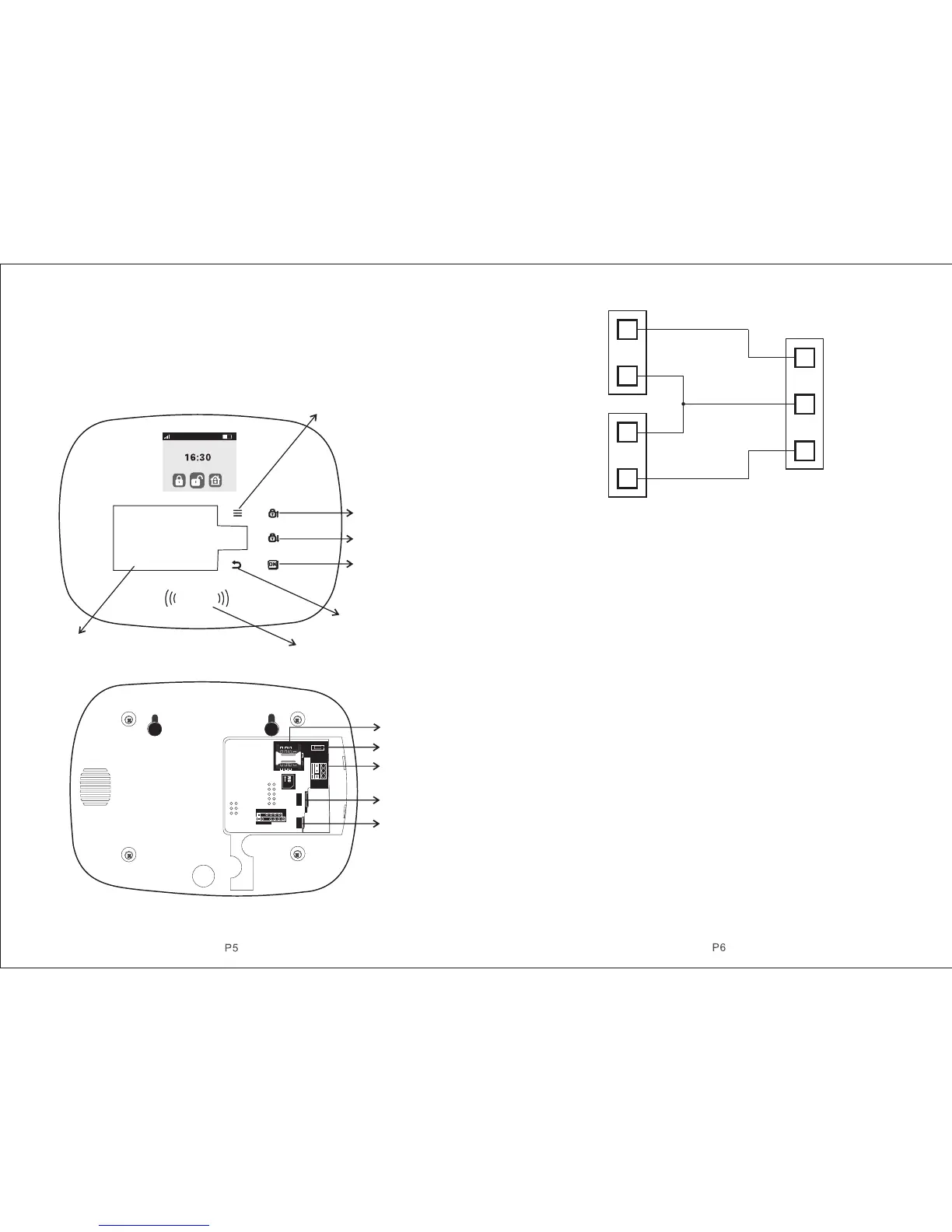
Host Front View
Power
Siren
Z52
GND
Z51
ALARMALARM
Z52 GN D Z51
lll. Host Installation
Host should be installed in the central position of the guard area to receive the
signals from detectors best. Keep away from large mental objects or appliances
with high frequency interference, meanwhile, avoid the reinforced concrete
walls and fire doors barriers etc.
Host Rear View
Vl. Operation&Setting
4.1 Initial Power-on
According to the installation method, insert the SIM card to the card slot in the
back of the host panel, then put the output of the powered adapter in the power
supply hole of the host. Now then, host voice prompts “ Welcome to smart voice
alarm”, and switch the back-up batter y to the ON state.
4.2 Arm
Arm refers to a full range of on-site alarm detection alert when nobody at home;
All detectors are in working state, when there is danger ( theft, fire, gas leak etc )
trigger the detectors, the host alarms immediately. After arming operation, it
displays and locks “arm” icon.
Remote Control operation: press key [ARM] once.
Keyboard operation: press key [ARM] once.
4.3 Disarm
Disarm refers to host panel stops the alarm or make the alarm system in a non-
alert state. After disarming, when detectors are triggered, but host doesn’t alarm
(except the detectors of emergency zones and the emergency button on remote
control). After disarming operation, it displays and locks “disarm” icon.
Remote Control operation: press key [Disarm].
Keyboard operation: press key [Disarm].
4.4 Stay Arm
STAY refers to when someone at home, and for safety, the detectors in the
perimeter area like doors, windows, balconies are in working state but the
detectors indoor don’t work in case of the false alarm if triggered by user himself,
then the user chooses STAY to let some detectors work and other detectors not
0 2 . 0 1 . 2 0 1 5 F r i .
Key Menu/Delete
Key Arm/Up
Key Disarm/Down
Confirm/Zone
98 Alarm
Key Back/Keyboard
Lock
Card Swipe Area
Key Number
SIM Card Base
Power ON/OFF
Terminal Block
Wired PIR
Terminal Block
Wired Door
Magnic
Terminal Block
Wired Parts Connection Chart
Alarm Panel
Terminal Block



 To Next Page