Utility
https://www.ketron.it/images/ketron/Manuali_HTML/SD9/english/82_sample_editor.html[12/05/2020 16:30:30]
Automatically sets the LOOP and END points so that the sample is played only once from the START point to the
END point.
The loop point is automatically approached to the stop point.
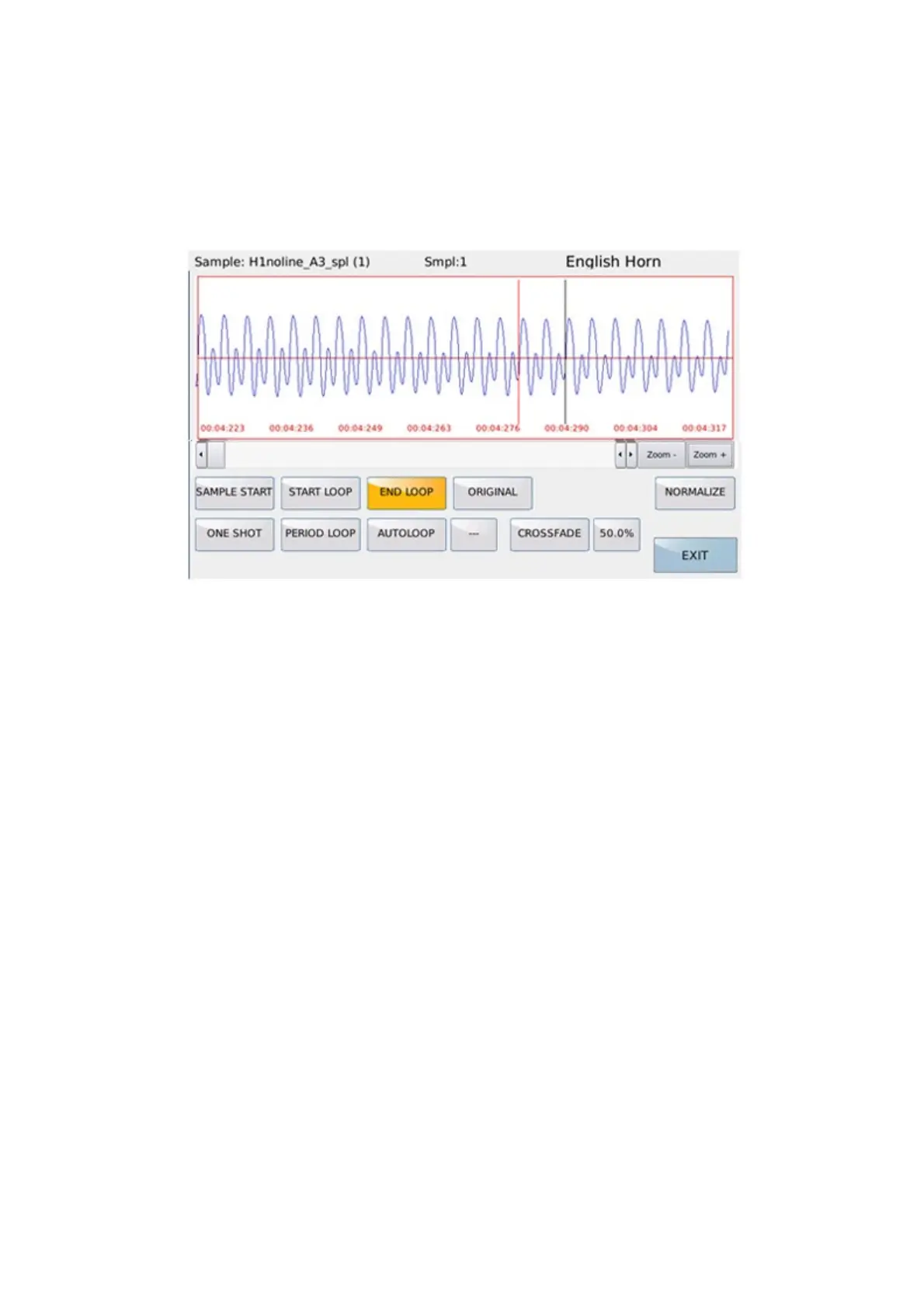
NORMALIZE
Performs standardization of the sample in the maximum assignable range of amplitude.
PERIOD LOOP
Activating this mode displays the samples with the max. zoom in order to have a precise edit to the sample. The start
loop point is automatically approached to the end loop point.
Only the START LOOP and END LOOP functions can be activated. In this way the loop and stop points can be
positioned by dial in order to have the loop on one or few sample periods.
A zero crossing algorithm is used to determine the loop and stop points.
NOTE: several attempts must be made by moving the loop end point until a loop is obtained on the desired
frequency.
AUTOLOOP:
It allows to obtain a loop automatically. Loops are searched from the START LOOP position to the selected END
LOOP position.
The loops found can be selected (if there is at least one) in the box to the right of AUTOLOOP via Dial.
NOTE: The Autoloop function can last up to 90 seconds.
CROSSFADE
Performs the crossfade in the loop area.
The duration of the crossfade is established by the duration in percentage.
By default it is set to 50%.
If the loop point is near the end point it is convenient to lower the duration.
NOTE: Creating good loops requires time and patience to perform several tests. The AUTOLOOP and CROSS
FADE functions help the user, but they are not always decisive.
EXIT Return to the main menu.
NEW EDIT.



 To Next Page