Style Play Mode
https://www.ketron.it/images/ketron/Manuali_HTML/SD9/english/47_style_playmode.html[12/05/2020 16:01:37]
Play Mode
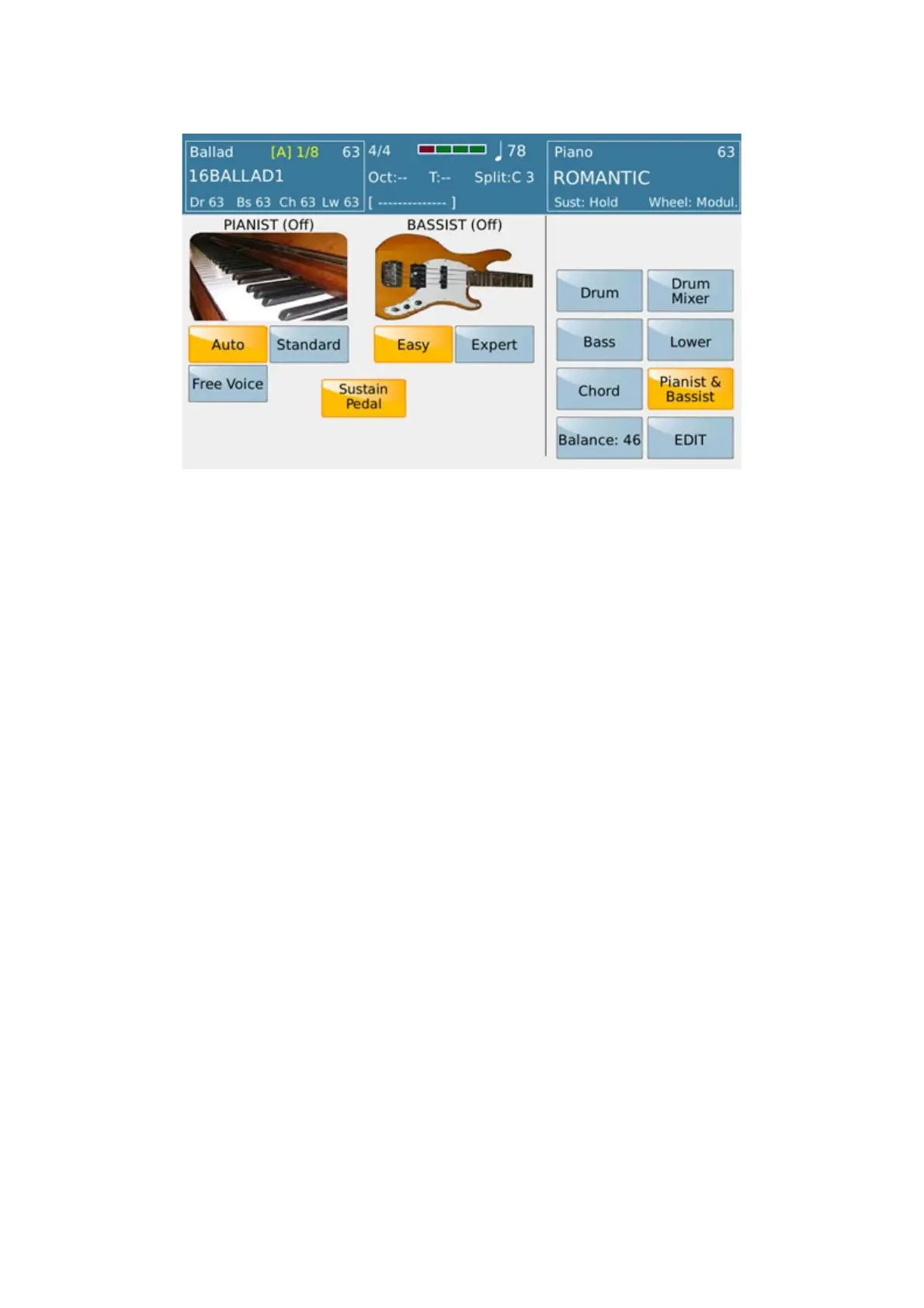
Here you may use the Arranger in piano mode, PIANIST (ON) in other words eliminating the split and
extending the Upper section over the full keyboard (“Full Upper” mode). The chord will therefore not be played
only on the Left section but over the full keyboard.
On this window you may set the Arranger with the manual Bass in the Lower BASSIST(ON) section.
The two modes, Bassist/Pianist, may only be used one at a time. These two modes will now be described in more
detail:
PIANIST
- AUTO: In this mode, simply play 3 or more notes on the keyboard so that the chord is recognised and then
play the melody with one, or at the most two notes, without changing the tone of the Arranger.
- STANDARD: In this mode you freeze the chord recognised with the Sustain Pedal so as to play on the
keyboard without altering the tone of the Arranger.
- FREE VOICE: This tab ( when in OFF) allows " to force" Grand Piano Voice whenever the Tab Pianist is
pressed. Otherwise (Mode ON) Voice previoulsy selected still remain even in mode PIANIST.
- SUSTAIN PEDAL: When this parameter is enabled (ON), the Sustain Pedal control on Pianist is
enabled when this is inserted.
BASSIST
The Bassist function allows you to play the Manual Bass on the left section of the keyboard while controlling the
Arranger and song line at the same time on the right section.
This function has 2 playing modes:
EASY and EXPERT. To display the 2 Modes, simply press EDIT
and insert PIANIST & BASSIST.



 To Next Page