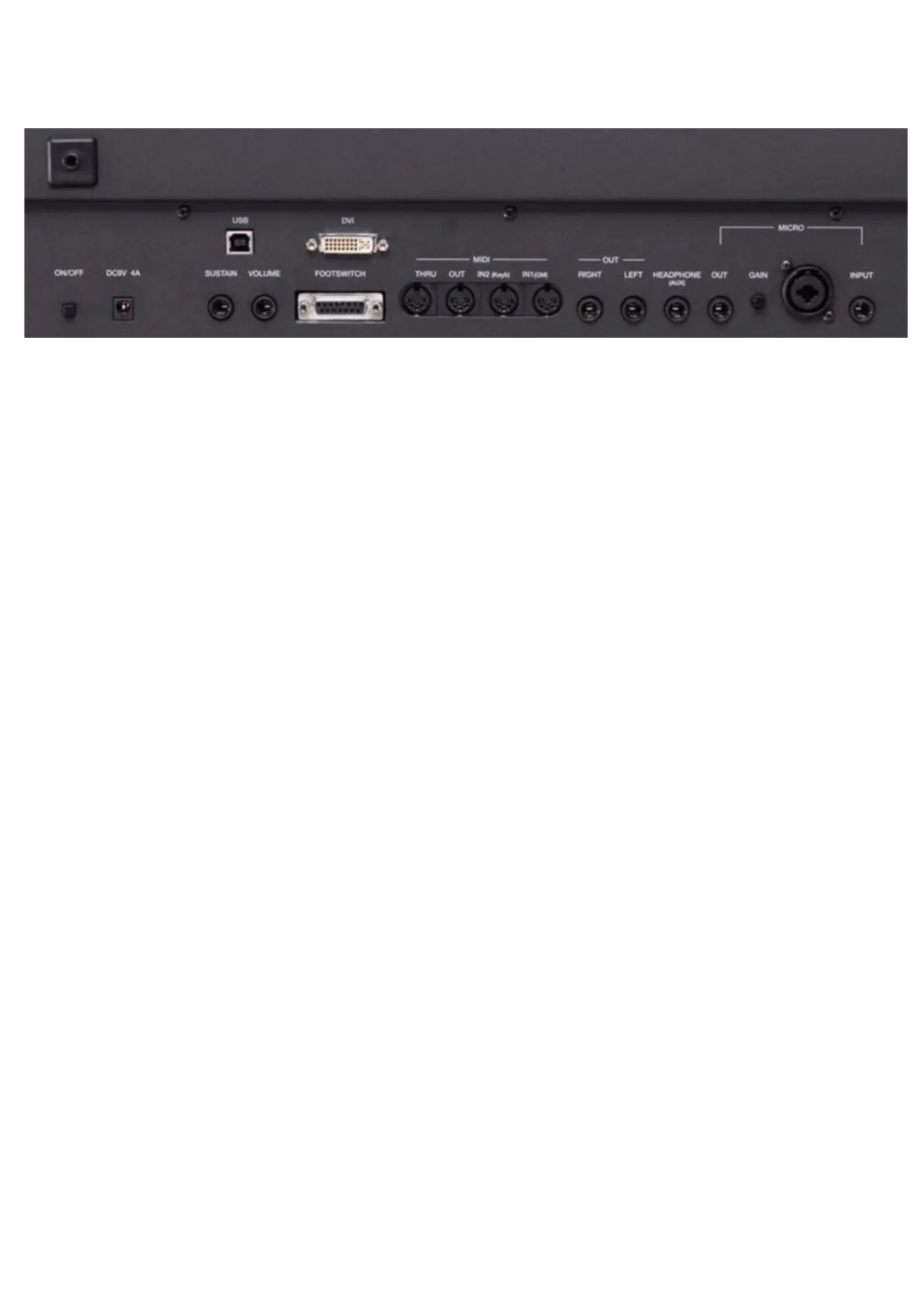
Connections
https://www.ketron.it/images/ketron/Manuali_HTML/SD9/english/02_connessioni.html[12/05/2020 15:54:12]
Connections
DC 9 V 4A Mains power supply socket Please use only the power supply supplied with the instrument.
Output: 9 V, 4 A.
ON/OFF ON/OFF key. This instrument may take up to 30 seconds to start up. To turn off the
instrument, press the ON/OFF key and wait for the instrument to turn off. This may take up to
10 seconds.
SUSTAIN PEDAL Standard jack to connect a Sustain pedal (optional).
VOLUME PEDAL Standard stereo jack to connect a Volume pedal (optional).
VIDEO DVI Digital video interface for connection to an external video monitor.
USB DEVICE This is used to connect a computer USB device or other devices to manage the SD9 as an
external removable unit.
FOOTSWITCH Standard multi-pin plug for connection of an optional pedal to control a number of internal
functions. Compatible with Ketron FS6/FS13.
MIDI Plugs for MIDI IN1 (GM), MIDI IN 2 (Key),, MIDI OUT and MIDI THRU connection.
MAIN OUT Standard mono jack for the main output to connect to a PA STEREO system: left (Left Mono),
right (Right Mono). We strongly recommend that you use the stereo connection for best
performance of the instrument and relevant EFXs. A Mono connection (namely use of only the
Left or Right output) will give poorer reproduction with respect to quality of the sounds and
EFXs of the instrument.
HEADPHONE - AUX Standard stereo jack for connection to a headphone. The volume of the headphone is
controlled by the Master section.Aux separate Out Assign
MICRO IN Standard mono combo plug (Jack/Xlr) for connection of a dynamic microphone.
GAIN MICRO Potentiometer for adjustment of the Micro 1 input signal gain.
MICRO OUT Standard mono jack dedicated exclusively to the Micro 1 output.



 To Next Page