Training an Operating Instruction
16
GB
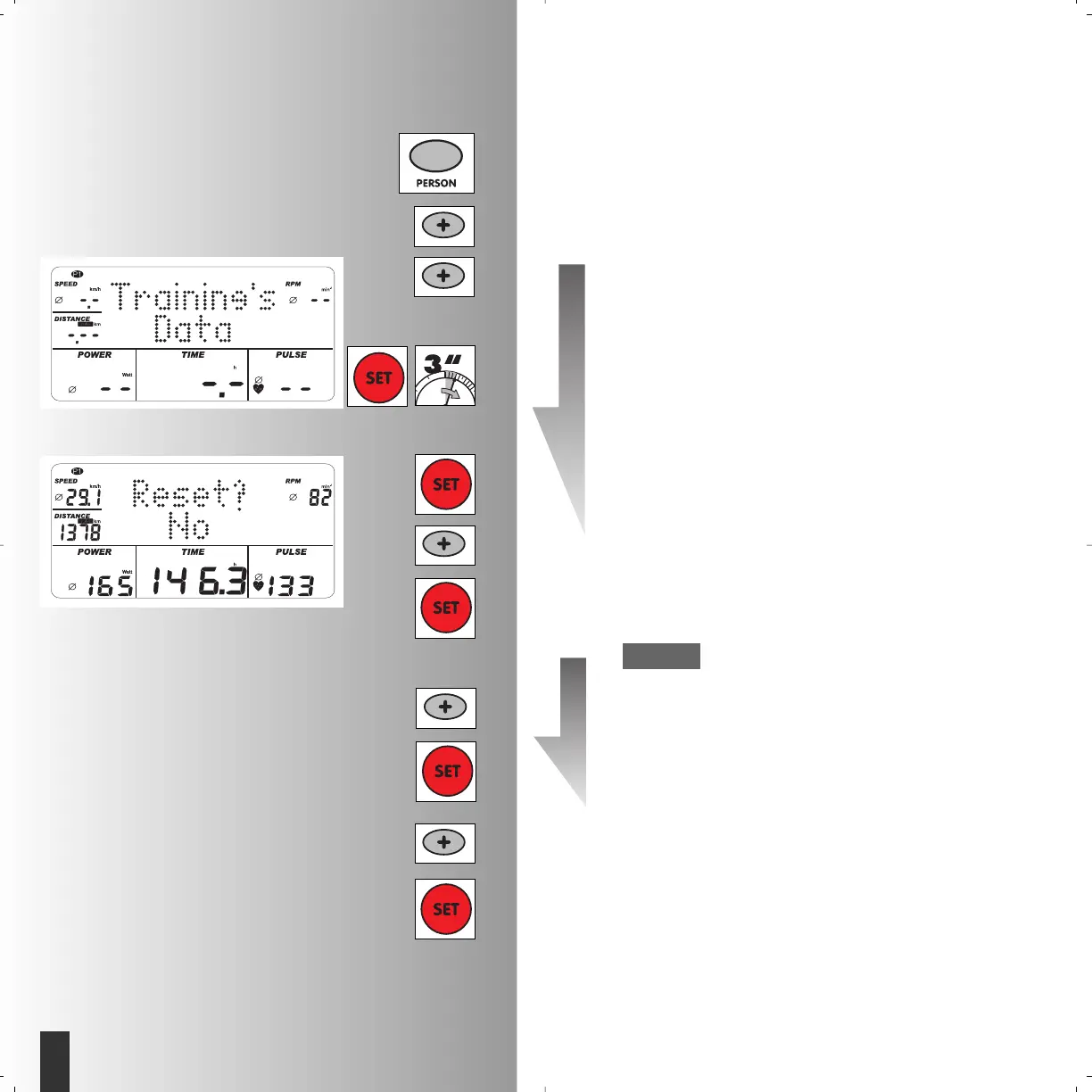
Personal training data
The values of all training units of a selected per-
son are grouped in this menu.
This value is continuously added up.
Select the training data
• Press “Person”
• Example: P1 selected
• “Plus” 2x Display “Training data”
• “SET”: Display” Reset? No”
means that the training data continues to
be added up and all the average values
are displayed.
• Confirm with “SET”
Display “Training data”
• “Plus” personal data
or
• “SET”
Display of last indicated program
Or:
• “Plus”: Display “Reset? Yes”
means that the previously added training
data is deleted. It is only recounted under
the selected person.
• Confirm with “SET”.
• “Plus” personal data
or
• “SET”
Display of last indicated program
Therefore all personal-related settings are
explained.





 To Next Page