• (PROGRAM) “M” (changeable)
The profile “M” can be individually designed.
• Press “PERSON”, example: P1 selected
• Press “PROGRAM” 9x; Display “M”
• Press “SET” for longer than 3 seconds
• 2 minutes are apply per column
Current position “2” displayed on the right
• Column 1 flashes and is changeable
• POWER shows the current performance of the column (e.g.
70)
• Program length is “still” 70 minutes
Change:
Performance
• “Plus” or “Minus” to select the column
• “PROGRAM” increases, “PERSON” reduces the performan-
ce output.
Change:
Program duration (should be 42 minutes)
• Press “Plus” or “Minus” up to the desired duration (e.g.
for 44 minutes)
• Press “PERSON” until POWER “- -“is displayed.
• Press “SET” for longer than 3 seconds. Profile is adopted.
Note:
The profile will not be stored until the program is running
for 20 minutes. If programs have been viewed for more
than 45 minutes, the profile will be displayed compressed on
45 columns.
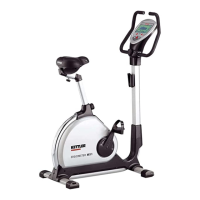
Ergometer MX1
21
GB





 To Next Page
