■
Push-assistance function may only be used when pushing the eBike. Danger of injury when the
wheels of the eBike do not have ground contact while using the push-assistance function.
◆
Switching the Lighting On/Off
To switch on headlight of the eBike, hold the UP button for 2 s.
In the same way to hold the UP button for 2 s again, the headlight will be switched off.
◆PAS Level Selection
PAS Level indicates the output power of the motor. The default value is level “1”.
The default power ranges from level “0” to level “5”. The output power is zero on Level “0”. Level “1” is the
minimum power. Level “5” is the maximum power. Gearing to level “5” and then pressing the UP button, the
interface shows “5” still and “5” flashing prompts top. Gearing to level “0” and then pressing the DOWN button, the
interface shows “0” still and “0” flashing prompts low.
To change assistance level, press the UP/DOWN button to increase or decrease until the desired
assistance level is displayed.
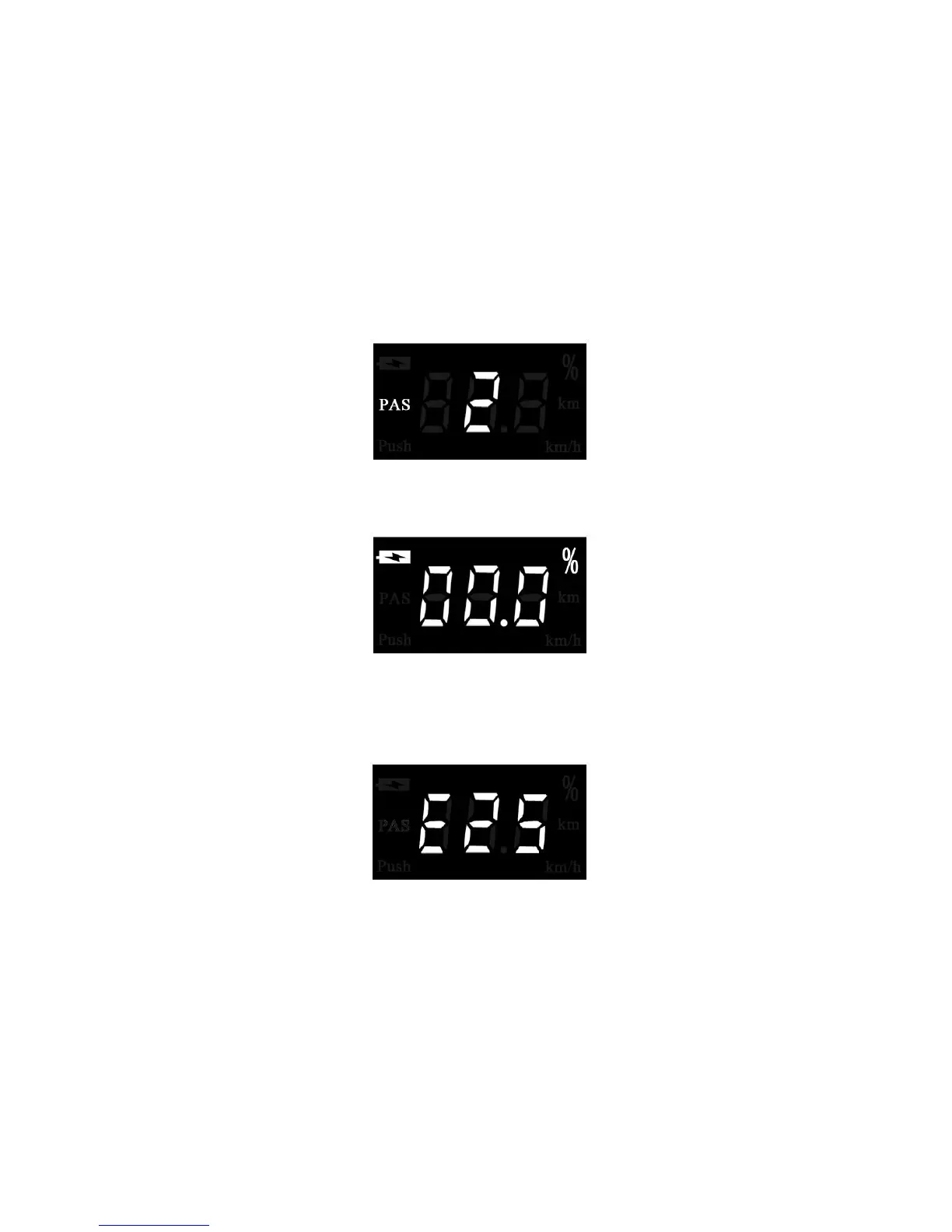
PAS Level selection interface
◆Battery Indication
Battery indication is displayed by percentage.
Battery percentage display
◆Error Code Indication
If there are errors about the electronic control system, the error code will appear automatically. Here is the
message of the error code in Attached list 1.
Error Code Indication
Trip Distance Clearance
To clear trip distance, hold both the MODE button and the DOWN button for 2 s.
When the eBike is parked, the display shows 0.0KM for 2 s and then returns to the interface of Running
Speed automatically.
General Parameter Settings
To access the General Parameter Settings state, hold both the UP and DOWN button for 2 s.
To access the corresponding settings page, press the UP/DOWN button to increase or decrease until the
desired item is displayed, and then press the MODE button to confirm.
◆Wheel Diameter Settings



 To Next Page