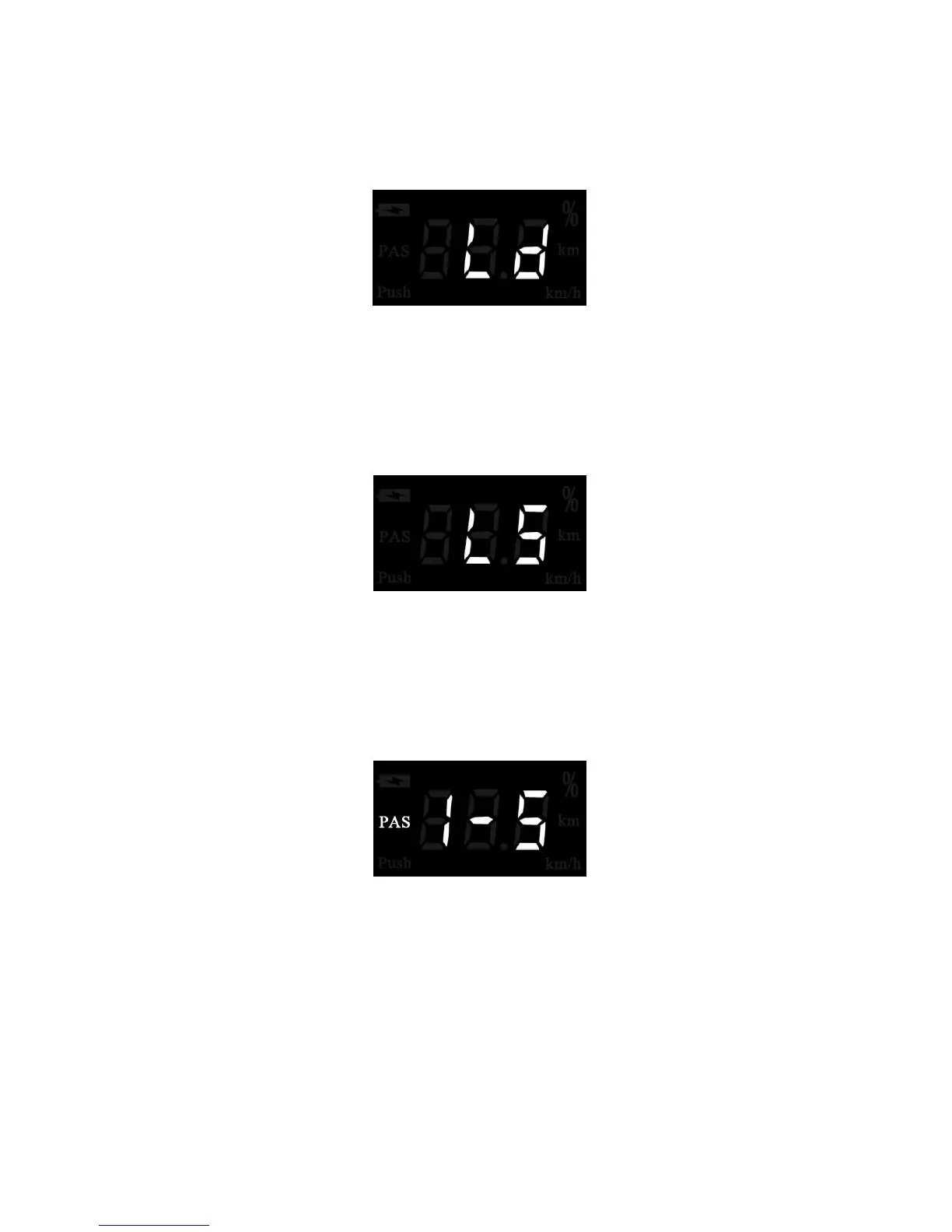
Ld represents Wheel Diameter. Electable values are 16, 18, 20, 22, 24, 26, 700C and 28.
The default value is 26inch.
To change basic settings, press the UP/DOWN button to increase or decrease until desired value
of wheel diameter is displayed.
To store a changed setting and access previous interface, press the MODE button.
To store a changed setting and exit General Parameter Settings interface, hold the MODE button for
2 s.
Wheel Diameter Setting Page
◆
Speed-limit Settings
LS represents the limit speed settings. When the running speed is faster than limit speed, the eBike
system will switch off automatically. Limit speed ranges from 12Km/h to 40Km/h. The default value is 25Km/h.
To store a changed setting and access previous interface, press the MODE button.
To store a changed setting and exit General Parameter Settings interface, hold the MODE button for
2 s.
Limit Speed Setting Page
◆Assistance Level Settings
In assistance level settings, there are 8 modes to select: 0-3, 1-3, 0-5, 1-5, 0-7, 1-7, 0-9, 1-9. The default
value is 0-5.
To change the mode of assistance level, press the UP/DOWN eBike button to increase or decrease until
the desired setting is displayed.
To store the changed setting, press the MODE button.
PAS Mode Select Page
Quality assurance and warranty scope
Ⅰ Warranty
1) The warranty will be valid only for products used in normal usage and conditions.
2) The warranty is valid for 24 months after the shipment or delivery to the customer.
Ⅱ Others
The following items do not belong to our warranty scope:
1) The display is demolished.
2) The damage is caused by wrong installation or operation.
3) Shell of the display is broken when the display is out of the factory.
4) Wire of the display is broken.
5) Beyond Warranty period.



 To Next Page