General Operation
◆
Switching the E-bike System On/Off
Briefly press the power button to switch on the E-bike system, and provides the power
supply for the controller .To hold the power button for 2s, the E-bike system will be
switched off .The E-bike system no longer use the battery power.
When E-bike system is switched off, the leakage current is less than 1 μA.
■ When E-bike is parked for more than 10 minutes, the E-bike system will be switched off
automatically.
◆
Display Interface
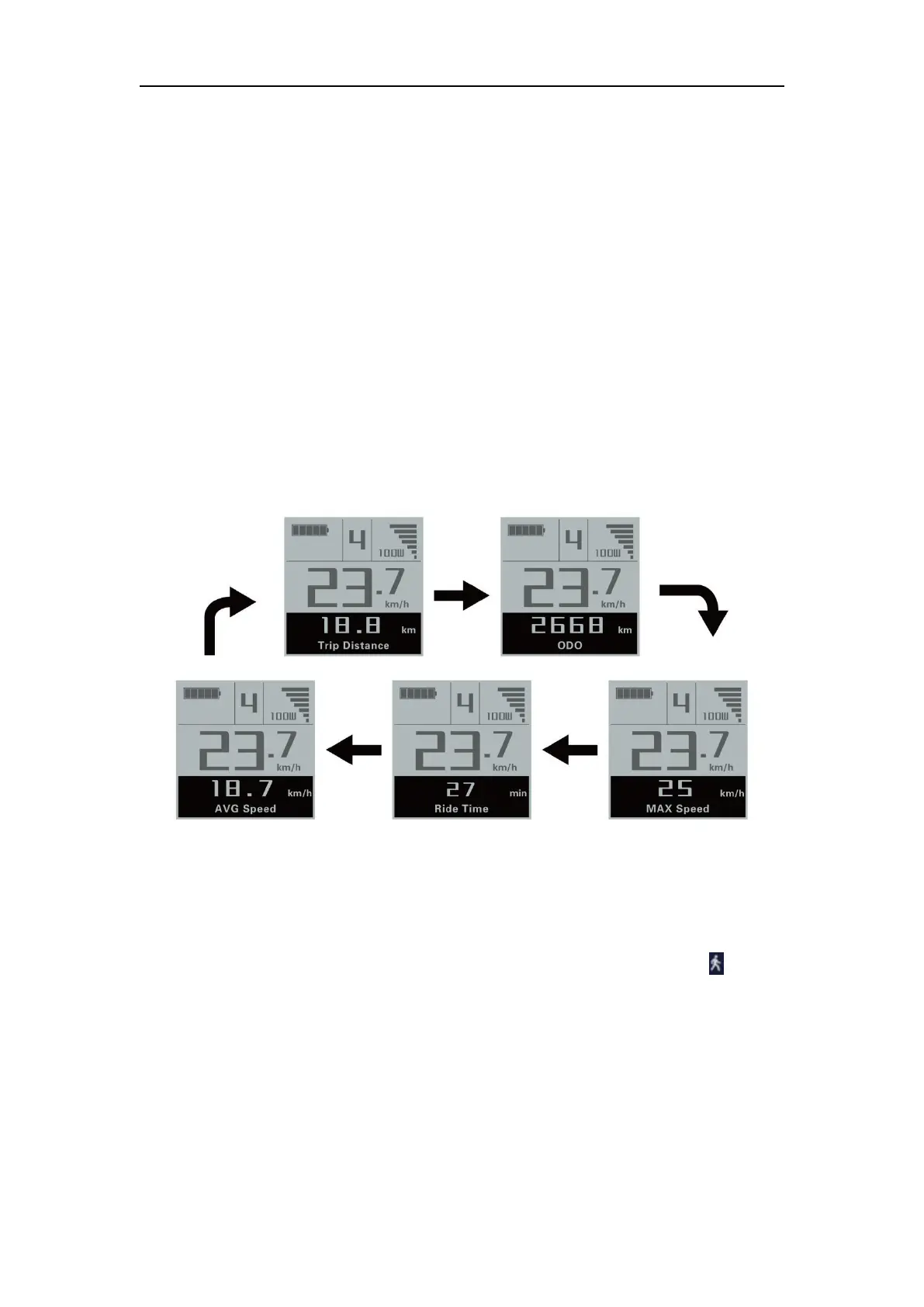
After switching on the E-bike system, the display will show Current Speed and Trip
Distance by default. Press the “i” button will show more riding data as below:
Trip Distance (Km) → Total Distance (Km) → Max. Speed (Km/h) → Ave. Speed
(Km/h) →Ride Time (Min.) .
Display interface
◆Switching Push-assist Mode On/Off
To activate the push-assist function, keep holding “-” button. After 2s, The E-bike is
activated to go at a uniform speed of 6 Km/h while the screen shows “ ” . The
push-assist function is switched off as soon as you release the “-” button. The E-bike
system stops power output immediately.



 To Next Page