1 Performance Tests and Calibration
Performance Verification Tests
16 34450A Service Guide
Frequency gain verification test
Configuration: Frequency (CONFigure:FREQuency)
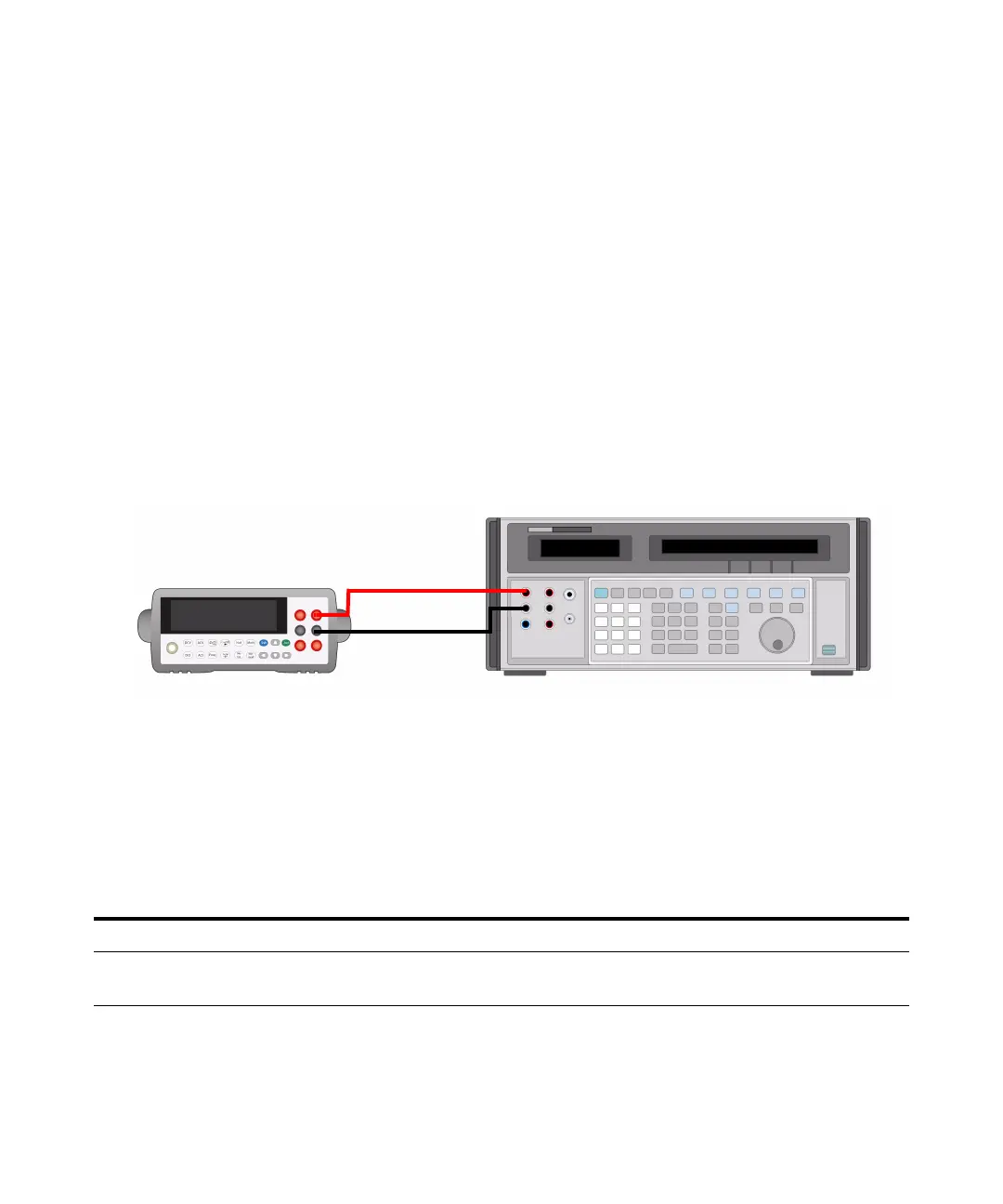
1 Connect the calibrator to the front panel HI and LO input terminals
as shown in the figure below:
2 Select the frequency function
3 Select each range in the order shown below. Provide the input voltage
and frequency indicated. Compare measurement results to the
appropriate test limits shown in the table. (Be certain to allow for
appropriate source settling)
[1] Select Slow Mode 5½ digit measurement resolution
[2] Specifications are for 4-wire for 2- wire ohms function using the Null math function enabled to
eliminate lead resistance. Without Null, add 0.2 Ω additional error.
Q= Quick performance verification test points
Table 1 - 6 Frequency gain verification test
Voltage Input Frequency Function
[1]
Range Quick Check Error from Nominal 1 year
1 Vrms
0.1 Vrms
1 kHz
20 Hz
Frequency 1 V
1 V
Q ±0.23 Hz
±0.007 Hz
[1] Select Slow Mode 5½ digit measurement resolution
Q= Quick performance verification test points



 To Next Page