10 M8000 Series of BER Test Solutions Tips for Preventing Damage
1 Tips for Preventing Damage
Connecting & disconnecting 3.5 mm cables (M8042-61623)
Tools required to connect/disconnect the cable
• M8042-03801 Wrench: 9 mm
• 8710-1765 Torque Wrench: 8lb-in, 5/16 Inch
Table 6 Steps to connect / disconnect the cables
Steps to be performed Reference image of the cable
Connecting the cables
Use the M8042-03801 wrench to hold at position 2. Avoid
turning inner pin.
Use the 8710-1765 wrench to torque at position 1.
Disconnecting the cables
Use the M8042-03801 wrench to hold at position 2. Avoid
turning inner pin.
Use the 8710-1765 wrench to loosen at position 1.
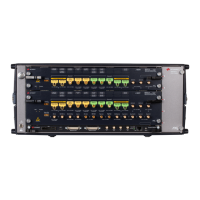
The following image displays the actual connections of the 1.85 mm
semi-rigid cables, connected at positions 1-1 & 2-2, along with the
3.5 mm semi-rigid cable, connected at position 3-3, between the
M8009A and M8042A modules. All these cables are highly sensitive
and must be handled with care.



 To Next Page