Features and Functions 2
Keysight U1241B and U1242B User’s and Service Guide 35
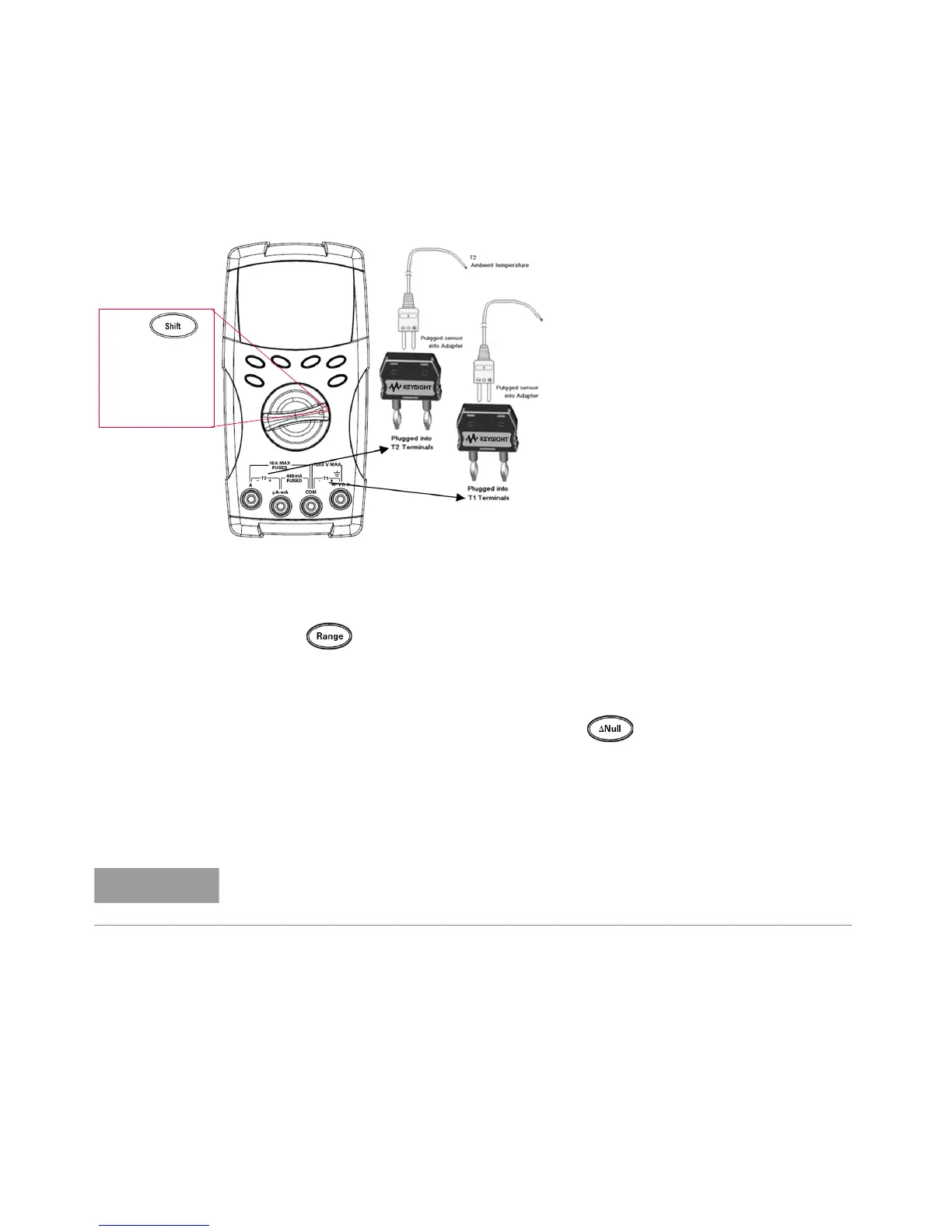
If you are working in a varied environment, where ambient temperature is not
constant, do the following:
1 Press for more than one second to enable 0 °C compensation. This
function allows a quick measurement of the relative temperature.
2 Avoid contact between the thermocouple probe and the measurement surface.
3 After a constant reading is obtained, press to set the reading as the
relative reference temperature.
4 Touch the measurement surface with the thermocouple probe.
5 Read the display for the relative temperature.
Press
at T1T2
(U1242B)
position to
enable T2
function
Measuring tips:
– Clean the measurement surface
and remember to disable the
applied power.
– When measuring temperature,
move the thermocouple along the
surface until you get the highest/
lowest temperature reading.
– For quick measurement, use the
0 °C compensation to see the
temperature variation of the
thermocouple sensor. The 0 °C
compensation assists you in
measuring relative temperature.
The T2 temperature measurement is only available for U1242B.



 To Next Page