13
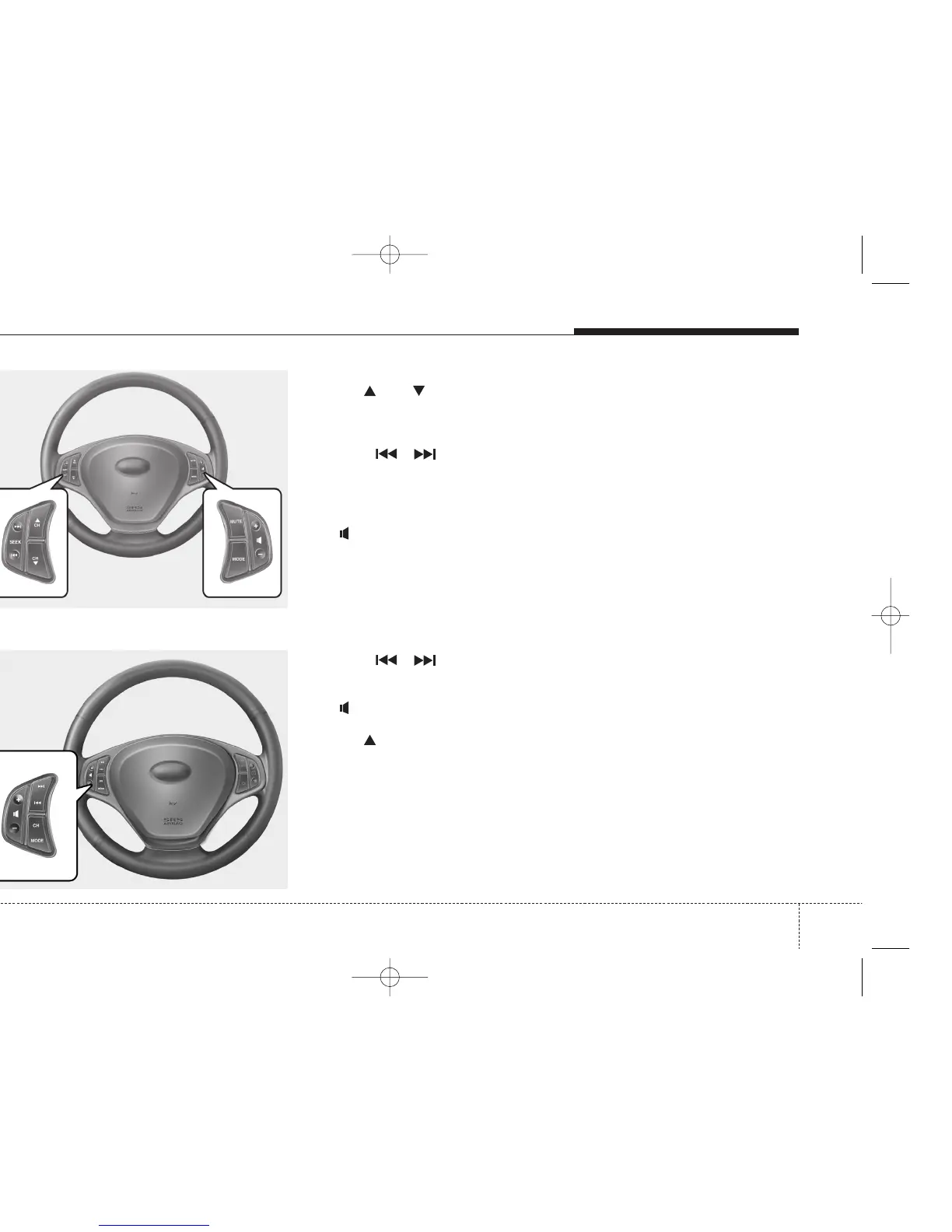
Steering wheel remote control
Single steering wheel remote control*
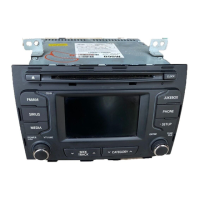
Dual steering wheel remote control*
CH / CH .... Radio mode: Select preset up/down from the
preset list of the current waveband
CDC : Select next or previous disc
Seek / . . . Radio mode: Select previous/next station
CD/CDC/USB: Select previous/next track
Mute . ...........Muting the system
+ / - ..........Volume control up / down
Mode ..........Switchover between TUNER (FM)/CD/USB/AUX
mode
Seek / . . . Radio mode: Select previous/next station
CD/CDC/USB: Select previous/next track
+ / - ..........Volume control up / down
CH ........... Radio mode: Select Preset up
CDC: Next disc
Mode............ Switchover between TUNER (FM)/CD/USB/AUX mode
Note: To enable the following functions to be controlled by the steering
wheel keys, please ensure there is CD in the unit and USB/AUX
is connected.
* Depend on version


 To Next Page