485
Features of your vehicle
✽✽
NOTICE
• Turn on the hazard warning flasher if
it is crowded with other vehicles.
• If the parking lot is small, slowly drive
more nearer to the parking space.
• The search for a parking space will be
completed only when there is enough
space for the vehicle to move to park.
✽✽
NOTICE
• When searching for a parking space,
the system may not be able to find a
parking space if there is no vehicle
parked, a parking space is available
after driving by or a parking space is
available before driving by.
• The system may not operate normally
in the following conditions:
(1) When the sensors are frozen
(2) When the sensors are dirty
(3) When it snows or rains heavily
(4) When a pillar or object is near
✽✽
NOTICE
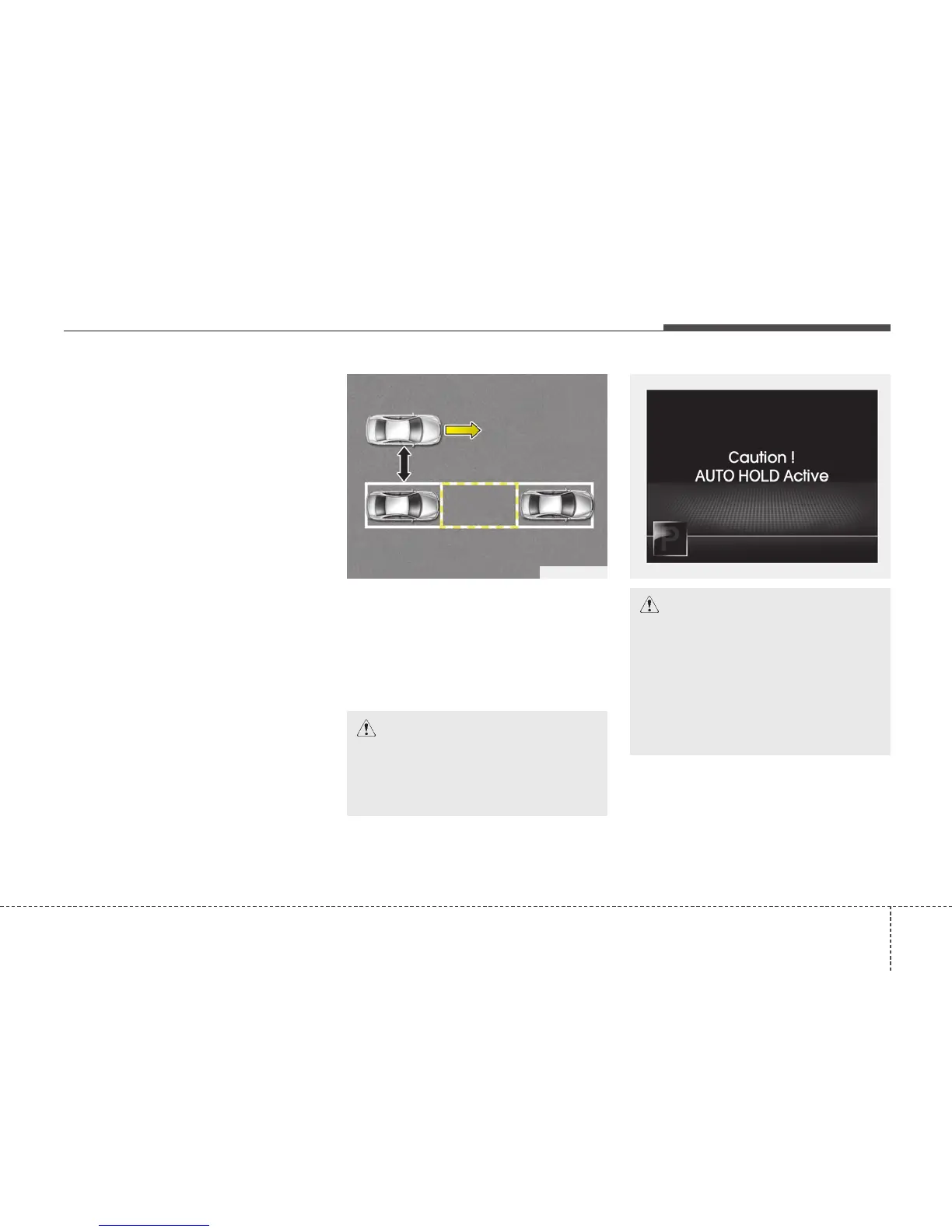
Slowly drive forward maintaining the
distance of approximately 50cm ~
150cm (19.6in.~59.0in.) with the parked
vehicles. If not within the distance, the
system may not be able to search for a
parking space.
OTFS042213
CAUTION
After searching for a parking space
is completed, continue using the
system after checking the sur-
rounding area.
CAUTION
Whilst using the Smart Parking
Assist System if the Auto Hold acti-
vates the above message will
appear. Turn the Auto Hold opera-
tion off. When you cancel the Auto
Hold operation by depressing the
accelerator pedal, always check the
surrounding area near your vehicle.
OMD040166
50~150 cm






 To Next Page