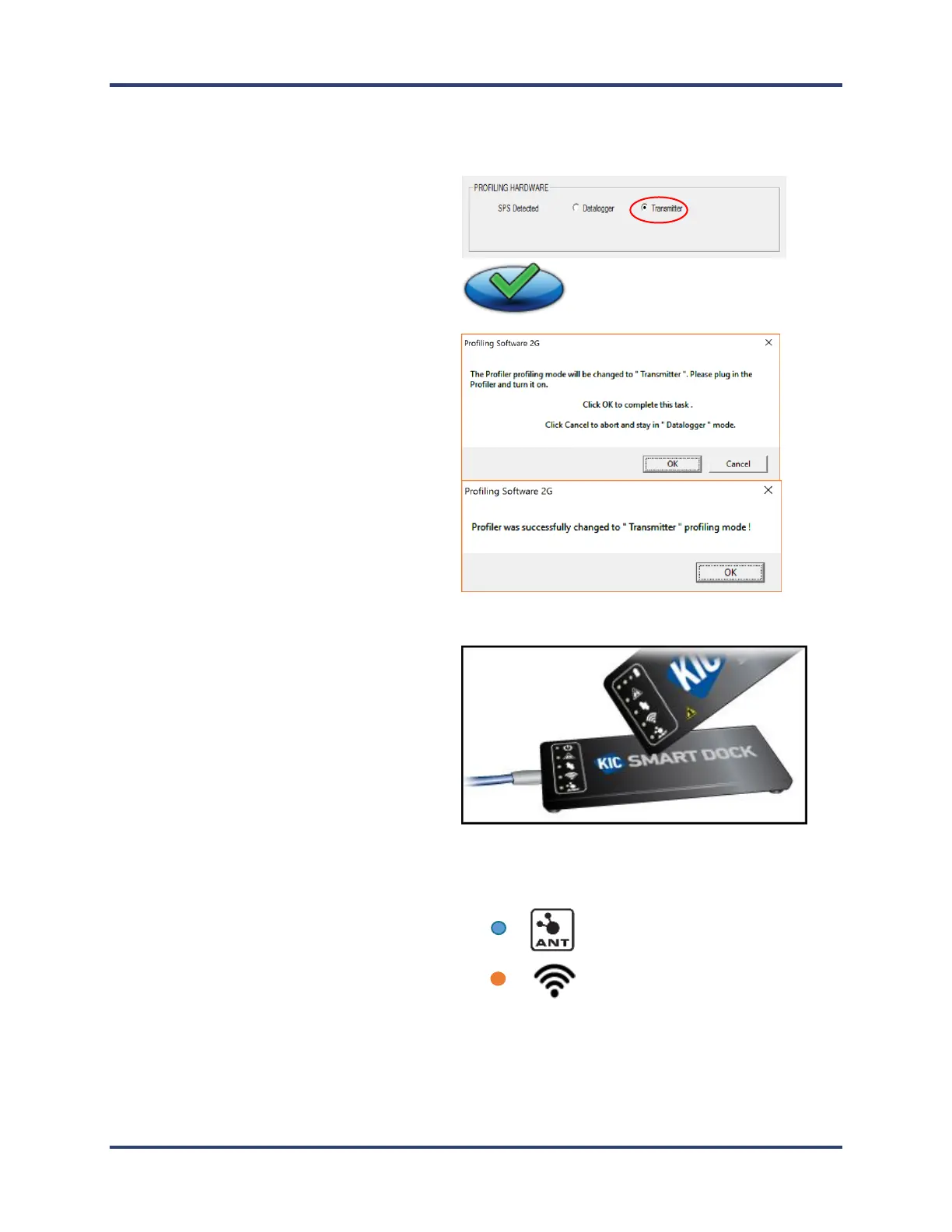
6. Click the radio button for Transmitter,
followed by the Save (green check) button
7. Click OK on the message boxes. You will then
be returned to the main screen.
8. Remove the cable from the SPS and insert it into
the Smart Dock.
9. Tap the SPS on the Smart Dock to pair it.
10. The ANT blue LED on both devices flashes
until the devices are paired.
11. The Wi-Fi orange LED on both devices flashes
every 3 seconds indicating a successful Wi-Fi
connection.


 To Next Page