SPS Smart Profiler Hardware Guide PTG-330310-000 Rev. C
6
Power the SPS Smart Profiler
The SPS is powered by an internal NiMH battery pack. You charge the battery using the USB cable into your
computer or the USB cable into the plugged-in AC charger.
Typical Charging Time
Normal Charge – 4 hours
NOTE: If the Alert LED is lit and the software indicates the battery is low, but you need to get a profile done, you
can charge it for a minimum of 10 minutes to clear the alert and run one profile.
Battery LED Behavior
Combined
solid and
flashing.
See
description
Plugged into USB (or AC charger) for charging.
Each LED represents 1/3
rd
of battery capacity.
Starting from the left the lights go from
flashing to solid as the battery charge fills.
Full charge when all 3 are solid.
LEDs will flash depending on amount of charge
left.
Minimum to 1/3rd charge left – LED 1
1/3rd to 2/3
rd
charge left – LED 1-2
2/3
rd
to full charge left – LED 1-2-3
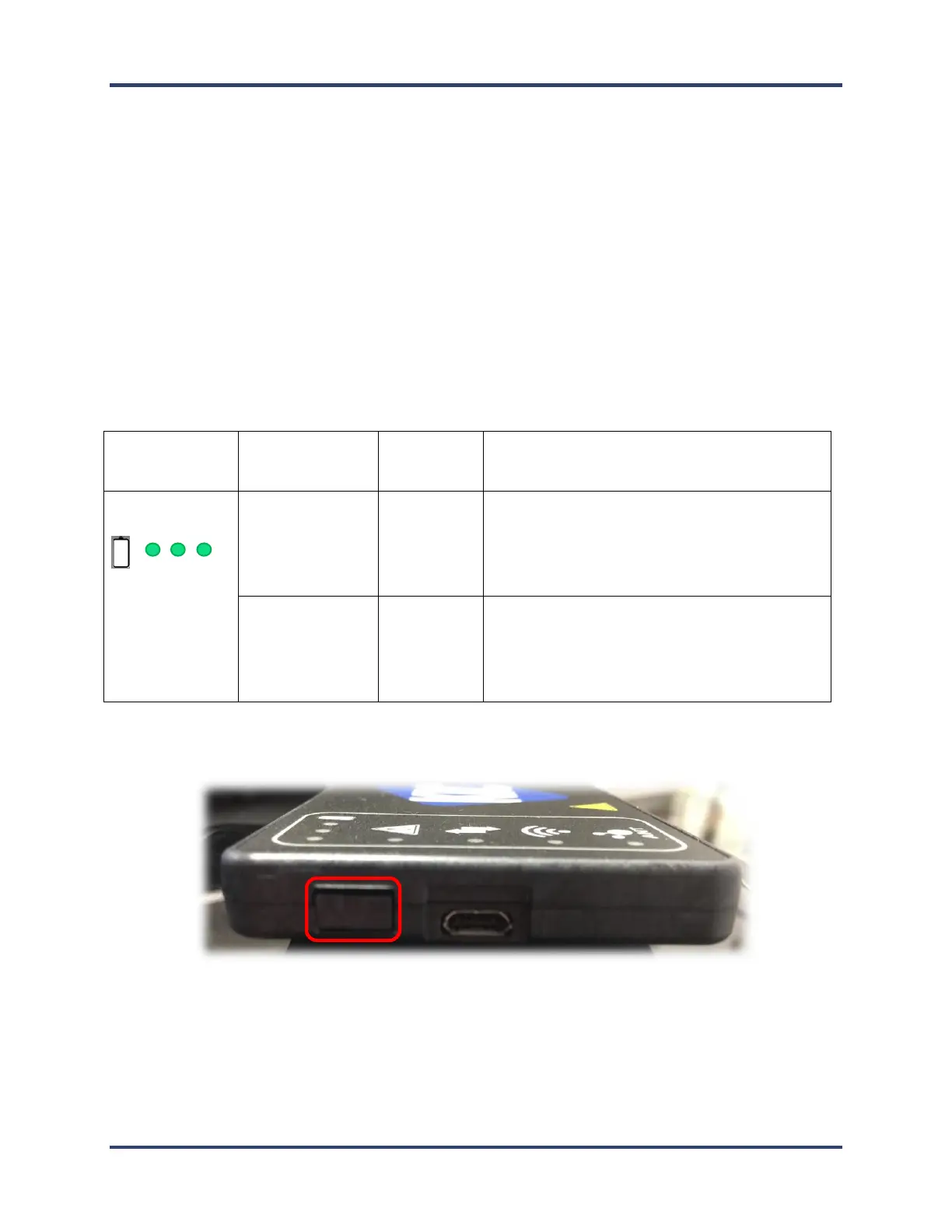
The Power Button
Push power button momentarily to turn on or off
Hold power button for 10 seconds for a hard reset of the hardware


 To Next Page