SPS Smart Profiler Hardware Guide PTG-330310-000 Rev. C
2
Review Your Profiler Kit
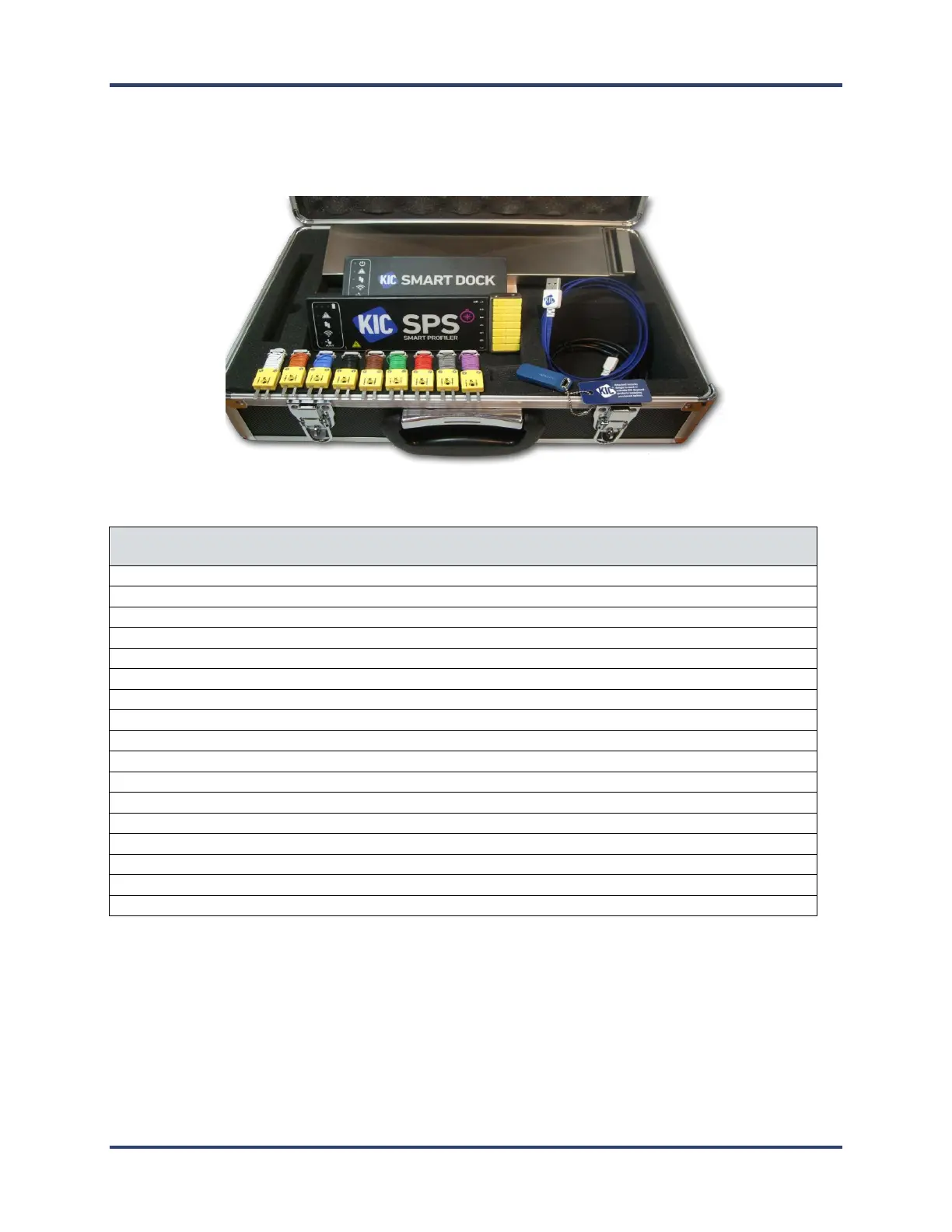
Upon receiving your profiler kit, check it to make sure that all the required components are there. The specific
contents of your kit will match the configuration— datalog or wireless—that you ordered. The full catalog of parts
appears below.
SPS Smart Profiler - datalog or Wi-Fi model (7, 9, or 12-channel)
Smart Dock (Wi-Fi models only)
USB communication cable (A-Male/Micro-B)
Thermocouples (7, 9 or 12—standard type K)
Aluminum tape for attaching thermocouples
Scissors for cutting the tape
Gloves for handling the profiler and test product, hot from the thermal process
SPS Smart Profiler Getting Started Guide
SPS Smart Profiler CD containing:
SPS Smart Profiler Hardware Guide
Profiling Software 2G User Manual
USB Software Dongle Key (Needed to run the Profiling Software 2G )
Your Smart Profiler Software
Profiling Software 2G provides all the tools you need for thermal profiling with your SPS Smart Profiler. It
lets you set operating parameters, monitor your hardware, graphically display analytical data, and manage multiple
profile data sets. While this Hardware Guide uses images from the Profiling Software 2G to illustrate procedures,
you may use the SPS Smart Profiler with KIC’s automatic system software.


 To Next Page