Chapter 3: Programming
40 GSA-REL Technical Reference Manual
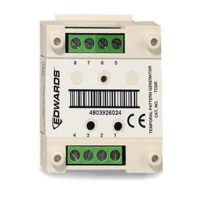
First address
Device type: Output
Model: REL
Personality: (16) Output B
Message text: GSA-REL1 A005 and PRERELEASE 1 & 2
Second address
Device type: Monitor
Personality: (0) None
Message text: GSA-REL1 A006 and NOT USED
3. Click Add.
Table 18 shows how your entries in the Modules table should look. Your
addresses may be different.
Table 18: GSA-REL configuration settings
Step 5: Create a prerelease response
In this step, you create a response that activates the prerelease circuits when
any one detector in the protected area signals an alarm.
1. Click Configure > Correlations.
2. Click the Zones tab, and then click Add Zones.
3. Click the Members tab, and then click Add Device.
4. Select only the devices required to activate the GSA-REL prerelease circuits,
and then click OK.


 To Next Page