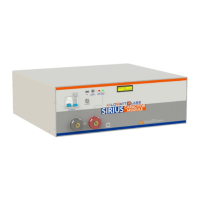
Sirius Capacitor Module – User Manual Model Number - 3550-48-B-1.7C-M-SD-A-G
This manual is subject to change without notice and at the sole discretion of Kilowatt Labs, Inc.
Kilowatt Labs, Inc. | www.kilowattlabs.com
19
3. Wait till the LCD screen on the Module displays initial values.
4. Be sure you are able to see the terminal status LED OFF.
5. Press and hold the fault reset button, after 3 seconds the terminal status LED will change to Green.
6. Release the fault reset button.
Step 3: Module Shut-Down:
1. Press and hold the fault reset button to turn OFF the terminal. After 3 seconds the terminal status
LED will go OFF.
2. Make sure every indicator on the Module is OFF.
3. Turn OFF the Module by moving the Circuit breaker button to the OFF position.
4.2 Software Configuration:
To configure SiriusVIEW application, please follow the steps below.
1. Install the SiriusVIEW application on your system.
2. Connect the USB cable to the COMM connector USB slot to start communication and monitoring.
3. Turn on the Sirius Module by pressing the fault reset button on front panel.
4. Wait till the LCD screen on the Module displays initial values.
5. Double click on the SiriusVIEW application to execute it.
6. When the Log-In appears, SiriusVIEW, enter the default username and password as shown below.
Default Username: admin


 To Next Page
 Loading...