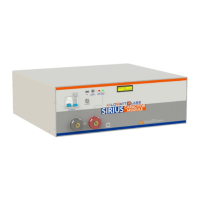
Sirius Capacitor Module – User Manual Model Number - 3550-48-B-1.7C-M-SD-A-G
This manual is subject to change without notice and at the sole discretion of Kilowatt Labs, Inc.
Kilowatt Labs, Inc. | www.kilowattlabs.com
22
5. Recovery Procedure:
When the Module voltage drops below a certain threshold, the control electronics turn OFF. To restart
the control electronics, follow the steps below.
1. Use the Bypass circuit breaker to turn the Module ON as shown below.
2. A power supply having voltage range of 44V
dc
to 54V
dc
and current range of 1A to 10A will be
required.
3. Connect the positive terminal of the power supply to the positive terminal of the F12 terminal
and negative terminal of the power supply to the negative terminal of the F12 terminal.
4. Remove the lock screw from the Bypass Circuit breaker with the help of screw driver.
5. Once the connection is done, turn ON the circuit breaker as shown below. The Module will
recharge and the control electronics will turn ON.
6. The event may take several minutes depending on the power supply used.
7. At this stage, remove the power supply and leave the Module for normal recharge.
Note!
Please read the Application manual to configure the software thoroughly.
The Application manual is downloaded automatically when you install
SiriusVIEW application.


 To Next Page
 Loading...