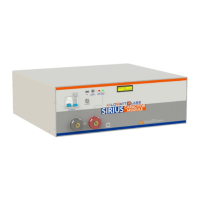
Sirius Capacitor Module – User Manual Model Number - 3550-48-B-1.7C-M-SD-A-G
This manual is subject to change without notice and at the sole discretion of Kilowatt Labs, Inc.
Kilowatt Labs, Inc. | www.kilowattlabs.com
26
When the Module is in standby mode and it
reaches the minimum voltage, the LCD will
display this message every 30 seconds.
When the Module is connected to a load and it
reaches the minimum voltage, the buzzer
alarms, electronic switch will shut down and
LCD will display the message.
When the Module has an Over-Temperature
fault, the buzzer alarms, the electronic switch
will shut down and LCD will display the
message.
Terminal Over-
Temperature
When the Module has a terminal Over-
Temperature fault, the buzzer alarms, the
electronic switch will shut down and LCD will
display the message.
This means that electronic switch has reached
80
o
C.
8. Trouble Shooting:
Check the indicators on the front panel to determine the state of the Module. A warning state is
triggered when a condition, such as voltage, current or temperature, is beyond design limitations.
When the Module falls outside prescribed limits, it enters a warning state. When a warning is reported,
the Module immediately stops operation.
The possible warning messages are as follows:
OC occurs when the current
goes above 125A or when
the Module is short-
circuited. In this event, the
electronic switch will shut
down.
Switch OFF the circuit breaker and
check the continuity across the
Module terminals to find whether
there is a short circuit. In case of a
short circuit, check the operating
circuitry and clear the short circuit.


 To Next Page
 Loading...