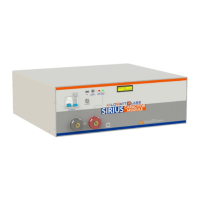
Sirius Capacitor Module – User Manual Model Number - 3550-48-B-1.7C-M-SD-A-G
This manual is subject to change without notice and at the sole discretion of Kilowatt Labs, Inc.
Kilowatt Labs, Inc. | www.kilowattlabs.com
24
• Connect the negative (-) of the F12 Terminal of all Modules.
• Take out the output positive and output negative from the respective common point.
6.2 Series Connection of Sirius Modules:
A maximum of 8 Modules can be connected in Series with a Module Combiner.
• Steps to Connect Modules in Series:
Refer to the Series combination of the Sirius Modules as shown below and make your connection
accordingly.
• Connect the negative (-) of the F12 Terminal of the first Module with the positive (+) of the F12
terminal of the next Module.
• Take the Output Positive from first Module and Output Negative from the last Module.
Note!
Switch ON the bypass Circuit breaker when connecting in Series, otherwise
it will damage the electronic switch.


 To Next Page
 Loading...