Sirius Capacitor Module – User Manual Model Number - 3550-48-B-1.7C-M-SD-A-G
This manual is subject to change without notice and at the sole discretion of Kilowatt Labs, Inc.
Kilowatt Labs, Inc. | www.kilowattlabs.com
27
OT occurs when the
Module temperature goes
above 80°C. In this event,
the electronic switch will
shut down.
Shut down the Module and check
the surrounding temperature and
ensure the ambient temperature is
less than 80°C. If not leave the
Module to cool till the temperature
comes below 80°C. Now, turn ON
the circuit breaker.
Remove Module Charger/
Connect Module Charger
This happens when there is
some residual current. In
this event, the Module
gives alarm for full charge
or low charge and the
charger/discharger is also
disconnected but the
electronic switch is not
activated.
In SiriusVIEW application, select
SiriusConfig then go to Calibrate
Zero Current. Press Calibrate. If you
see “No load current is set
successfully”, it means the current
is set to zero.
9. Features:
9.1 Key Features:
• Low power consumption.
• Accurate SOC estimation.
• Cell balancing.
• Detection of circuit board errors.
• Long service life.
9.2 Physical features:
1. Electronic switch is used to control the terminals in Sirius Module. It has more life period than AC
or DC contactors and responds faster than any control methods.
2. Sirius Module has embedded functionality in the event of:
• High Cell Voltage
• Low Cell Voltage
• High Terminal Voltage
• Low Terminal Voltage
• High Terminal Current
• High Ambient Temperature
• High Module Temperature
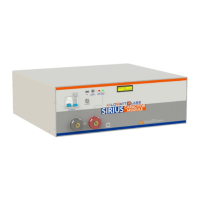
3. Front panel of Sirius Module has LCD and Fault Reset Button. The fault reset button acts as a
multifunction button for monitoring and configuration. By using Reset fault Button and LCD user
can:
• Turn ON/OFF terminals of Module.


 To Next Page
 Loading...