www.kinetico.eu
15
Original Version
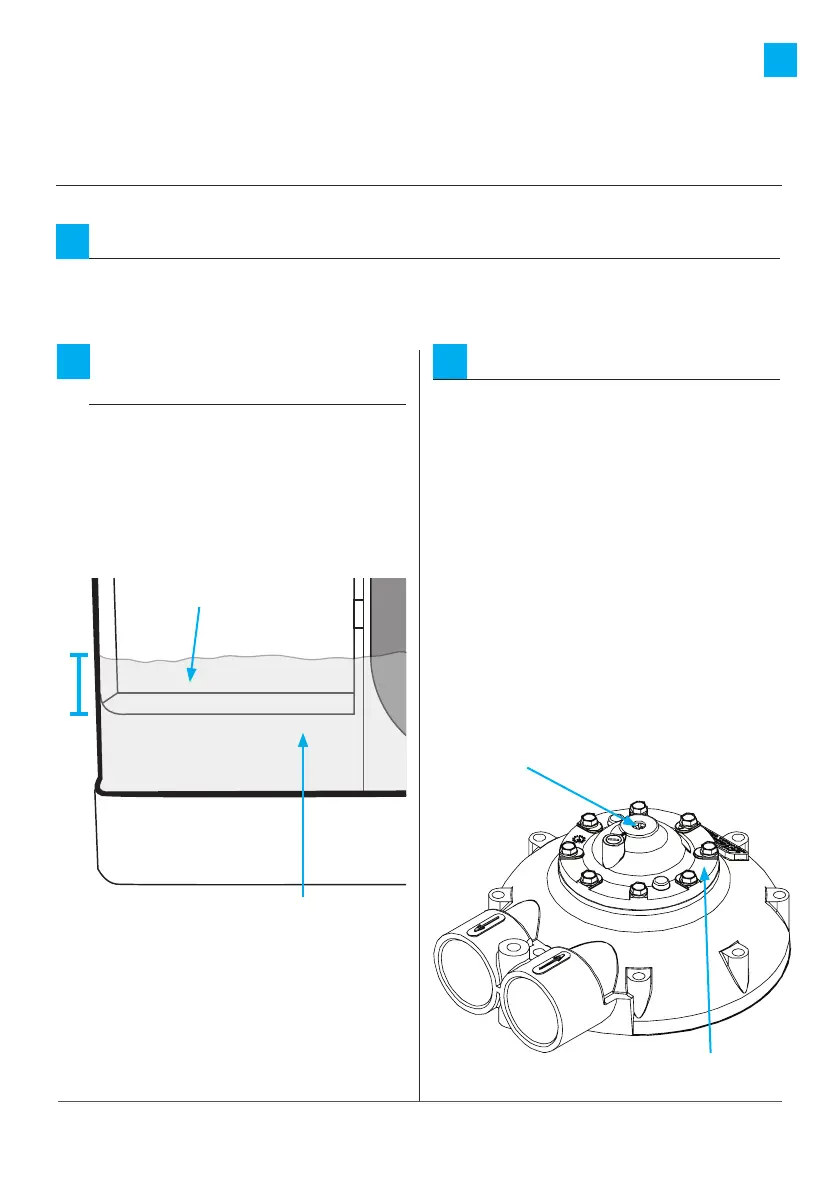
Initiate a backwash:
a: Using a Phillips head screwdriver
push down on the actuator, and
slowly turn CLOCKWISE until the
indicator dot reaches the letters
BW on the clear cap.
b: You will hear a rush of water and
air going to the drain.
c: When the cycle has finished
(approx 4 mins), repeat the
procedure, turn the indicator dot
to the next backwash cycle and
allow to finish (approx 4 mins).
3
Pressurise:
With the water to the property restored, slowly move the assembly to the “in
service” position. Water may run to drain until the unit is fully pressurised.
1
Commissioning instructions
Fill the brine tank
with water:
Allow the brine tank to fill with
water until the brine valve shuts o.
The water level should be
approximately 50mm over the
grid plate.
2
Actuator
Indicator
50mm
Grid plate
Water level






 To Next Page