www.kinetico.eu
7
Original Version
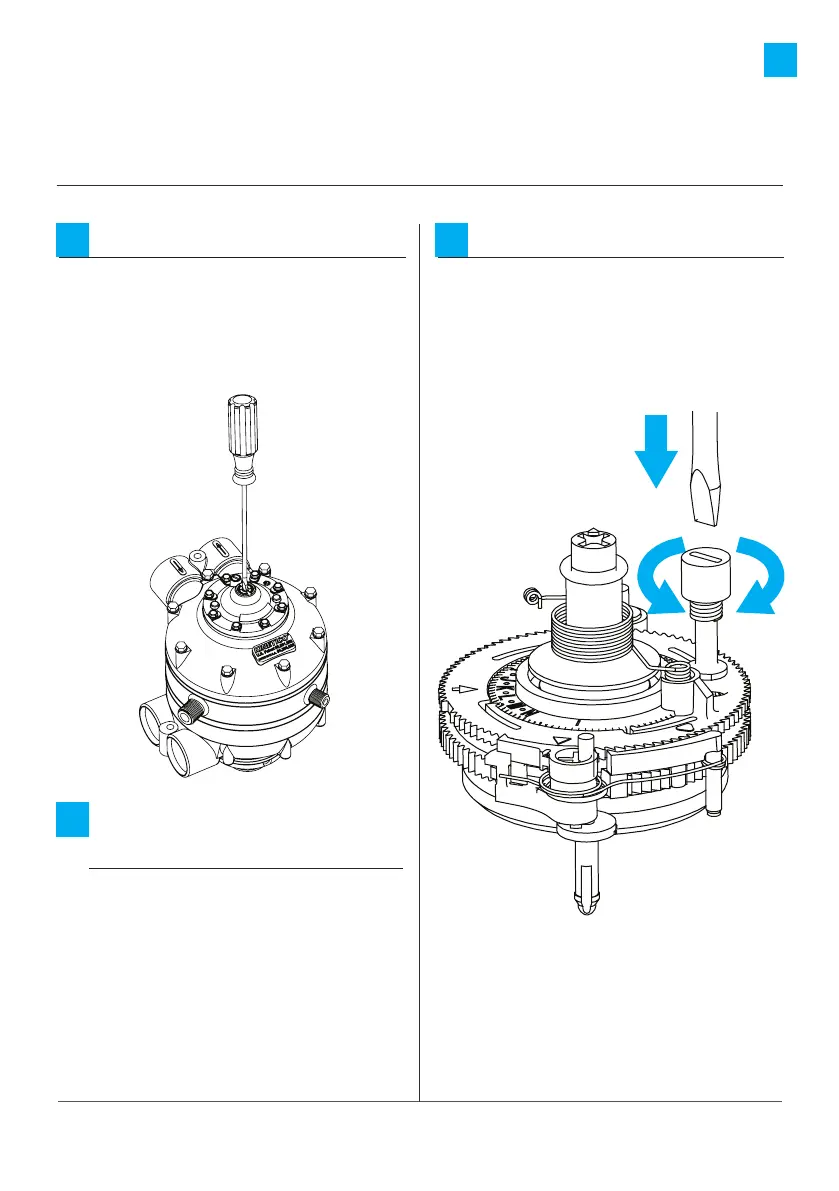
How to set the XP
Unlock the XP:
Manually initiate a regeneration
until the XP meter is in the home
position. This is identified by the
XP arrow at the 6 o’clock position
on the valve.
1
Select the setting
using the chart:
Determine the XP meter setting
from the chart on previous page:
a: find your unit
b: read across to hardness level
c: read to the top for setting.
For applications containing iron,
use the highest (certified where
applicable) salt dosage.
2
Set the XP meter:
Adjust the XP meter setting by
using a 3/16” or smaller flat-head
screwdriver to push down and
rotate the hardness adjustment
knob.
3






 To Next Page