Kinetico Premier Plus Water Softener Installation and User Manual
8
Release the XP
adjuster:
Release adjuster, making sure
knob returns to an up position.
5
Notes:
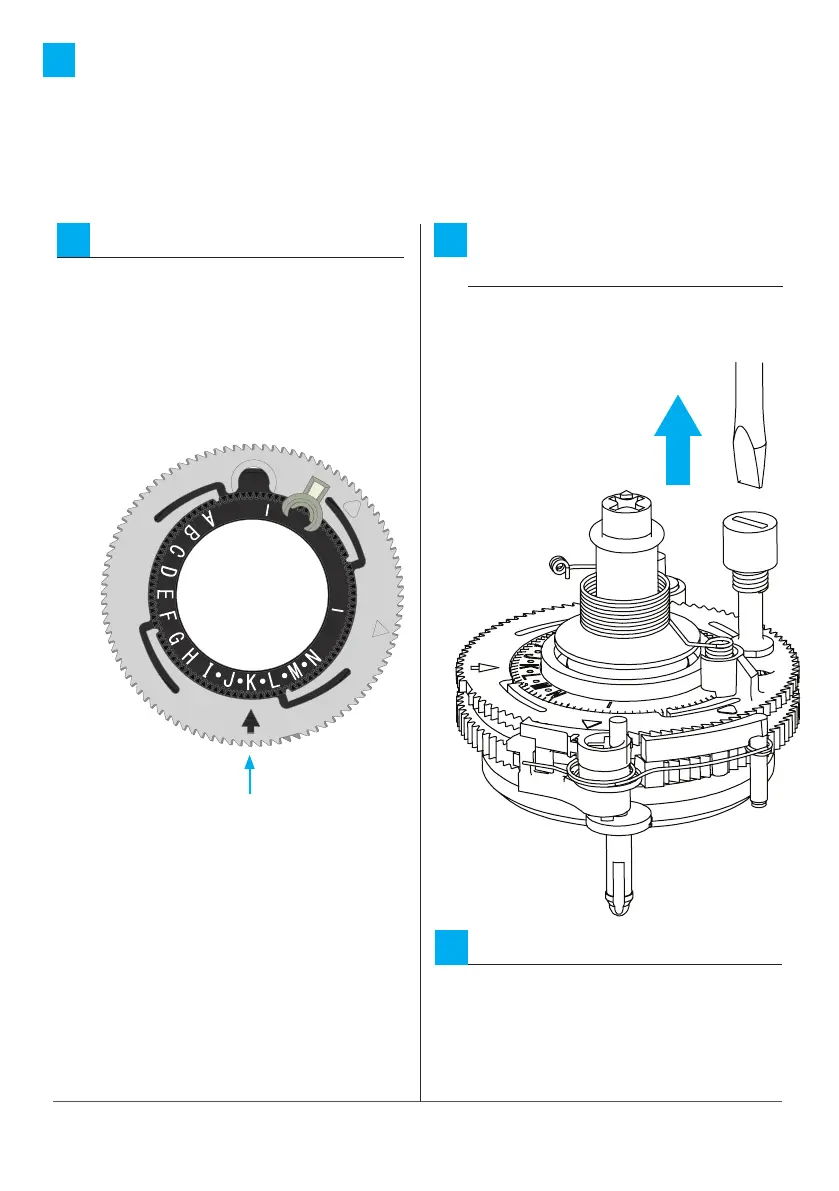
NEVER set XP with the arrow
aligned anywhere in the black
section of the meter disc. The
softener will not meter properly.
6
Confirm the setting:
Set the arrow to the desired
position. The arrow points to
the centre of the box for whole
figure settings. For 1/2” settings,
the arrow points to the line
between boxes.
4
Set to K in this
example






 To Next Page