KING-METER TECHNOLOGY CO., LTD
No.15, Chenchang Road, Beichen Dist.Tianjin,300134,CN
Fax:+0086 022 8478 0358 Tel: +0086 022 84780378
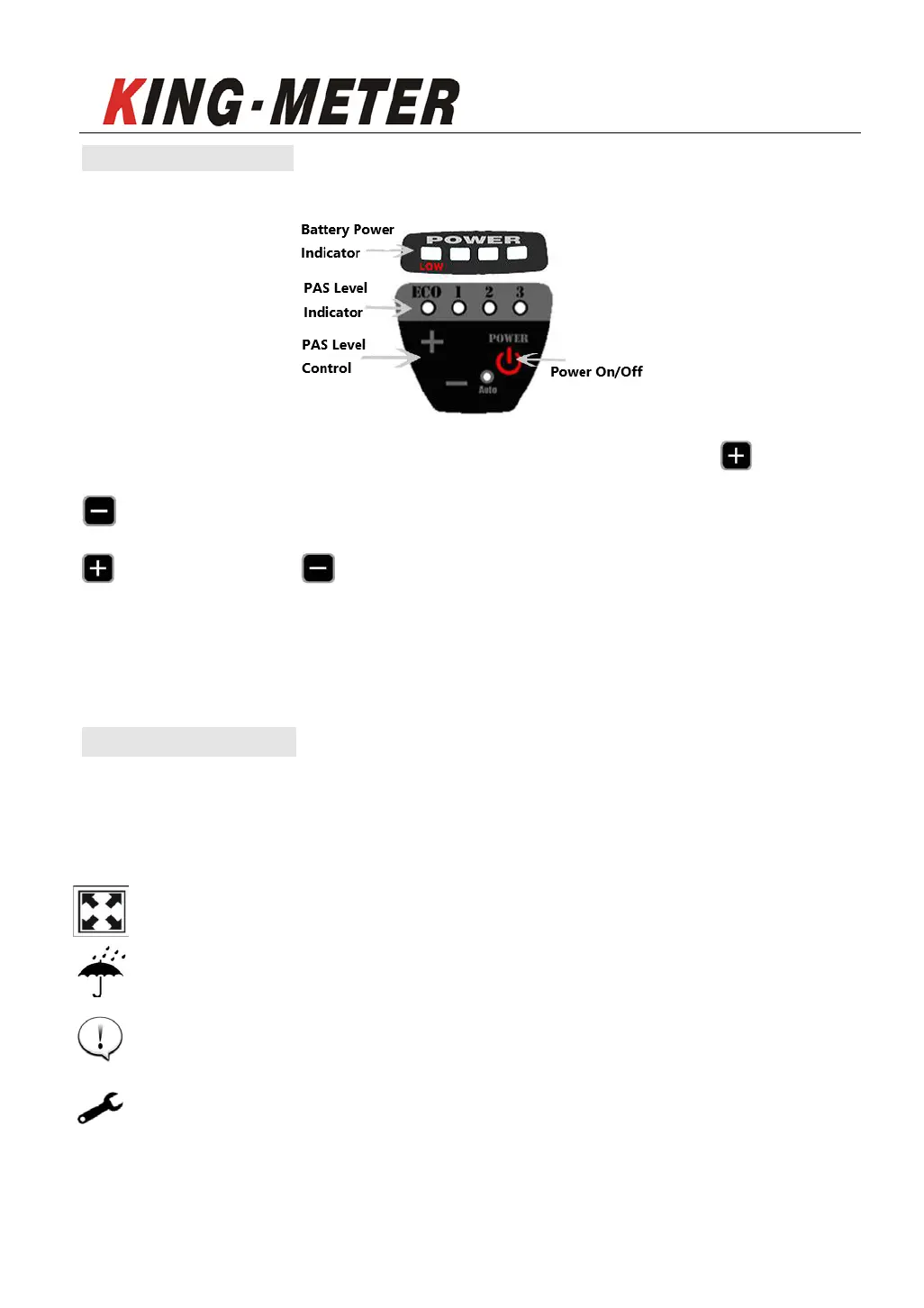
2.2 Button Definition
There are 3 buttons on the T319 display, including Power button, button and
button. In the following introduction,Power button is named as “SWITCH”,
is named as “UP”, is named as “DOWN”.
T319 display can automatically control the brightness of the display lamp
according to the light intensity of the external environment.
3. Note for Users
Pay attention to safety during use, and do not plug or unplug the meter when it is
powered on.
Avoid striking or knocking the display.
Do not remove the waterproof film attached to the display as this may
impair its waterproofing.
Do not modify system parameters to avoid parameters disorder.
In case of errors or malfunctions, the display should be returned to your
local supplier for repairs/replacements.











 To Next Page