KING-METER TECHNOLOGY CO., LTD
No.15, Chenchang Road, Beichen Dist.Tianjin,300134,CN
Fax:+0086 022 8478 0358 Tel: +0086 022 84780378
4. Installation Instruction
Fix the display onto the handlebar and adjust to an appropriate visual angle when
power off the E-bike, plug the connector of the display with the connector
corresponding to the controller to complete the installation.
5. Operating Instructions
5.1 Power on/off
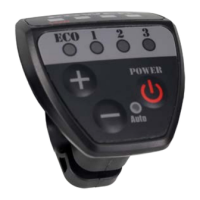
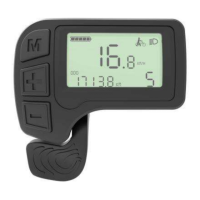
Shortly press “SWITCH” button then the display will power on, and the display will
provide power to the controller. In power on state, press “SWITCH” button to
turn off the power supply of the e-bike. In power off state, the display no longer
use the battery power. The leakage current is less than 1 uA.
If the E-bike has not been used for 10 minutes, the display will turn off
automatically.
5.2 Walk Assist
Hold “DOWN” button for 2 seconds to enter the mode of walk assist. The e-bike
will go on at speed of 6 Km/h, the PAS level lights will not turn on.
The walk assist mode can only be used when the user is pushing the
E-bike. Do not use it when riding.
5.3Turn On/Off the Headlight
Hold “UP” button to inform the controller to turn on the headlight. Hold the “UP”
button again to turn off the headlight.
5.4 PAS Level Setting
Shortly press "UP" or "DOWN" button to switch the PAS level, the motor output
power will be changed accordingly by the PAS level of E-bike. The output power
of the motor are 0-3 levels. The level 0 is the no output level, the level 1 is the












 To Next Page