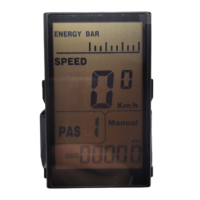
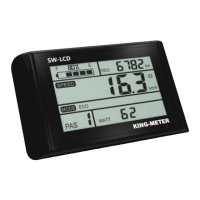
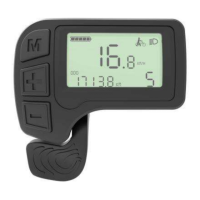
This document describes the KING-METER WH527-LCD display, a component designed to enhance the performance and user experience of e-bikes. It serves as a comprehensive guide for understanding the display's functionalities, installation, operation, and troubleshooting. The WH527-LCD offers a wide array of functions and indicators tailored to meet various user needs, providing essential information at a glance and allowing for personalized settings.
Function Description
The WH527-LCD display is a central interface for monitoring and controlling an e-bike's operations. Its primary function is to provide real-time data and allow users to adjust various parameters, ensuring an optimized riding experience.
Key functions include:
- Battery Indication: Displays the battery's charge level as a percentage, with a visual warning (flashing frame) when the battery is low and requires recharging.
- Speed Display: Shows real-time speed, average speed, and maximum speed, allowing riders to track their performance.
- Unit Choice: Users can switch between British (MPH/Mile) and Metric (Km/h/Km) units for speed and distance measurements, catering to different regional preferences.
- Distance Indication: Tracks both trip distance (TRP) and total distance (ODO), providing a comprehensive overview of travel.
- Time Indication: Displays the duration of a single ride, helping users manage their trip times.
- PAS Indication: Shows the current Pedal Assist System (PAS) level, indicating the motor's output power.
- Backlight: Features an adjustable backlight to ensure visibility in various lighting conditions, including dark environments.
- Consumption Fat Energy: Indicates the amount of fat energy consumed during a single ride, a unique feature for health-conscious riders. This indication clears after 10 minutes of inactivity.
- Fault Error and Character Indication: Displays error codes and characters from the electronic control system, aiding in quick diagnosis of potential issues.
- Parameter Settings: Allows users to customize various parameters such as wheel size, speed limit, and backlight brightness.
Usage Features
The WH527-LCD is designed for intuitive and user-friendly operation, with a focus on ease of access to information and settings.
Installation and Power:
- Installation: The display is fixed onto the handlebar, and its visual angle can be adjusted for optimal viewing. All connectors should be tightened securely.
- Power On/Off: To power on, the user presses the 'M' button for 2-3 seconds. This simultaneously activates the controller. To power off, the 'M' button is pressed for more than 2 seconds while the display is on. The display then enters a low-leakage current state, consuming less than 1µA from the battery.
- Connector Joint: Before powering on, ensure all connector joints are securely fixed to the e-bike's battery.
Interface Navigation and Settings:
- Default Display: Upon startup, the display defaults to showing the running speed.
- Changing Indicated Information: Pressing the 'M' button allows users to cycle through different display modes in sequence: Running Speed, Average Speed, Max Speed, Trip Distance (TRP), Total Distance (ODO), and Single Riding Time.
- PAS Level Selection: Users can switch between PAS levels (0-6) by pressing the up or down buttons for less than 2 seconds. Level 1 provides minimum power, and Level 6 provides maximum power. The default setting is Level 1.
- Backlight Control: To turn on the backlight and headlight (controlled by the e-bike's controller), press the up button for more than 3 seconds. Pressing the up button again for more than 3 seconds will turn off the LCD backlight.
- Push Cruise Control: By pressing the down button for more than 3 seconds, the e-bike enters "power assistant walk" mode, maintaining a uniform speed of 6 Km/h. The display will show "WALK". Important safety note: This function is intended only for pushing the e-bike by hand and should not be used while riding.
User Settings (Accessed by pressing up and down buttons together for >2 seconds):
- Wheel Size Setting (SET code 1): Users can adjust the wheel size to ensure accurate speed and distance readings. Available sizes include 16, 18, 20, 22, 24, 26, 700C, 28, and 29 inches. The default wheel size is 26 inches. The 'M' button is used to confirm the selection.
- Speed Limit Setting (SET code 2): The default maximum speed is 25 Km/h. Users can adjust this limit between 12 Km/h and 40 Km/h. The 'M' button confirms the chosen speed limit.
- Backlight Brightness Setting (SET code 3): The backlight has three levels: 1L (min dark), 2L (standard bright), and 3L (max bright). The default is 1L. The 'M' button confirms the selection.
- Unit Switch Setting (SET code 4): Allows switching between Metric (Km) and British (Mp) units. The 'M' button confirms the unit choice.
- Exit Setting: Pressing the 'M' button for less than 2 seconds confirms and saves the settings. Pressing 'M' for more than 3 seconds cancels the operation and exits the setting mode without saving changes. If no operation occurs for one minute, the display automatically exits the setting mode.
Maintenance Features
The WH527-LCD is designed for durability and ease of troubleshooting, with clear guidelines for user attention and error management.
User Attention Items:
- Handling: Users should handle the display with care and avoid connecting or disconnecting it while the power is on.
- Impact: Avoid bumping or colliding the meter to prevent damage.
- Waterproofing: The waterproof sticker film should not be removed, as this could impair the display's waterproof performance.
- Parameter Modification: Users are advised not to modify the meter's parameters and settings, as this may negatively impact the riding experience.
- Malfunctions: In case of a malfunction, the display should be delivered for repair as soon as possible.
Error Code Indication:
- Automatic Error Display: If the electronic control system encounters an issue, an error code will automatically appear on the display.
- Error Code Types: The display shows two types of error indications:
- Character Code Faults: Five serials of character codes provide specific reasons for faults (detailed in an attached table).
- Digital Code Faults: Other faults are indicated by digital codes (also detailed in an attached table).
- Remedy Requirement: The error code will only clear after the malfunction has been remedied. It is not possible to operate a defective e-bike.
- Common Error Codes and Definitions:
- 21: Current abnormality
- 22: Throttle abnormality
- 23: Missing phase on motor
- 24: Motor Hall signal abnormality
- 25: Brake abnormality
- 30: Controller communication abnormality
- BATT: Battery abnormality
- Controller: Controller abnormality
- Display: Display abnormality
- Sensor: Sensor abnormality
- Motor: Motor abnormality
Troubleshooting (FAQ):
- Display Not Starting: If the display fails to start, users should check the connector between the display and the controller.
- Dealing with Error Codes: If an error code appears, the e-bike should be taken to a maintenance facility immediately for repair.
Warranty Information:
- Warranty Period: The product comes with a 24-month warranty from the delivery date.
- Coverage: The warranty covers faults caused by product quality problems under normal use.
- Exclusions: The warranty does not cover:
- Opened housing.
- Damaged connectors.
- Scratched or damaged housing upon delivery.
- Scratched or broken cables.
- Failures or damages caused by force majeure (e.g., fires, earthquakes, natural disasters, thunder).
- Expired warranty.
Wiring:
- The manual provides a detailed wire sequence for the standard plug connectors, including wire colors and their corresponding functions (VCC, Power control, Ground, Data receive, Data transmission). Note that for waterproof connectors, the internal wire colors may not be visible to the user.
This comprehensive guide ensures that users can effectively install, operate, and maintain their KING-METER WH527-LCD display, maximizing their e-bike experience while addressing potential issues efficiently.

 Need help?
 General









 To Next Page