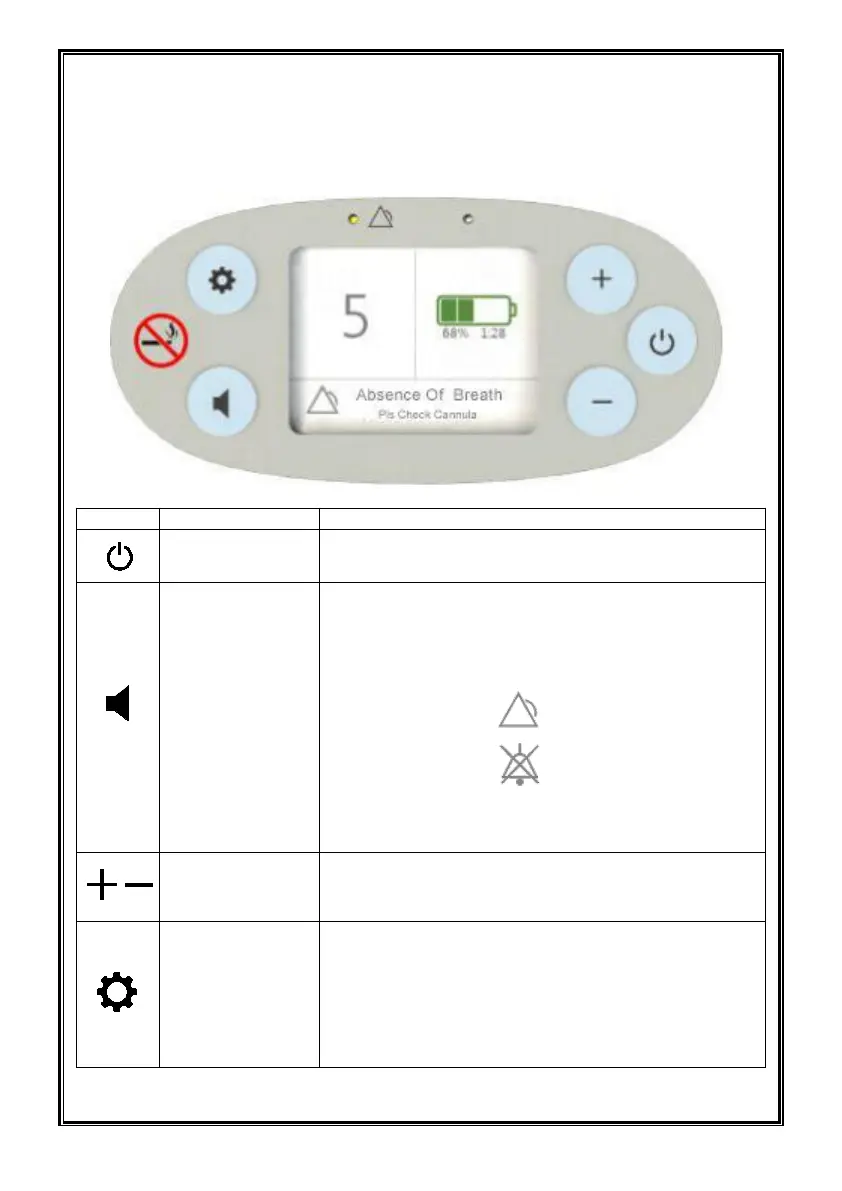
Description of the Kingon P2 Oxygen Concentrator
User Interface Instruction and Symbols used on Kingon P2
User control:
Press once to turn “ON”;
Press and hold for one second to turn “OFF”
Pressing the button will toggle the Kingon P2’s
audible alert on and off.
The display’s mode indication area will show 2
different icons on mute & audible mode:
on audible mode-----
On mute mode-------
and turn on yellow light, and display message when
the alert is enable.
Press this button to mute or unmute alarms .
Flow Setting
Control Buttons
Select the setting by pressing the – or +
buttons ,swift from 1 to 5 different flow setting
Press this button to display the information of device.
The information includes battery temperature,battery
status,molecular temperature,molecular runtime,
device model,device temperature,device runtime ,
firmware version, hardware version.


 To Next Page