1014336 Issue 01 BioTec+ Control Panel User Manual
9
6.4 Gravity Tank
I. Wire the mains into the isolator in the blower housing.
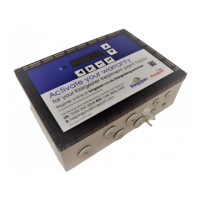
II. Turn the control panel on, it will prompt user to set the RTC (Real Time Clock), which
is the current time. When the RTC is set and you want to change it, simply navigate
from the status screen (the default screen with “BioTec+” ) with the arrow keys to the
menu point “Set clock”.
6.5 Pumped Outlet Tank
I. Wire the mains into the isolator in the blower housing.
II. Wire the pump and HLA (High Level Alarm) into the control panel.
III. Turn the control panel on, it will prompt user to set the RTC (Real Time Clock), which
is the current time. When the RTC is set and you want to change it, simply navigate
from the status screen (the default screen with “BioTec+” ) with the arrow keys to the
menu point “Set clock”.
6.6 Manual System Check
The BioTec+ panel allows manual operaon of blower (aeraon and clearwater removal) and submersible
pump. By holding the system check opon for 2 secs, this will only check the valves only.
Using the up/down arrows, select manual operaon of each of the valves and electrical outputs and press ok,
then select each operaon by pressing ok, then ok to switch on to test and ensure its switched back o when
complete.
There, the installer can check:
I. Blower + aeration
II. Blower + Clearwater airlift (Gravity system)
III. Submersible pump (IPS system)
IV. Status / function of the float switch on digital input 1(“Level Beep”)


 To Next Page