Touch Modes are disabled when in Looper Mode.
There just isn’t enough processing power to run them
simultaneously. However, if you’re editing tape eects
with the looper active, Touch becomes a Tape Stop
eect for your loops. To access the Touch Modes
again, clear all looper tracks.
Additional Topics
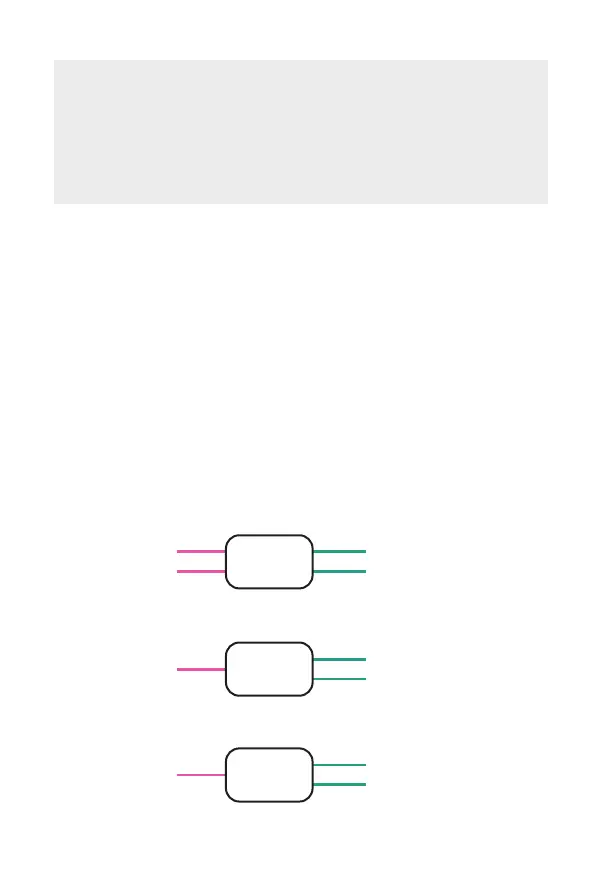
Mixing options
To access the Mixing Menu, hold down Touch while
applying power to Ribbons. The page LEDs will indicate
your current mix setting. You can toggle between three
options using the push button. After saving or exiting
Ribbons will boot up normally.
• To save a new setting press Touch
• To exit the menu press Bypass
1 — STEREO IN / STEREO OUT (default)
2 — MONO IN / STEREO OUT
3 —MONO IN / MONO OUT
left in (tip)
right out (ring)
left out (tip)
right in (ring)
ribbons
mono in (tip)
ribbons
right out (ring)
left out (tip)
mono in (tip)
ribbons
right out, copy (ring)
left out (tip)
28



 To Next Page