Chapter 2 Basic Operation 2-2
2. 1 Turning ON the KIP 2300
1. Prepare a power cable that satisfies the following specifications.
2. Connect the KIP2300 scanner to the outlet via the power cable.
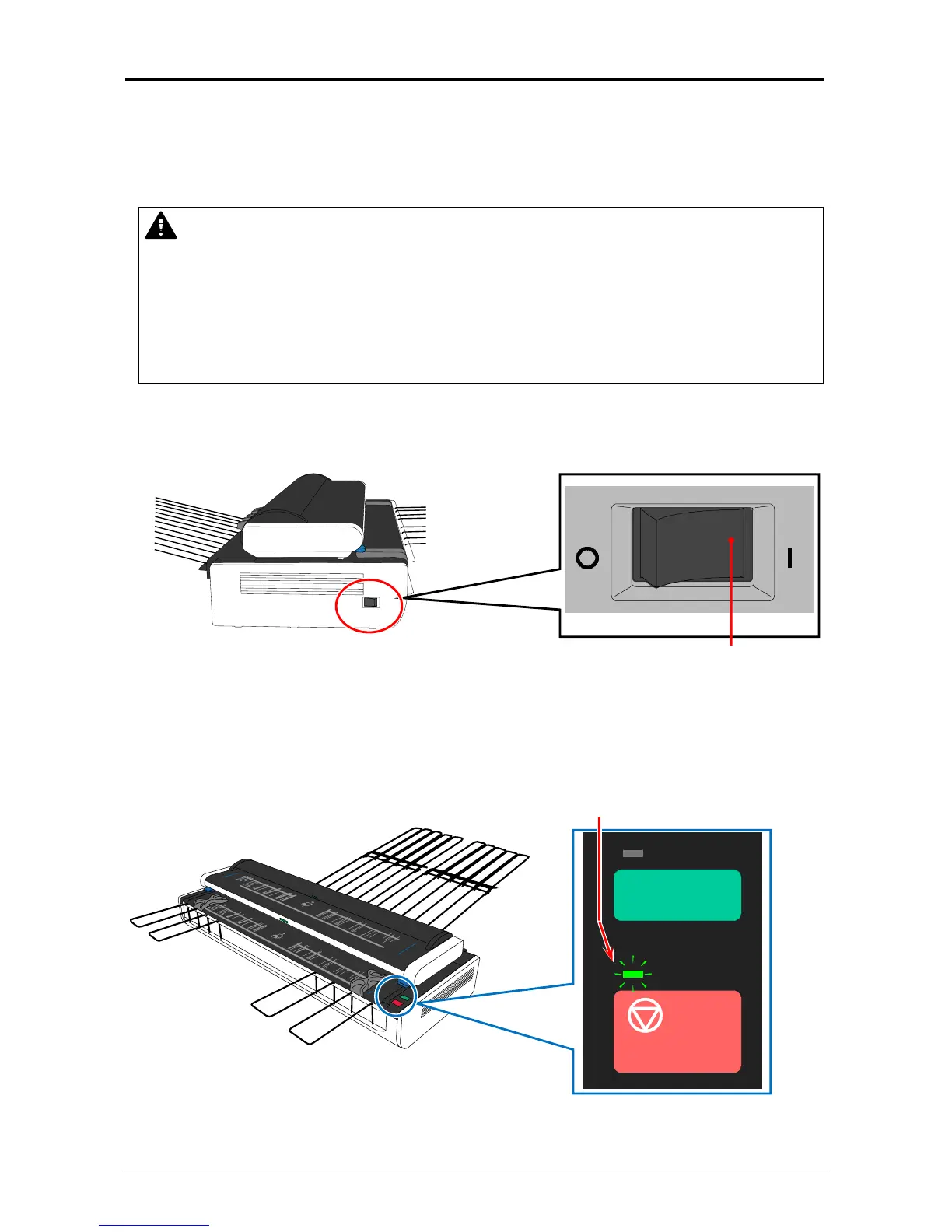
3. Turn on the KIP2300 scanner pressing the bar ( | ) side of Power Switch on the left.
Press this side for turning on.
4. Scanner takes initialization. It takes about 10 seconds for the initialization, and the scanner
does not accept original insertion during this period, which is shown by green flash of Power
Lamp.
Power Lamp (flashes before ready)
BOARD
WARNING
(1) Do not handle the power plug with a wet hand. It may result in receiving an electrical
shock.
(2) Ground the machine for safety.
(3) Please connect to a dedicated outlet. Many loads on a single outlet may cause
overheating and result in a fire.
(4) The outlet must satisfy 100-240V +6%/-10%, 50/60Hz, 6A or higher.



 To Next Page