Chapter 2 Basic Operation 2-7
(2) Using the Lower Original Feeder
The thickness of original that the lower original feeder can accept by normal mode is from 0.05 to
1.5mm.
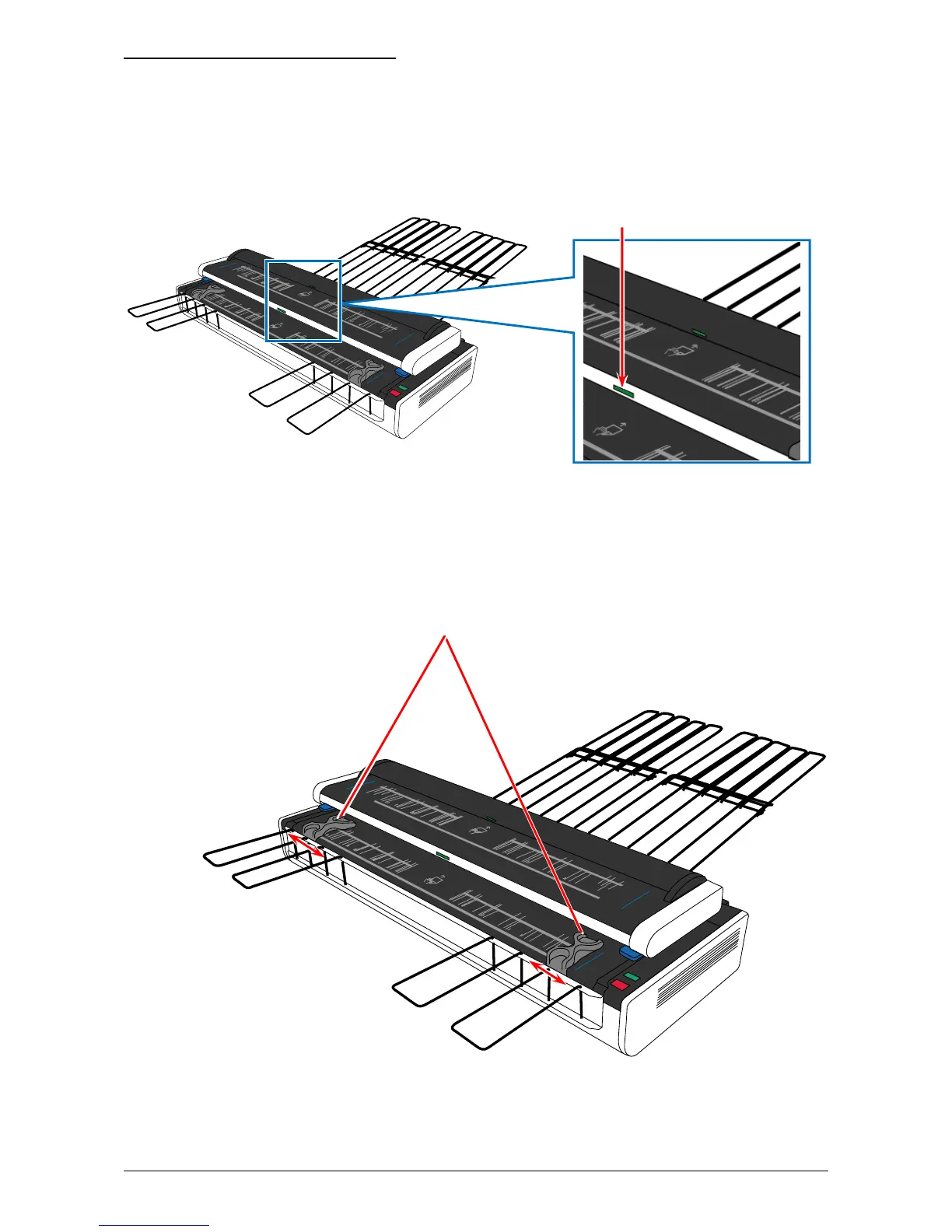
1. Confirm the Lower Original Feeder Indicator is lighting in green. The original can be accepted
only when it is lighting in green.
Lower Original Feeder Indicator
2. The Original Guides will prevent the original from skewing during scanning. Move them onto
the Lower Original Feeder (if on the Upper Original Feeder). Then according to the width of
scan original, align the inside edge of Original Guides to the concerning size lines on the table.
Original Guides



 To Next Page