Chapter 2 Basic Operation 2-3
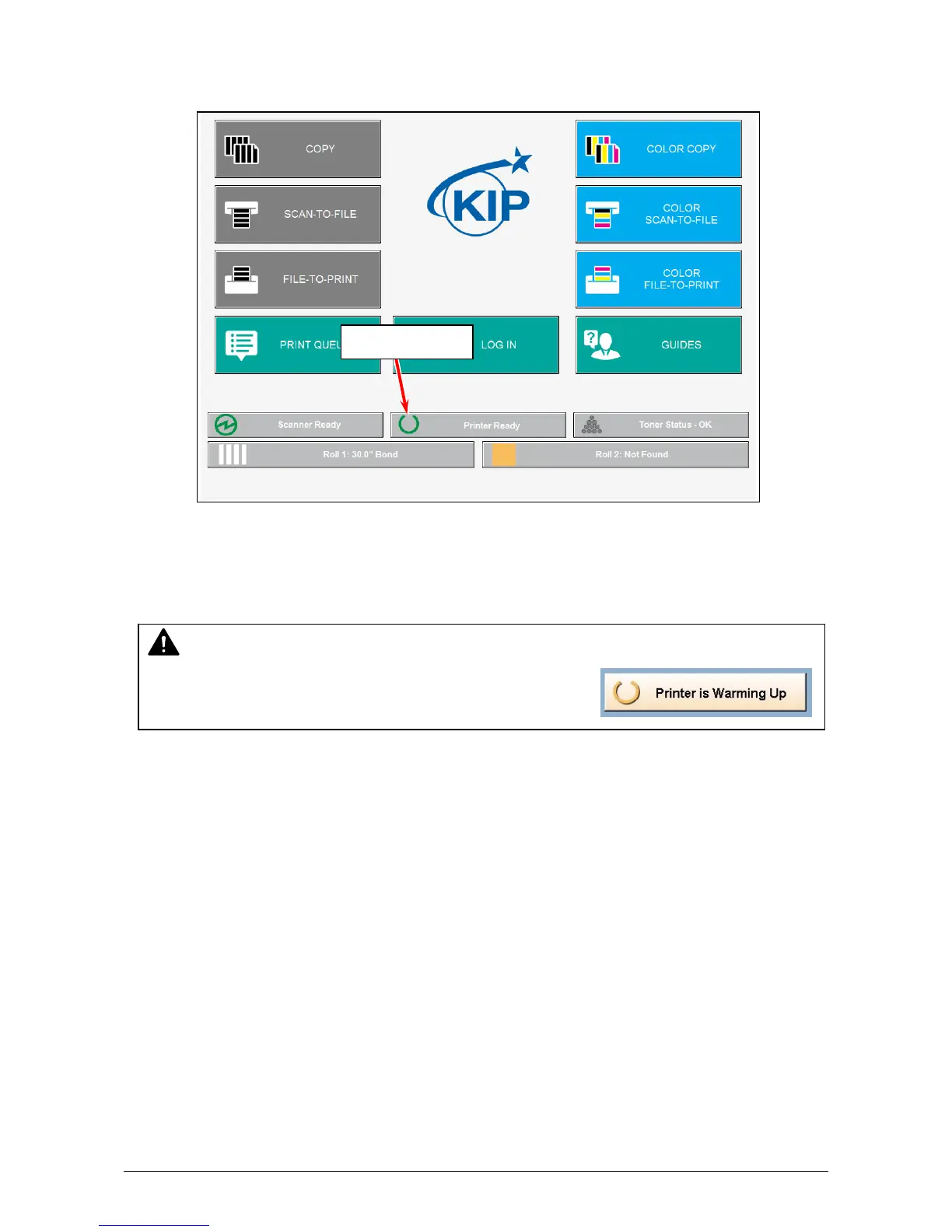
3. The User Interface (UI) starts operating, and displays the following Copy Mode Screen in one
minute.
The Ready Indicator on Copy Mode Screen will flash during warming up.
The UI screen may vary depending on your system configuration.
(Shown with available options)
4. When Ready Indicator stops flashing, the KIP 7170 is ready for operation.
NOTE
It is impossible to make any prints while Ready Indicator is
flashing in orange. Please wait until it turns in green.
Ready Indicator



 To Next Page