Chapter 3 Error Correction 3-9
3. 1. 4 Fuser Jam
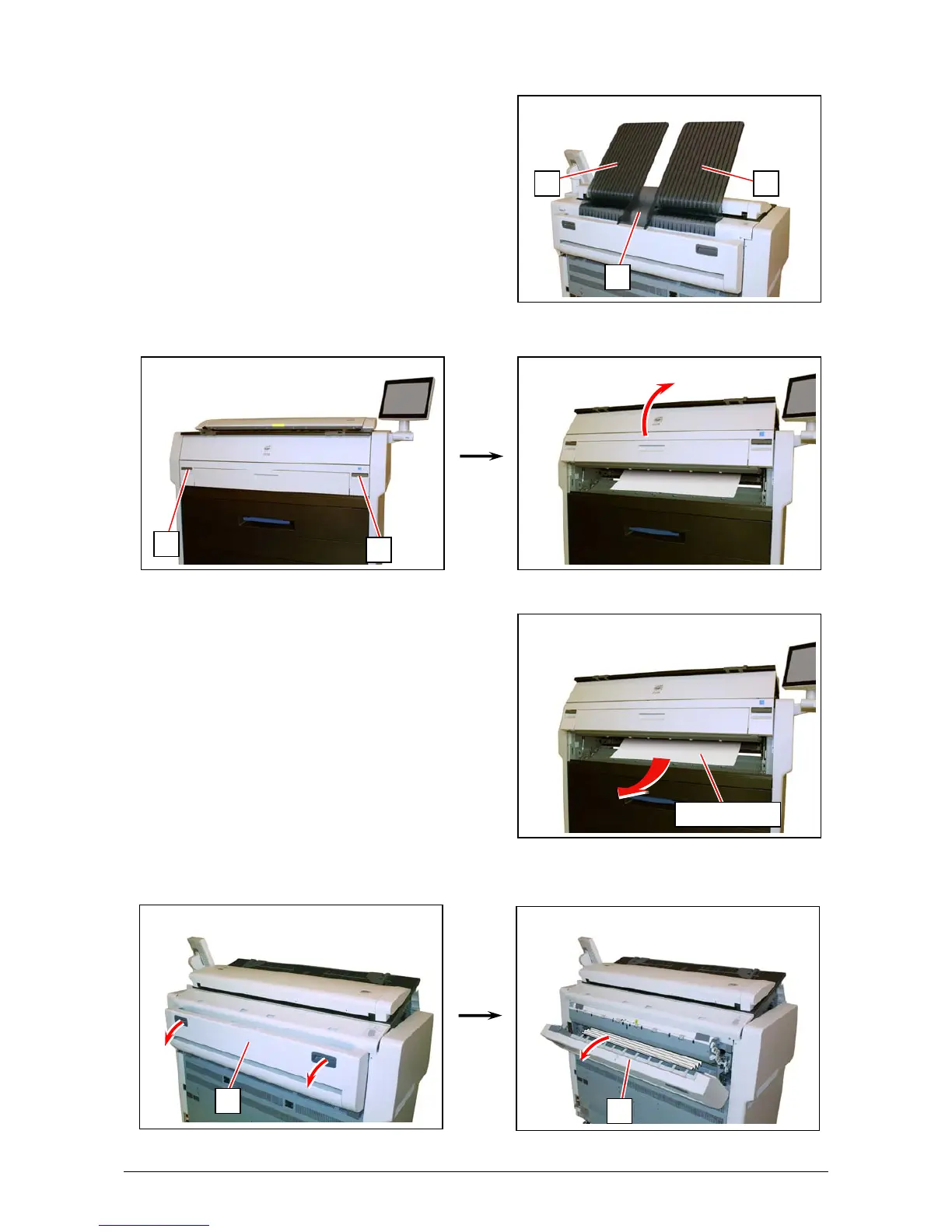
1. Remove all Print Trays (1).
2. Pull up the Engine Unit Open Levers (2) to open the Engine Unit.
3. Remove the mis-fed paper.
If the mis-fed paper cannot be seen or removed,
leave the media and go to the next step.
If the paper (including any torn part) can be
removed, go to step 8.
4. Hold the gray handles and open the Exit Cover (3).
2
2
mis-fed media
3
3
1
11



 To Next Page