Chapter 3 Error Correction 3-14
3. 1. 6 Original Jam
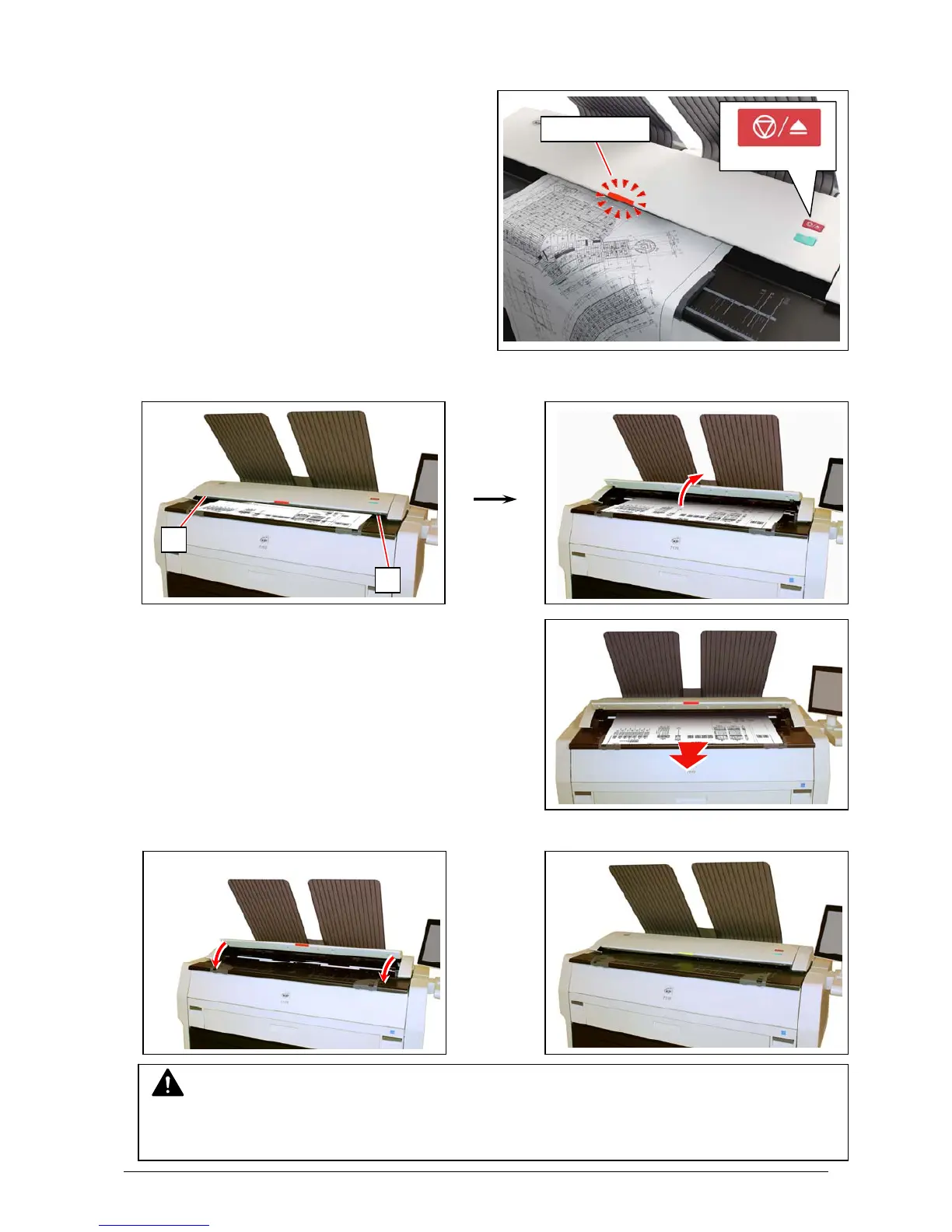
The scanner may stop feeding the original in the
scanner if the original skews.
Pressing Scan Abort Button during scanning also
stops the original in the scanner.
In both cases, LED Indicator flashes red.
1. Lift up both sides (1) of the Scanner Unit, and then remove the original.
2. Gently press Scanner Unit down and firmly close it.
red flashing
Scan Abort Button
NOTE
Press down Scanner Unit on both the sides to close it.
Do not close it by pressing only one side down.
1
1



 To Next Page