Chapter 2 Basic Operation 2-5
2. 3 Replacing Roll Media
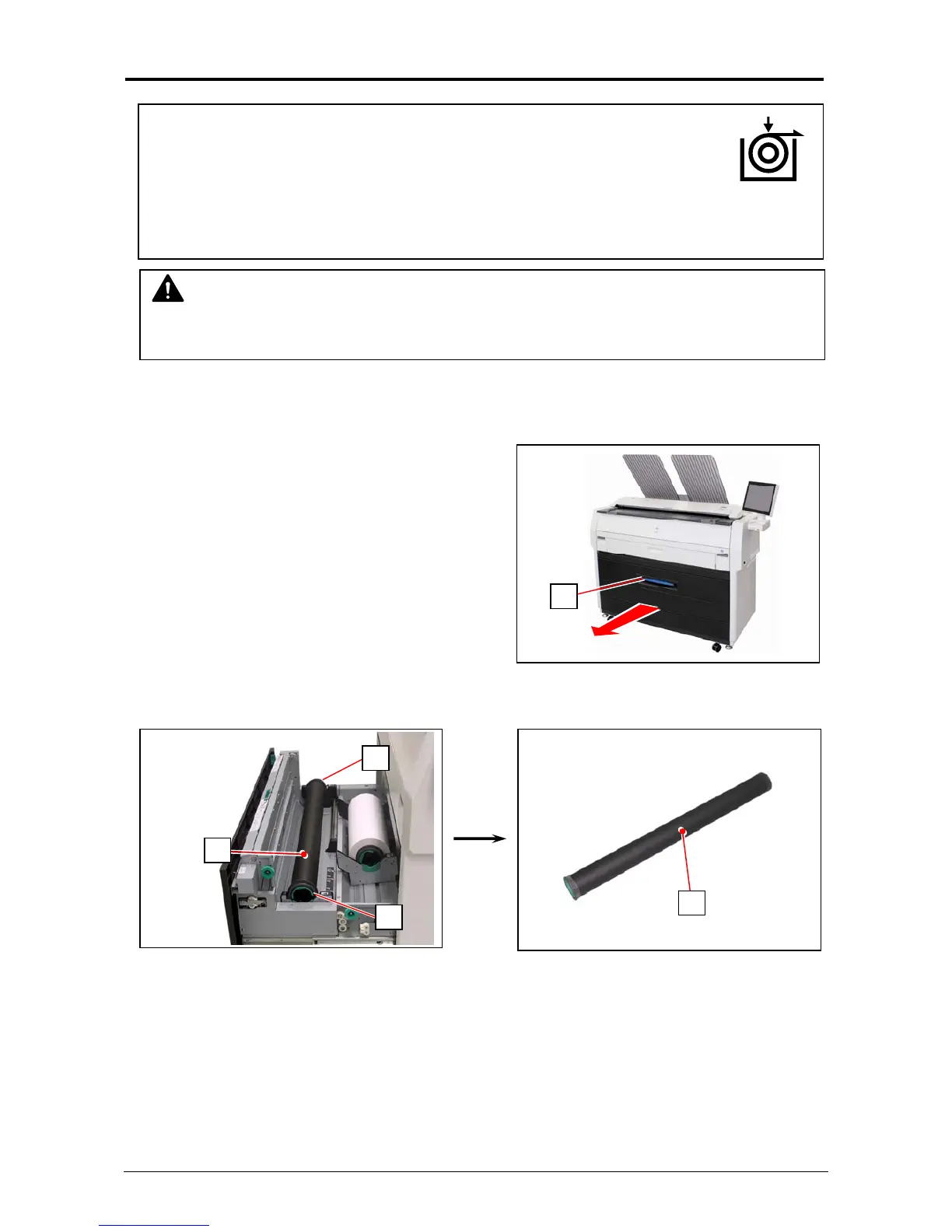
1. Pull the blue lever (1) to unlock the Roll Deck. Draw out the Roll Deck.
2. Holding both Flanges (2), lift and remove a roll media or an empty roll core (3).
NOTE
(1) A paper mis-feed tends to occur just before out of a roll paper.
(2) A tracing roll paper is recommended to be loaded to Roll Deck 1 (front).
2
2
3
3
1
(1) When the printer is running out of a roll media, the UI Screen will Ddisplay
“Roll Replacement” sign.
Follow the later procedure (or as noted in the UI’s User Guide) to load a roll
media. Please refer to your KS8 Touch Screen Operator’s Guide for the
UI screen.
(2) This section describes how to install a roll media to Roll Deck 1.
The same procedure is applied to Roll Deck 2, unless otherwise noted.



 To Next Page