Chapter 3 Error Correction 3-12
3. 1. 5 Stack Jam
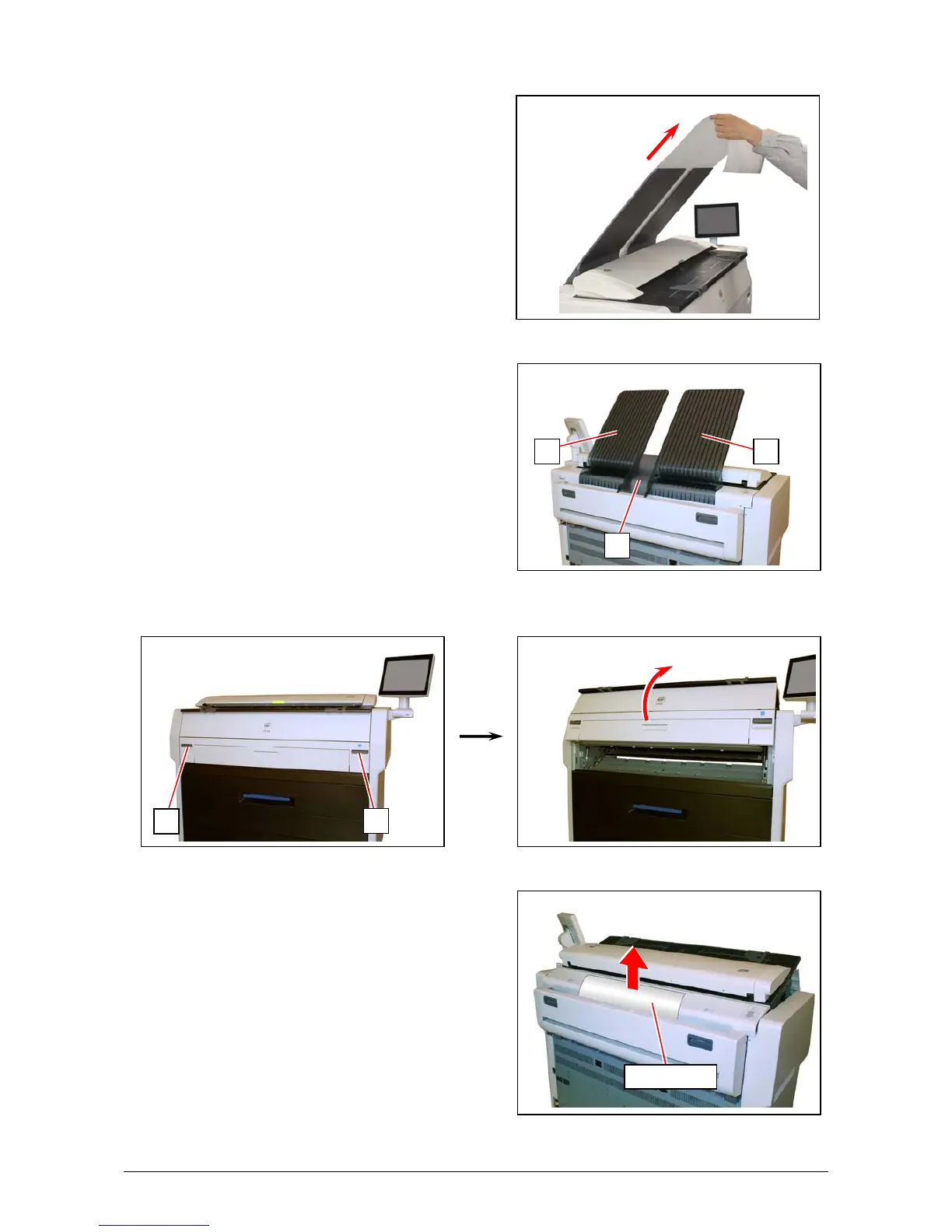
1. Remove print(s) on Print Trays.
2. Remove all Print Trays (1).
3. Pull up the Engine Unit Open Levers (2) to open the Engine Unit.
4. Pull and remove the jammed print to the top.
If the print cannot be removed, see [3.1.4 Fuser
Jam] for the later procedure of clearing the
jammed print.
2
2
jammed print
1
11



 To Next Page