Chapter 2 Basic Operations 2-2
2. 1 Turning on the Printer
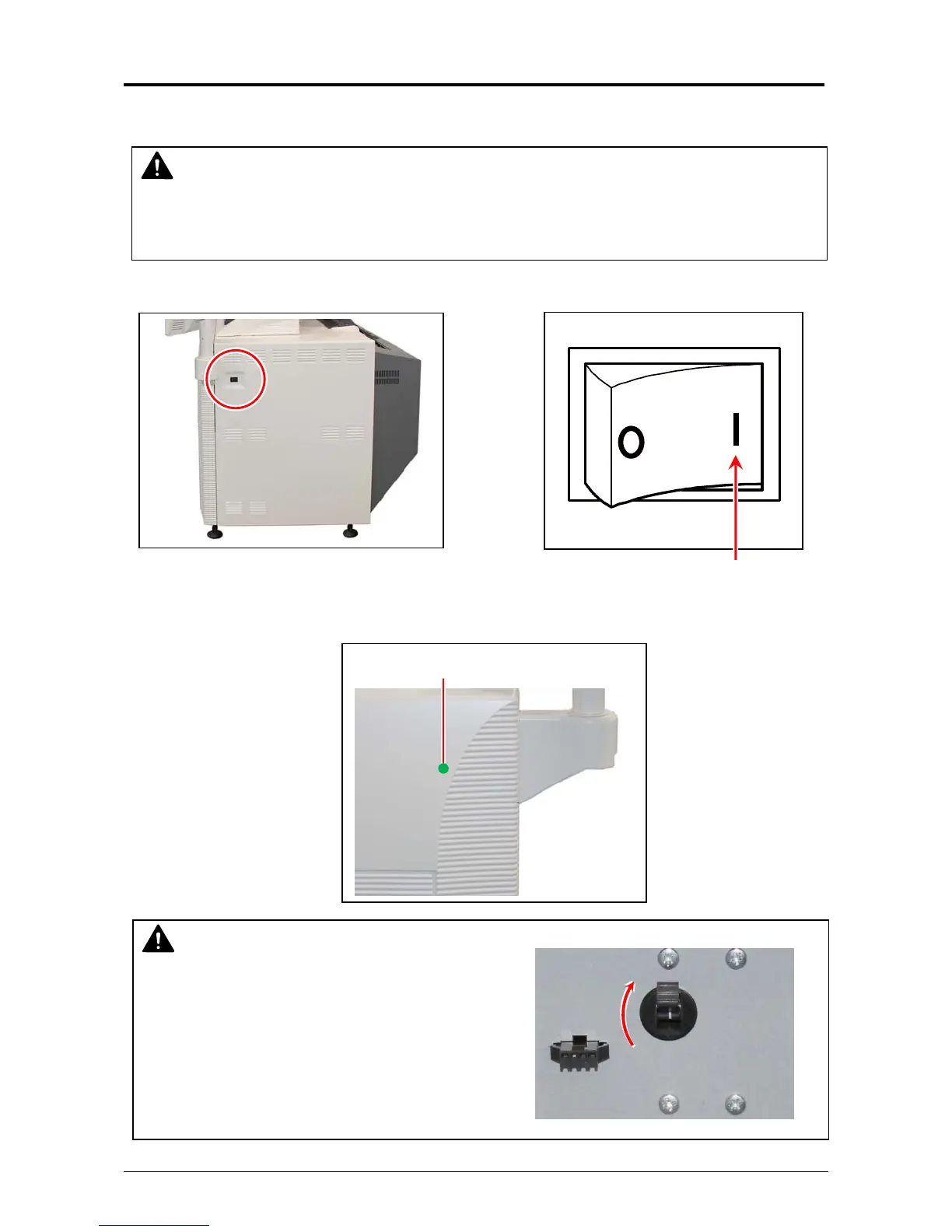
1. Plug the Printer to an exclusive wall outlet.
2. Press “|” side of the Power Switch.
3. The Status Indicator above the Power Switch flashes green while warming up.
NOTE
Please confirm the outlet satisfies the following condition before plugging the Printer into.
220-240V (+6% to -10%), 20A, and 50/60Hz
Status Indicator (Blink)
Press this side
NOTE
The machine does not operate at all If the
circuit breaker is turned off.
Flip up the circuit breaker switch to turn on the
power supply.



 To Next Page