Chapter 2 Basic Operations 2-11
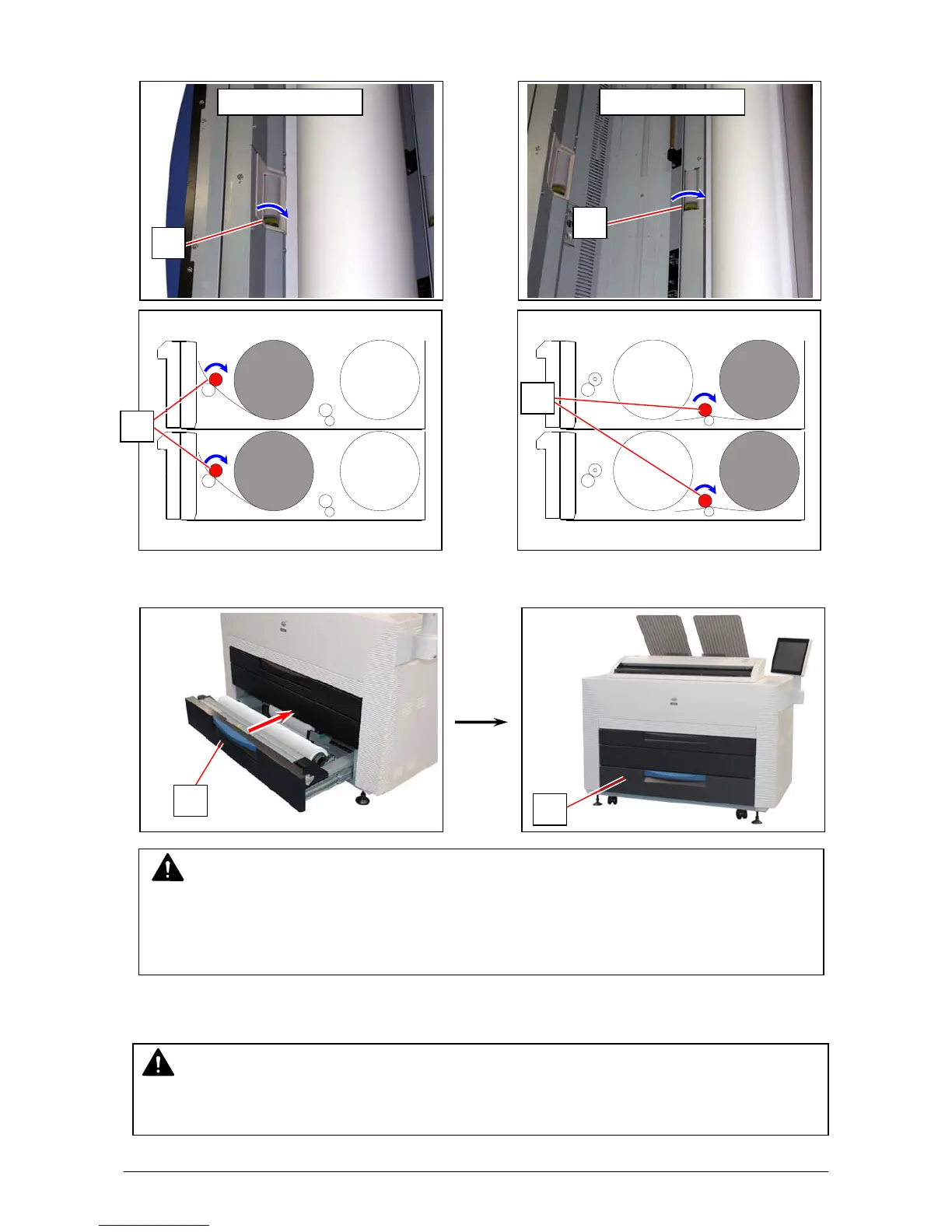
8. Rotate the small green roller (11) in the direction of arrow by hand for allowing the feeding roller
to surely hold the leading edge.
9. Push the Roll Deck (1) back in.
10. Define the media information (media type and width) with using the touch screen.
11
11
Front Deck
Roll 1 / 3
Rear Deck
Roll 2 / 4
NOTE
(1) Surely close the Roll Deck until it is locked. A paper jam may occur if not locked perfectly.
(2) Be careful not to catch your finger in between Roll Deck drawers.
Roll 2
Roll 4
Roll 1
Roll 3
10
10
1
1
NOTE
Incorrect settings lead to unwanted print results (fusing defect, improper image quality).



 To Next Page