Chapter 2 Basic Operations 2-14
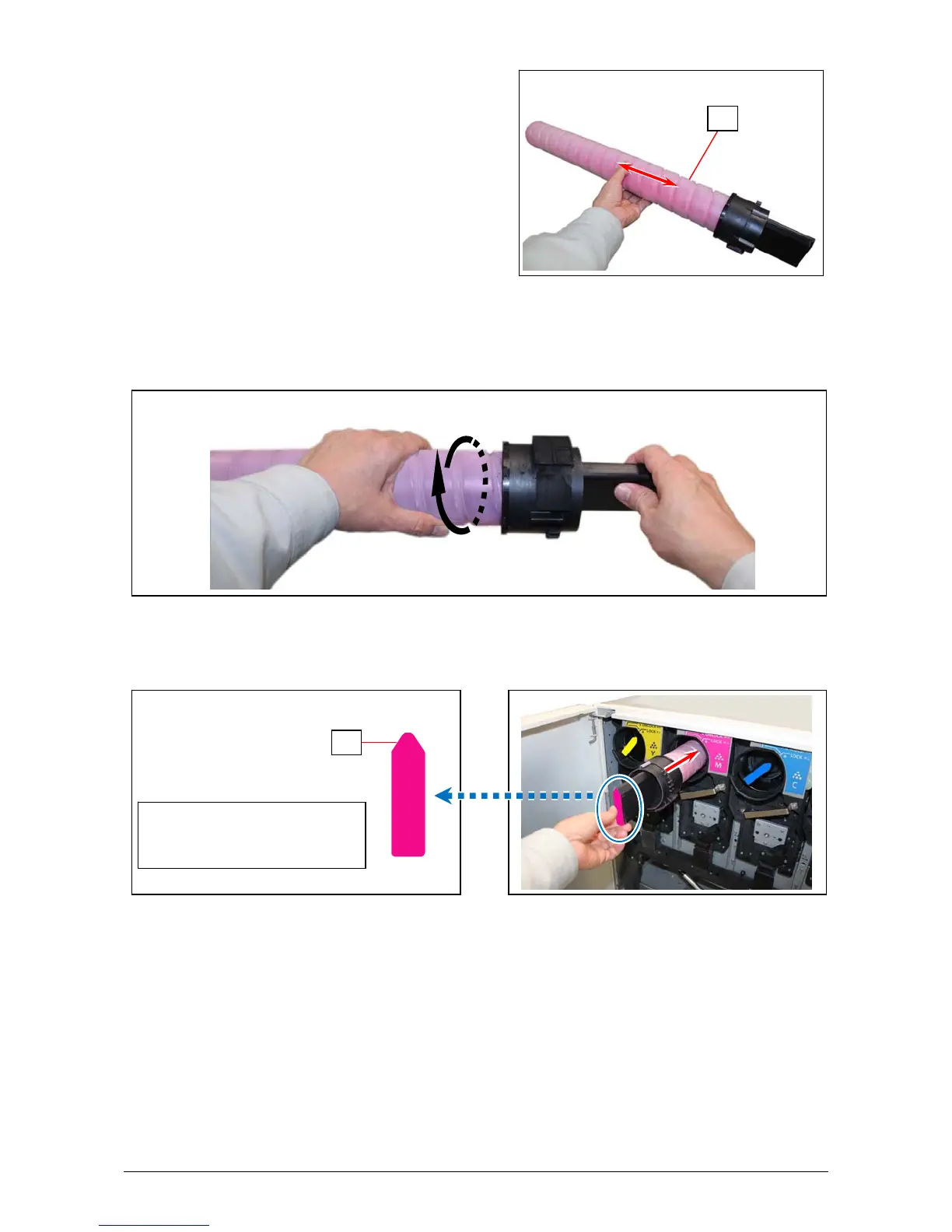
3. Prepare a new Toner Cartridge (3) of the same color and shake it enough to loosen the toner.
4. With catching the head part (black part), rotate the body (white part) of the Toner Cartridge in
the direction of arrow for more than 3 revolutions. This will have a space in the toner supplying
hole.
5. With directing the pointed tip (4) of the color label upside, set the new Toner Cartridge back into
the original position and insert it deep into the machine until it stops.
Direct the pointed tip (4)
upside when inserting the
cartridge into the machine.
3
4



 To Next Page